
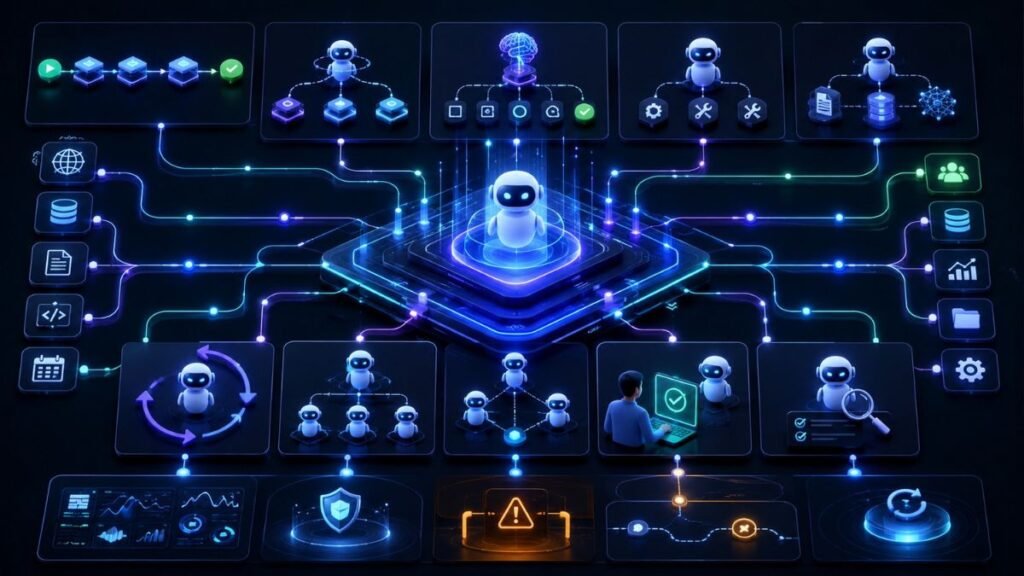
Design Patterns for Building Agentic AI Applications: Workflows, Routers, Planning Loops, Tools, Memory, Multi-Agent Systems, Human Review, and Safety Controls
Design patterns for building agentic AI applications are reusable architecture choices that help developers structure agents, workflows, tools, memory, handoffs, loops, and human review. They matter because agentic AI apps are harder than simple chatbots: they must plan, act, observe results, manage state, and stay safe in real workflows.
In Simple Terms
An agentic AI design pattern is a repeatable way to build an AI agent application.
Instead of inventing the architecture from scratch, developers use proven patterns such as sequential workflows, routers, planner-executor loops, tool-using agents, human-in-the-loop review, and multi-agent orchestration.
The right pattern makes the system easier to test, monitor, and control.
What Are Agentic AI Design Patterns?
Agentic AI design patterns are reusable architecture templates for building AI systems that can pursue goals, use tools, coordinate tasks, and complete workflows.
A pattern does not tell you which model to use. It tells you how the system should be structured.
For example, a router pattern sends different requests to different agents or workflows. A planner-executor pattern separates planning from action. A human-in-the-loop pattern pauses the agent before risky actions.
LangGraph’s documentation explains a useful distinction: workflows follow predetermined code paths, while agents dynamically define their own processes and tool usage. This is the foundation of many agentic AI design patterns.
Quick Comparison of Common Agentic AI Design Patterns
| Pattern | Best For | Main Risk |
| Sequential workflow | Predictable steps | Too rigid for uncertain tasks |
| Router pattern | Different request types | Wrong routing decision |
| Planner-executor | Multi-step tasks | Bad plan or skipped validation |
| Tool-using agent | External actions | Tool misuse |
| RAG agent | Knowledge-grounded answers | Weak retrieval |
| Planning loop | Iterative problem solving | Infinite loops |
| Reflection pattern | Self-checking outputs | Extra cost and latency |
| Supervisor-worker | Specialist agents | Coordination failure |
| Human-in-the-loop | High-risk actions | Review bottlenecks |
| Observability pattern | Production monitoring | Too much noise without metrics |
The best design often combines several patterns.
1. Sequential Workflow Pattern
The sequential workflow pattern is the simplest design. Steps happen in a known order.
Example:
Receive request.
Classify intent.
Retrieve context.
Generate draft.
Run validation.
Send to human review.
This pattern works well when the process is predictable. Customer support intake, document extraction, lead qualification, and policy lookup often start here.
The advantage is control. The disadvantage is limited flexibility. If the workflow requires dynamic reasoning, a sequential pattern may be too rigid.
2. Router Pattern
The router pattern decides where a task should go.
For example, a support system may route billing questions to a billing workflow, technical bugs to a debugging agent, and refund requests to a human approval path.
This pattern is useful when one system handles many task types. It keeps agents smaller and more focused.
A good router needs clear categories, fallback handling, and confidence thresholds. If the system is unsure, it should ask for clarification or route to a human.
3. Planner-Executor Pattern
The planner-executor pattern separates planning from action.
The planner decides the steps. The executor performs them. This is useful for tasks that require more than one action, such as debugging software, researching a topic, or investigating an incident.
Example:
The planner says: “Check logs, compare recent deploys, inspect error rate, then summarize likely cause.”
The executor calls the monitoring tools and collects results.
The risk is that the plan may be wrong. Strong systems evaluate plans, limit actions, and allow replanning when results do not match expectations.
4. Tool-Using Agent Pattern
The tool-using agent pattern gives the agent access to external capabilities such as search, APIs, databases, calendars, CRMs, code runners, or document stores.
OpenAI’s Agents SDK describes an agent as an LLM configured with instructions, tools, and optional runtime behavior such as handoffs, guardrails, and structured outputs.
This pattern is powerful because it lets agents act on real information. It is also risky because tool calls can affect real systems.
Use typed schemas, permission checks, validation, logs, and human approval for high-impact actions.
5. RAG Agent Pattern
A RAG agent retrieves relevant knowledge before answering or acting. It is useful when the agent needs current, private, or domain-specific context.
Examples include customer support agents, policy assistants, research agents, and document review tools.
The key design choice is whether retrieval is fixed or dynamic. In simple apps, the system always retrieves before answering. In more agentic systems, the agent decides when retrieval is needed and which source to query.
The risk is weak retrieval. If the wrong document is retrieved, the final answer may still sound confident but be unsupported.
6. Planning Loop Pattern
The planning loop pattern lets the agent repeat a cycle: plan, act, observe, reflect, and replan.
This is useful for debugging, research, incident investigation, and multi-step tool workflows. It helps agents adapt when the first attempt fails.
Google Cloud’s agentic AI design guidance describes loop-agent patterns that repeatedly execute until a termination condition is met, such as a maximum number of iterations or custom state.
The main risk is looping too long. Always set step limits, timeouts, cost budgets, stopping conditions, and escalation rules.
7. Reflection and Verification Pattern
The reflection pattern asks the agent or a separate reviewer to check output quality before completion.
This can help with factuality, format compliance, code quality, policy alignment, and risk detection.
For example, a writing agent may draft an answer, then a reviewer checks whether the output uses retrieved sources. A coding agent may propose a patch, then a test agent runs checks.
Reflection is useful, but it is not magic. It can add cost and latency, and the reviewer can still be wrong. Use it where quality matters enough to justify the extra step.
8. Supervisor-Worker Pattern
The supervisor-worker pattern uses a central supervisor agent to coordinate specialized worker agents.
LangChain’s multi-agent guidance describes the supervisor pattern as an architecture where a central supervisor coordinates specialized worker agents, which is useful when tasks require different types of expertise. OpenAI’s orchestration documentation also covers handoffs and agents-as-tools for coordinating multiple agents.
Example:
Supervisor agent receives the goal.
Research agent gathers sources.
Writer agent creates a draft.
Reviewer agent checks quality.
Supervisor decides whether the task is done.
This pattern is useful for complex workflows, but it can become noisy if roles are vague.
9. Human-in-the-Loop Pattern
The human-in-the-loop pattern pauses the agent before risky decisions or actions.
LangChain’s human-in-the-loop middleware can pause execution when a model proposes an action that needs review, such as writing to a file or executing SQL.
Use this pattern when the agent may affect money, legal outcomes, customer records, production systems, healthcare, identity, security, or public communication.
The best human review pattern is not vague. It should define what gets reviewed, who reviews it, what information is shown, and what happens after approval, rejection, or edits.
10. Observability and Evaluation Pattern
Production agentic AI applications need observability by design.
Track the goal, plan, tool calls, arguments, retrieved context, memory reads, outputs, approval events, errors, cost, latency, and final outcome.
This pattern helps teams understand whether the agent failed because of the model, retrieval, tool routing, memory, orchestration, or permissions.
Recent research on agentic design patterns argues that ad-hoc agent design can produce brittle systems and proposes more systematic architectural frameworks for modular, understandable, and reliable agents. Another 2026 paper classifies design patterns across cognitive function and execution topology, showing that architecture choices affect failure modes and trade-offs.
How to Choose the Right Pattern
Start with the task.
Use a sequential workflow when the steps are known. Use a router when requests belong to different categories. Use a planner-executor when the task requires flexible steps. Use a tool-using pattern when the system must access real systems. Use a RAG agent when knowledge grounding matters. Use human-in-the-loop when actions are high risk.
For many applications, the best design is hybrid:
Router → RAG retrieval → tool-using agent → reflection → human approval → final action.
The goal is not to use every pattern. The goal is to choose the few that make the workflow reliable.
Common Mistakes to Avoid
The first mistake is making everything fully agentic. If a fixed workflow works, do not replace it with an uncontrolled autonomous agent.
The second mistake is using multi-agent patterns too early. Start with one agent or workflow. Add specialists only when role separation clearly improves quality.
The third mistake is forgetting stop conditions. Any loop pattern needs maximum steps, timeouts, and escalation.
The fourth mistake is skipping observability. If you cannot inspect the trace, you cannot debug the system.
Suggested Read:
- What Is Agentic AI? A Practical Guide for Beginners
- What Is an AI Agent? A Simple Explanation With Examples
- The Core Building Blocks of an Agentic AI System
- Agentic AI Architecture Explained Simply
- How Orchestration Works in Agentic AI Systems
- Planning Loops in Agentic AI: What They Are and Why They Matter
- Tool Use in Agentic AI: Function Calling, APIs, and External Actions
- How to Evaluate Agentic AI Systems
FAQ: Agentic AI Design Patterns for Developers
What are design patterns for building agentic AI applications?
They are reusable architecture templates for structuring AI agents, workflows, tools, memory, routing, loops, handoffs, human review, and monitoring.
How do you design an agentic AI application?
Start with the workflow goal, choose the simplest pattern that fits, add tool access carefully, define state and memory, include evaluation, and add human review for risky actions.
What are common AI agent design patterns?
Common patterns include sequential workflow, router, planner-executor, tool-using agent, RAG agent, planning loop, reflection, supervisor-worker, and human-in-the-loop.
What is the difference between workflow and agent patterns?
Workflows follow predetermined steps. Agent patterns allow dynamic decisions, tool choices, and replanning based on context and observations.
When should you use a multi-agent design pattern?
Use multi-agent patterns when tasks require distinct roles, separate tools, independent review, or coordinated specialist work.
What are the risks of poor agentic AI design patterns?
Risks include loops, wrong tool calls, weak retrieval, stale memory, unsafe actions, unclear handoffs, high cost, and poor observability.
Final Takeaway
Design patterns for building agentic AI applications help developers avoid fragile, ad-hoc agents. Start with the simplest useful pattern, add tools and loops only when needed, use human review for risky actions, and make observability part of the design from day one.
To continue learning, read The Core Building Blocks of an Agentic AI System, How Orchestration Works in Agentic AI Systems, and How to Evaluate Agentic AI Systems next.