

Image grounding in AI is the ability to connect language, such as a word, phrase, caption, or question, to the exact visual region it refers to inside an image. Instead of only saying “there is a dog,” a grounded AI model can identify where the dog is and which part of the image supports the answer.
In Simple Terms
Image grounding helps AI connect words to visual evidence. If you ask an AI model to find “the red backpack under the table,” image grounding is what allows the system to locate that specific backpack instead of just describing the whole image.
This matters because multimodal AI should not only produce fluent answers. It should show that it understands what part of the image the answer comes from. In many systems, grounding may appear as a bounding box, segmentation mask, highlighted object, attention region, or phrase-to-region link. Visual grounding is commonly described as locating a region in an image based on a natural-language description.
What Is Image Grounding in AI?
Image grounding in AI is a vision-language task where a model links text to visual regions. The text may be a phrase, object description, instruction, caption, or user question. The visual output may be a bounding box, mask, selected region, or localized object.
For example, if the phrase is “the person wearing a blue jacket,” the model should identify the exact person in the image, not just detect every person. This is why image grounding is closely related to visual grounding, phrase grounding, and referring expression comprehension. A 2026 visual grounding survey describes the task as grounding specific regions within images based on language descriptions.
Image Grounding vs Object Detection
Object detection and image grounding are related, but they solve different problems. Object detection usually finds objects from predefined categories such as person, car, dog, chair, or bottle. Image grounding starts with language and finds the visual region that matches the phrase.
This distinction matters in real-world workflows. If a user asks for “the damaged part near the bottom-right corner,” a standard detector may not know that category. A grounded vision-language model can use the phrase itself as the search target. This makes image grounding more flexible for multimodal AI assistants, robotics, document AI, visual search, and image-based customer support.
| Task | Input | Output | Example |
| Object detection | Image | Object boxes and labels | Detect all cars |
| Image captioning | Image | Text description | “A car parked near a tree” |
| Image grounding | Image + phrase | Region linked to phrase | Locate “the car near the tree” |
| Visual question answering | Image + question | Text answer | “What color is the car?” |
| Grounded VQA | Image + question | Answer + evidence region | “Blue,” with region highlighted |
How Image Grounding Works
Image grounding usually starts with two inputs: an image and a language reference. The image is processed by a visual encoder, while the text is processed by a text encoder or language model. The system then compares visual features with language features to find the region that best matches the phrase.
Modern vision-language systems often use shared embedding spaces, cross-attention, or transformer-based fusion to align image regions and text tokens. Milvus describes vision-language models as combining separate neural networks for visual and textual data and aligning their representations in a shared embedding space. In grounding tasks, that alignment becomes spatial: the model must identify where the language appears in the image.
Phrase Grounding Explained
Phrase grounding is a specific type of image grounding. It links words or phrases in a sentence to image regions. For example, in the caption “a dog playing with a ball,” phrase grounding may connect “dog” to the dog region and “ball” to the ball region.
This helps models move beyond general image descriptions. Instead of generating a caption that sounds plausible, the model can connect each important phrase to visual evidence. Roboflow describes phrase grounding as associating specific words or phrases with corresponding regions in an image.
Why Image Grounding Matters
Image grounding matters because it improves trust, precision, and explainability. If an AI assistant says there is a crack in a machine part, users may want to know exactly where the model sees that crack. If a document AI system extracts a value from a form, users may need the source region on the page.
Grounding also reduces ambiguity. In a crowded image with multiple people, vehicles, or objects, the model must know which one the user means. This is essential for robotics, visual search, healthcare workflows, customer support, accessibility, and enterprise document review. IBM notes that vision-language models map relationships between text and visual data, which is the broader foundation that makes grounding possible.
Real-World Use Cases of Image Grounding
Image grounding is useful in customer support when users upload screenshots and ask about a specific button, error, or interface element. A grounded system can highlight the relevant region instead of only giving a generic answer.
It is also useful in document understanding. A system can link extracted fields to the exact section of an invoice, receipt, form, or contract. In robotics, grounding helps connect commands like “pick up the red box on the left” to the correct object. In visual search, it helps users find products or image regions through natural language. In accessibility, grounding can help describe visual content more precisely.
Image Grounding in Documents and Charts
Documents and charts make grounding especially valuable. A financial report may include tables, line charts, footnotes, and captions. If a user asks, “Which line shows declining revenue?” the AI must connect language to the correct chart region.
In forms and invoices, grounding can link extracted values back to visual evidence. This improves auditability. A reviewer can see where the model found the vendor name, total amount, date, or signature. For enterprise workflows, this can be more useful than plain text extraction because it keeps the answer connected to the original document.
Image Grounding and Multimodal Reasoning
Image grounding supports multimodal reasoning because it gives the model visual evidence to reason from. Without grounding, an AI system may answer based on general image patterns or weak assumptions. With grounding, it can connect claims to regions.
For example, if a model answers “the person on the right is holding an umbrella,” grounding helps verify whether the model actually linked “person on the right” and “umbrella” to the correct regions. This is important because fluent multimodal answers can still be wrong if the model does not attend to the right visual evidence.
Limitations and Risks
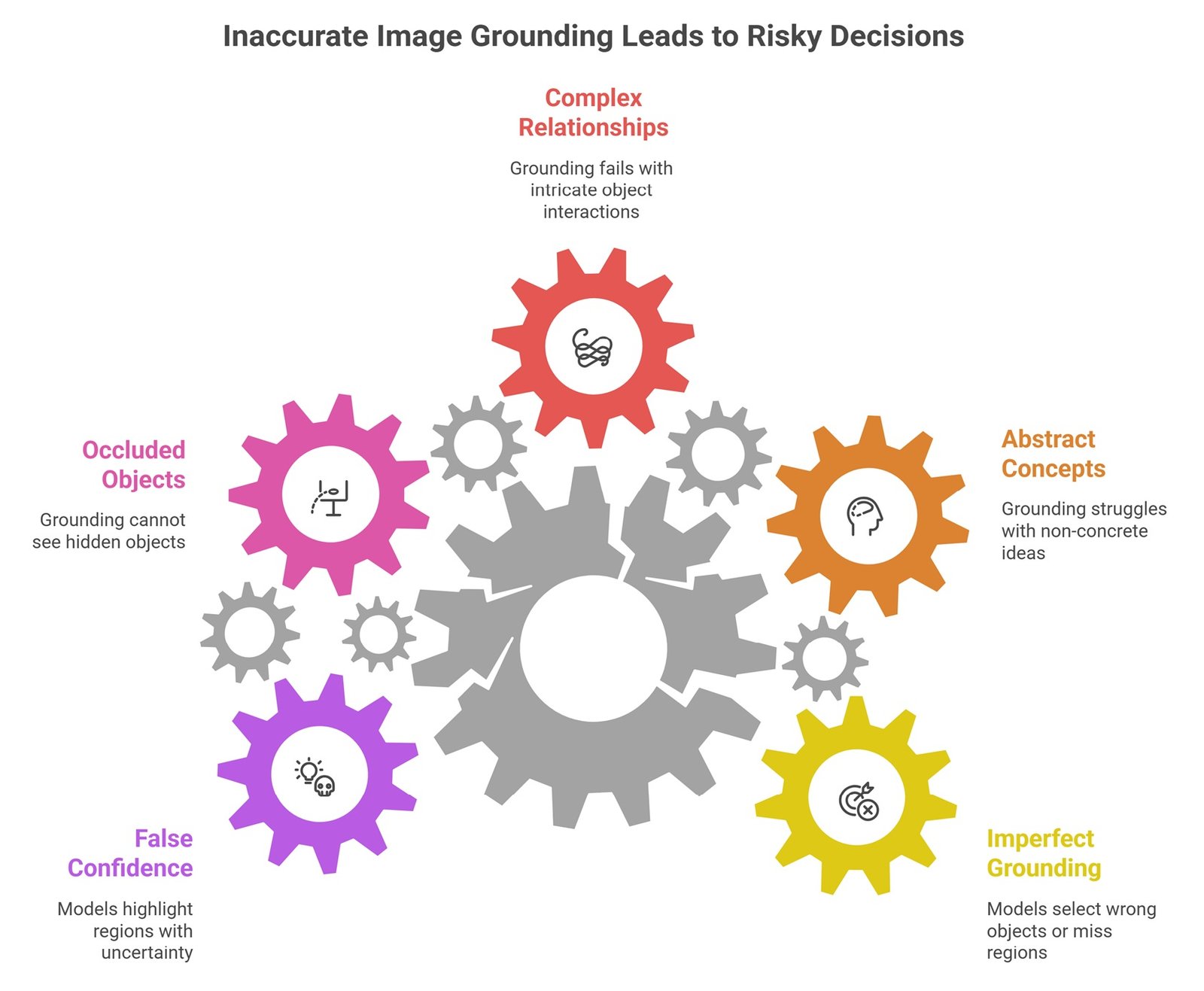
Image grounding is still imperfect. Models can select the wrong object, miss small regions, confuse similar objects, or fail when images are crowded, low-resolution, or visually ambiguous. Grounding may also struggle with abstract concepts, complex relationships, occluded objects, and fine-grained spatial language.
Another risk is false confidence. A model may highlight a region even when the answer is uncertain. This is dangerous in healthcare, security, legal, insurance, and manufacturing workflows. Grounded outputs should be evaluated carefully, especially when decisions depend on precise localization.
Common Mistakes About Image Grounding
A common mistake is thinking image grounding is the same as image captioning. Captioning describes an image. Grounding identifies where a phrase or answer is supported inside the image. Another mistake is assuming that a bounding box proves the model is correct. The box may still be wrong, incomplete, or poorly aligned with the user’s question.
Teams should also avoid treating grounding as only a research feature. In practical systems, grounding can improve user trust, debugging, audit trails, and human review. It is especially useful when AI outputs need to be explainable.
Suggested Read:
- What Is Multimodal AI? Complete Beginner’s Guide to AI Beyond Text
- Vision-Language Models Explained
- Text and Image Models
- Image to Text AI
- Document Understanding AI
- Multimodal Reasoning
- Multimodal AI Use Cases
- Best Multimodal AI Tools in 2026
FAQ: Image Grounding in AI
What is image grounding in AI?
Image grounding in AI is the process of connecting words, phrases, captions, or questions to specific regions inside an image.
Is image grounding the same as visual grounding?
They are often used interchangeably. Visual grounding usually refers to locating image regions based on natural-language descriptions.
What is phrase grounding?
Phrase grounding links specific phrases in text to corresponding visual regions in an image, such as linking “red car” to the exact red car.
How does image grounding work?
It uses visual and text encoders to represent images and language, then aligns text phrases with image regions using similarity, attention, or multimodal fusion.
Why is image grounding important?
It improves precision, explainability, and trust by showing which part of an image supports an AI model’s answer.
What are the limitations of image grounding?
Limitations include wrong localization, poor performance on cluttered images, weak spatial reasoning, uncertainty, visual ambiguity, and difficulty with abstract descriptions.
Final Takeaway
Image grounding in AI helps multimodal systems connect language to visual evidence. It allows AI to locate the exact object, region, chart element, document field, or screenshot area that a phrase or question refers to.
This capability is becoming essential for vision-language models, document AI, visual search, robotics, accessibility, and multimodal reasoning. To continue learning, read Vision-Language Models Explained, Text and Image Models, and Multimodal Reasoning next.