
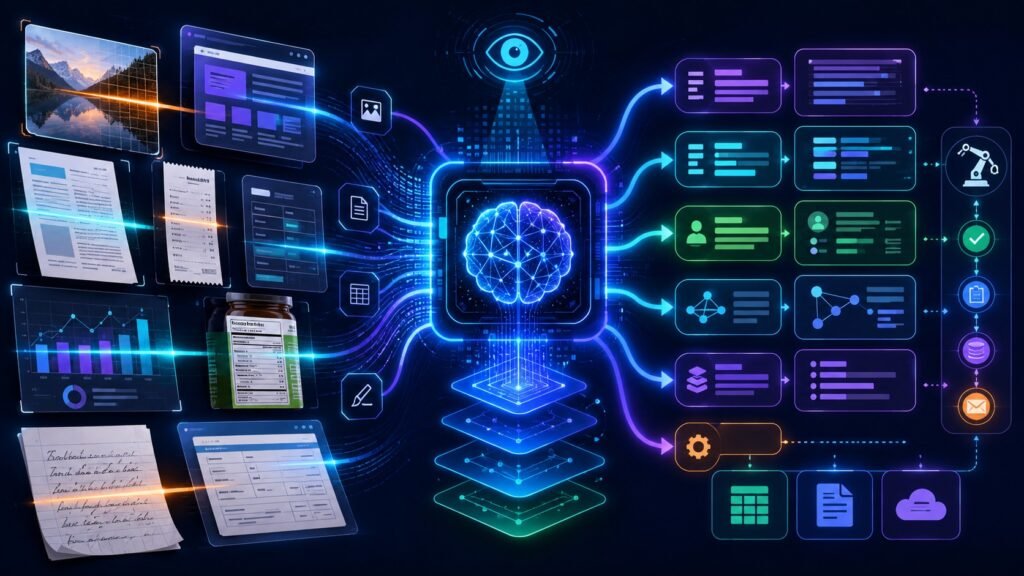
Image to text AI is technology that extracts readable text from images, screenshots, scanned documents, forms, labels, receipts, and visual files. Traditional systems use OCR, while newer multimodal AI systems can also understand layout, context, tables, and visual meaning beyond simple character recognition.
In Simple Terms
Image to text AI helps computers read words inside images. If you take a photo of a receipt, upload a screenshot, scan a form, or capture a product label, image to text AI can turn the visible text into machine-readable text.
The simplest version is OCR, or optical character recognition. OCR detects characters and words in an image. Modern image to text AI can go further. It can understand document structure, identify fields, extract entities, interpret tables, and answer questions about visual content. That is why image to text AI now sits at the intersection of OCR, computer vision, document AI, and multimodal AI.
How Image to Text AI Works
Image to text AI usually starts with image preprocessing. The system improves the visual input by correcting rotation, reducing noise, adjusting contrast, and detecting text regions. This matters because blurry images, shadows, skewed pages, and low-resolution screenshots can reduce accuracy.
Next, the model recognizes characters, words, lines, and layout. Traditional OCR focuses on detecting text and converting it into readable strings. More advanced systems also detect tables, checkboxes, signatures, key-value pairs, and document sections. Google Cloud’s Vision API supports text detection in images, while its documentation recommends Document AI for scanned documents, structured form parsing, and entity extraction.
OCR vs Image to Text AI
OCR and image to text AI are closely related, but they are not always identical. OCR is the traditional method for recognizing printed or handwritten characters in images. Image to text AI is a broader term that can include OCR, document understanding, vision-language models, and AI systems that interpret image context.
For example, OCR may extract the words on an invoice. Image to text AI may extract the invoice number, vendor name, date, total amount, table rows, tax details, and payment terms. That extra structure is what makes modern image to text AI useful for business workflows.
| Feature | Traditional OCR | Modern Image to Text AI |
| Main goal | Recognize characters and words | Extract and understand visual text |
| Context understanding | Limited | Stronger with document AI or VLMs |
| Layout awareness | Basic to moderate | Often stronger |
| Best for | Simple text extraction | Forms, receipts, screenshots, documents |
| Output | Plain text | Text, fields, tables, entities, summaries |
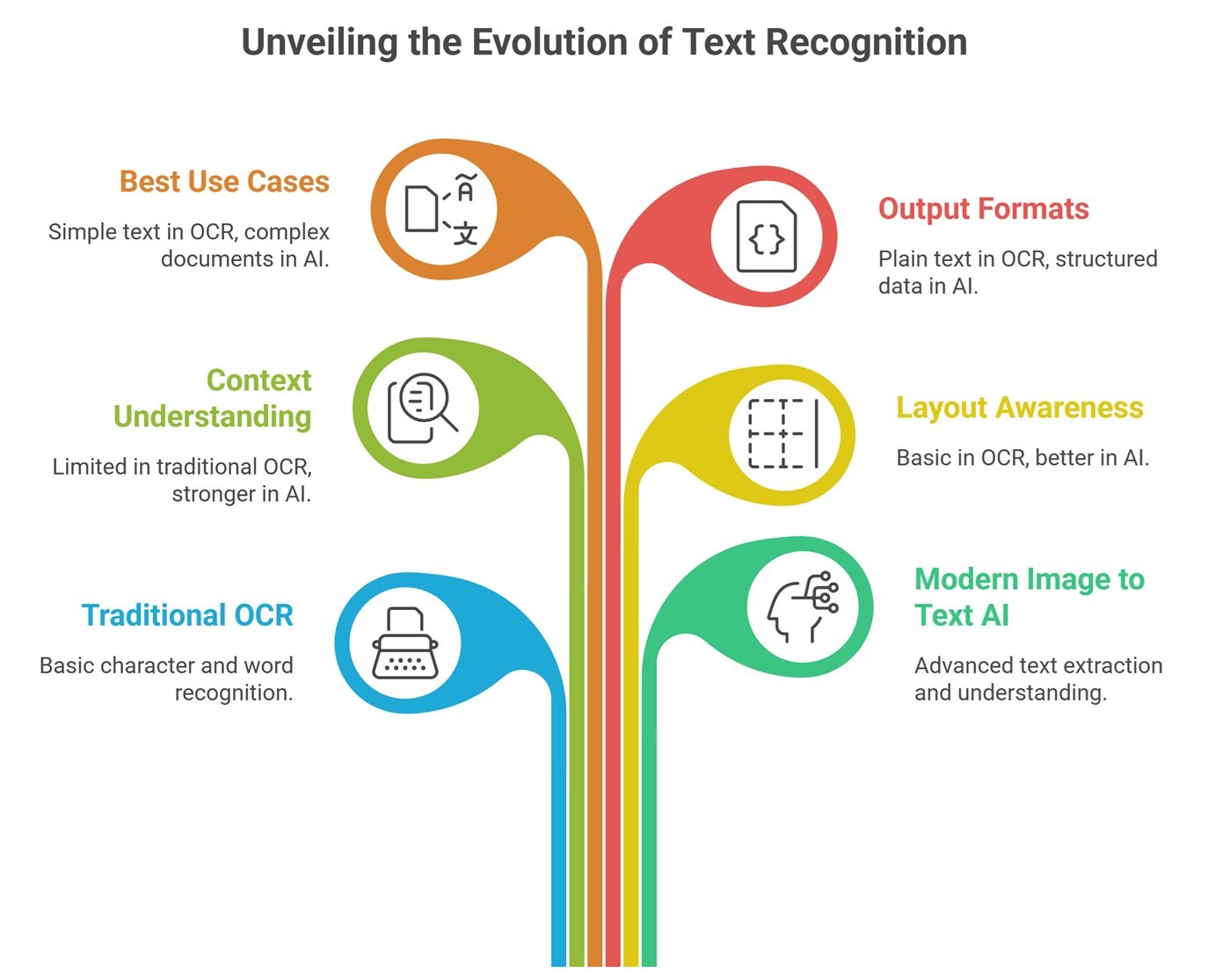
Image to Text AI vs Vision-Language Models
Vision-language models, or VLMs, are becoming important for image-to-text workflows. A basic OCR tool extracts text from an image. A VLM can take an image and a text prompt, then output a contextual answer. Hugging Face describes image-text-to-text models as systems that take an image plus a text prompt and output text, also calling them vision-language models.
This means a VLM can answer questions such as “What does this error message mean?” or “Summarize this chart.” It may still use OCR-like capabilities, but its value is broader: it can reason about the visual content and generate a useful explanation.
Common Use Cases of Image to Text AI
Image to text AI is widely used in document-heavy workflows. Businesses use it to extract information from invoices, receipts, contracts, forms, shipping labels, ID documents, claims, and scanned records. Instead of manually typing data from documents, teams can automate extraction and route the information into databases or review systems.
It is also useful for screenshots and product images. A support team can extract error text from screenshots. A retail team can process product labels. A compliance team can review scanned forms. Students and researchers can convert textbook images or scanned notes into searchable text. These use cases explain why image to text AI is becoming a practical part of multimodal AI systems.
Image to Text AI for Documents
Documents are one of the strongest applications because they often contain more than plain paragraphs. A document may include headers, tables, footnotes, signatures, stamps, checkboxes, charts, and mixed layouts. Simple OCR may extract words but lose structure.
Modern document AI systems try to preserve meaning. They identify where fields appear, which values belong together, and how tables are organized. Google Cloud describes OCR powered by AI as going beyond traditional text recognition by understanding, organizing, and enriching data into business-ready insights.
Image to Text AI for Screenshots
Screenshots are increasingly important because people use them to report problems, share dashboards, capture social posts, document workflows, or ask questions about software interfaces. Image to text AI can detect visible text, buttons, labels, menu items, error messages, and interface elements.
For example, a user may upload a screenshot of a failed payment page. The AI can extract the error message, identify the relevant field, and help explain the next step. This is especially useful in customer support, QA testing, software documentation, and internal IT help desks.
Benefits of Image to Text AI
The biggest benefit is time savings. Manual data entry from receipts, invoices, forms, and screenshots is slow and error-prone. Image to text AI can reduce repetitive work and make visual information searchable, editable, and easier to analyze.
Another benefit is accessibility. Image to text AI can help convert visual information into readable text for users who rely on screen readers or text-based workflows. It also supports automation by turning unstructured visual files into structured information that software systems can process.
Limitations and Risks
Image to text AI can make mistakes. Accuracy may drop with blurry images, unusual fonts, handwriting, poor lighting, curved pages, complex tables, overlapping stamps, or low-resolution scans. It may also struggle with domain-specific abbreviations or documents that require business context.
Privacy is another concern. Image to text workflows may process IDs, financial records, medical forms, customer data, or confidential screenshots. Organizations should use access controls, secure storage, human review, and validation checks before automating sensitive workflows.
Common Mistakes to Avoid
One mistake is assuming OCR output is always correct. Even small recognition errors can cause problems in invoices, insurance claims, medical forms, or legal documents. Important fields should be validated against rules, databases, or human review.
Another mistake is choosing a simple OCR tool when the real need is document understanding. If the goal is only to copy text from a photo, OCR may be enough. If the goal is to extract structured fields, understand tables, classify documents, or answer questions about images, a broader image to text AI or document AI system is usually better.
Suggested Read:
- What Is Multimodal AI? Complete Beginner’s Guide to AI Beyond Text
- Vision-Language Models Explained
- Text and Image Models
- Document Understanding AI
- Image Grounding in AI
- Multimodal AI Use Cases
- Best Multimodal AI Tools in 2026
- OCR vs Computer Vision
FAQ: Image to Text AI Explained
What is image to text AI?
Image to text AI is technology that extracts readable text from images, screenshots, scanned pages, forms, receipts, labels, and visual documents.
Is image to text AI the same as OCR?
OCR is the traditional core technology for extracting text from images. Image to text AI is broader and may include OCR, document AI, layout understanding, entity extraction, and vision-language models.
How does image to text AI work?
It preprocesses the image, detects text regions, recognizes characters and words, and may extract layout, tables, fields, entities, or summaries depending on the system.
What can image to text AI be used for?
It can be used for invoices, receipts, forms, screenshots, scanned documents, product labels, ID documents, accessibility workflows, and customer support automation.
What is the difference between OCR and vision-language models?
OCR extracts visible text. Vision-language models can combine images with text prompts and generate contextual answers about the visual content.
What are the limitations of image to text AI?
Limitations include errors with handwriting, blurry images, complex layouts, low-resolution scans, unusual fonts, sensitive data handling, and weak context understanding in basic OCR systems.
Final Takeaway
Image to text AI turns visual text into usable digital information. Traditional OCR is still important, but modern systems increasingly combine OCR with document AI and vision-language models to understand layout, context, fields, and visual meaning.
To keep building your Multimodal AI knowledge, read Vision-Language Models Explained, Text and Image Models, and Document Understanding AI next.