
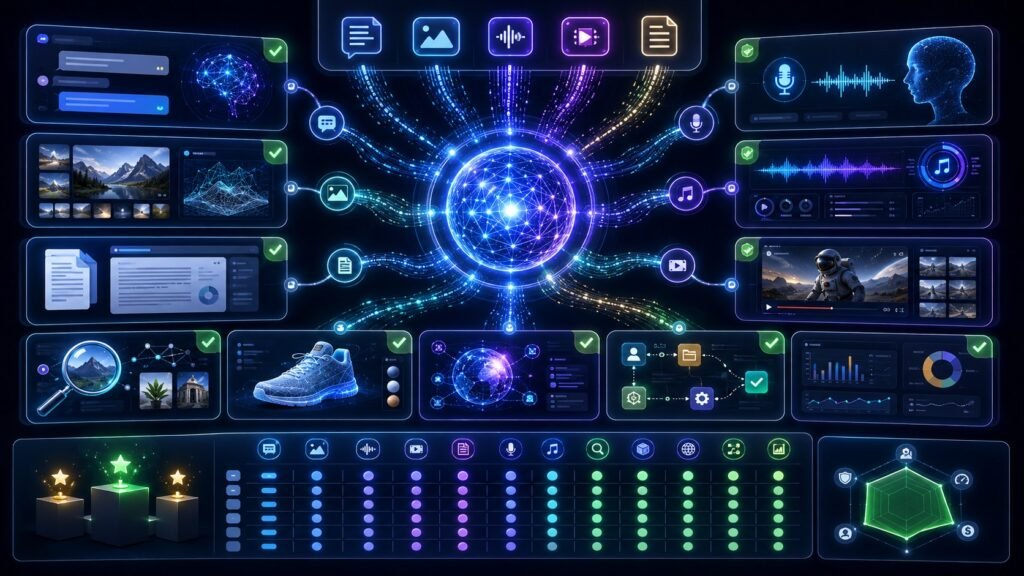
Best Multimodal AI Tools in 2026: Compare Top Tools for Text, Images, Audio, Video, and Documents
The best multimodal AI tools in 2026 are not all built for the same job. ChatGPT, Gemini, Claude, Microsoft Copilot, Adobe Firefly, Runway, and Perplexity each handle different combinations of text, images, documents, voice, video, search, and creative workflows. The best choice depends on what you need to analyze or create.
In Simple Terms
A multimodal AI tool is an AI app or platform that works with more than one type of input or output. A normal chatbot mainly handles text. A multimodal AI tool may understand images, read documents, process voice, analyze screenshots, summarize videos, generate visuals, or combine several formats in one workflow.
That is why “best multimodal AI tools” is not a one-size-fits-all question. The best tool for document analysis may not be the best tool for video generation. The best tool for research may not be the best tool for brand-safe creative production.
Quick Comparison: Best Multimodal AI Tools
| Tool | Best For | Key Multimodal Strength |
| ChatGPT | General assistant, images, voice, creative work | Text, image, voice, image generation |
| Google Gemini | Google ecosystem, video/audio/image reasoning | Text, image, audio, video prompting |
| Claude | Long documents, image analysis, careful writing | Image and document-heavy analysis |
| Microsoft Copilot | Microsoft 365 and browser workflows | Work apps, vision, voice, agents |
| Adobe Firefly | Brand-safe creative generation | Text-to-image, text-to-video, image-to-video |
| Runway | AI video and creative production | Video, image, audio, editing workflows |
| Perplexity | Research and multimodal search | Search with text, files, and images |
| OpenAI API / Gemini API | Developers building apps | Multimodal app development |
1. ChatGPT: Best All-Around Multimodal AI Tool
ChatGPT is one of the strongest all-around multimodal AI tools because it can support everyday reasoning, image understanding, voice interactions, writing, coding, analysis, and visual creation. OpenAI describes GPT-4o as reasoning across audio, vision, and text in real time, and OpenAI also introduced 4o image generation as a natively multimodal image-generation capability.
ChatGPT is best for users who want one flexible assistant instead of separate tools for writing, explaining images, brainstorming visuals, analyzing screenshots, and working with documents. It is especially useful for creators, students, researchers, analysts, and professionals who want one conversational interface.
2. Google Gemini: Best for Google Ecosystem and Video/Audio Context
Gemini is a strong choice for people who work across Google apps, long documents, images, audio, and video. Google’s Gemini API documentation says the API supports prompting with text, image, audio, and video data, while Google Cloud describes Gemini as designed to reason across text, images, video, audio, and code.
Gemini is especially useful when your workflow includes video summarization, image-based questions, Google Workspace context, search-style research, and multimodal productivity. It is a strong option for users who want multimodal reasoning connected to Google’s ecosystem.
3. Claude: Best for Documents, Careful Writing, and Image Analysis
Claude is a strong multimodal AI tool for users who need careful writing, document analysis, and image understanding. Anthropic’s Claude documentation says Claude’s vision capabilities allow it to understand and analyze images for multimodal interaction.
Claude is a good fit for researchers, writers, legal teams, analysts, educators, and business users who work with long documents, charts, screenshots, and reports. It may not be the first choice for image or video generation, but it is strong when the main task is reading, reasoning, summarizing, and explaining.
4. Microsoft Copilot: Best for Microsoft 365 and Workflows
Microsoft Copilot is useful for people and teams already working inside Microsoft 365, Edge, Teams, Dynamics, and enterprise workflows. Microsoft has described Copilot Vision as a multimodal capability in Edge, and Copilot Studio continues to add voice and agent-related capabilities for business workflows.
Copilot is best when multimodal AI needs to connect with workplace apps, meetings, documents, support workflows, and productivity systems. It is not only a chatbot; in business contexts, it can become part of a broader agent and workflow environment.
5. Adobe Firefly: Best for Brand-Safe Creative Work
Adobe Firefly is one of the best multimodal AI tools for creative teams because it is built around image, video, audio, editing, and design workflows. Adobe’s official Firefly pages describe text-to-image generation, text-to-video, image-to-video, and creative controls inside Adobe’s ecosystem.
Firefly is best for marketers, designers, social media teams, agencies, and creators who need visual content workflows with commercial-use considerations. It is less of a general reasoning assistant and more of a creative production platform.
6. Runway: Best for AI Video Generation and Creative Production
Runway is a strong choice for video creators, filmmakers, advertisers, and content teams. Its product page describes AI image and video generation, text-to-video, image-to-video, and a broader creative toolkit with image, video, audio, editing, and language models.
Runway is best when the output is video or motion content. It is less suited for general office productivity or document-heavy analysis, but it is one of the most relevant tools for creative video production.
7. Perplexity: Best for Multimodal Search and Research
Perplexity is useful for users who want AI search with source discovery, files, and image-supported research workflows. Perplexity’s changelog says image uploads are available for Sonar as part of a multimodal search experience.
Perplexity is best for researchers, students, analysts, and content teams that need source-backed exploration rather than only creative generation. It is especially useful when the goal is to find, compare, and summarize information.
8. Developer APIs: Best for Building Multimodal Apps
For developers, the best multimodal AI tool may not be a consumer app. OpenAI’s model documentation says its latest models support text and image input, text output, multilingual capabilities, and vision, while Google’s Gemini API supports text, image, audio, and video prompting.
Developer APIs are best for teams building custom assistants, document tools, visual search, support automation, multimodal RAG, and AI agents. The right API depends on input types, latency, cost, safety controls, model quality, and integration needs.
Which Multimodal AI Tool Should You Choose?
| Need | Best Starting Point |
| General assistant with images and voice | ChatGPT |
| Google Workspace and video/audio reasoning | Gemini |
| Long documents and careful analysis | Claude |
| Microsoft work apps and enterprise workflows | Microsoft Copilot |
| Brand-safe image and video creation | Adobe Firefly |
| AI video generation and editing | Runway |
| Research and multimodal search | Perplexity |
| Custom multimodal app development | OpenAI API or Gemini API |
Common Mistakes to Avoid
Do not choose a multimodal AI tool only because it is popular. Choose based on the workflow. If you need video generation, a document assistant may disappoint you. If you need careful research, a creative image generator is the wrong starting point.
Also avoid assuming every tool handles every modality equally well. Some tools can analyze images but not generate videos. Some can create visuals but do not reason well over documents. Some are great for consumers but not ideal for enterprise governance. Check current pricing, data policies, and model availability before committing.
Suggested Read:
- What Is Multimodal AI? Complete Beginner’s Guide to AI Beyond Text
- Vision-Language Models Explained
- Multimodal AI vs Generative AI
- Multimodal AI in Document Processing
- Multimodal AI for Visual Search
- Multimodal AI for Automation
- Best Vision Language Models
- Multimodal API Comparison
FAQ: Best Multimodal AI Tools in 2026
What are the best multimodal AI tools?
The best multimodal AI tools include ChatGPT, Google Gemini, Claude, Microsoft Copilot, Adobe Firefly, Runway, Perplexity, and developer APIs such as OpenAI and Gemini APIs.
Which multimodal AI tool is best for business?
For general business work, ChatGPT, Gemini, Claude, and Microsoft Copilot are strong starting points. For creative teams, Adobe Firefly and Runway are more specialized.
Which AI tool is best for image and document analysis?
Claude, ChatGPT, Gemini, and document-focused AI platforms are strong choices for image and document analysis, depending on file size, workflow, and required accuracy.
What is the best multimodal AI tool for video?
Runway is strong for AI video generation and creative production, while Gemini is useful for multimodal video understanding and summarization workflows.
What is the best multimodal AI tool for research?
Perplexity, ChatGPT, Gemini, and Claude are strong research options, with Perplexity especially useful for source-oriented AI search.
Are multimodal AI tools better than normal chatbots?
They are better when the task involves images, audio, video, documents, screenshots, or mixed inputs. For simple text-only tasks, a normal chatbot may be enough.
Final Takeaway
The best multimodal AI tools depend on the task. Use ChatGPT for all-around assistance, Gemini for Google-connected multimodal reasoning, Claude for document-heavy analysis, Copilot for Microsoft workflows, Firefly for creative production, Runway for video, and Perplexity for multimodal search.
To continue learning, read What Is Multimodal AI, Vision-Language Models Explained, and Multimodal AI Tools and Models next.