
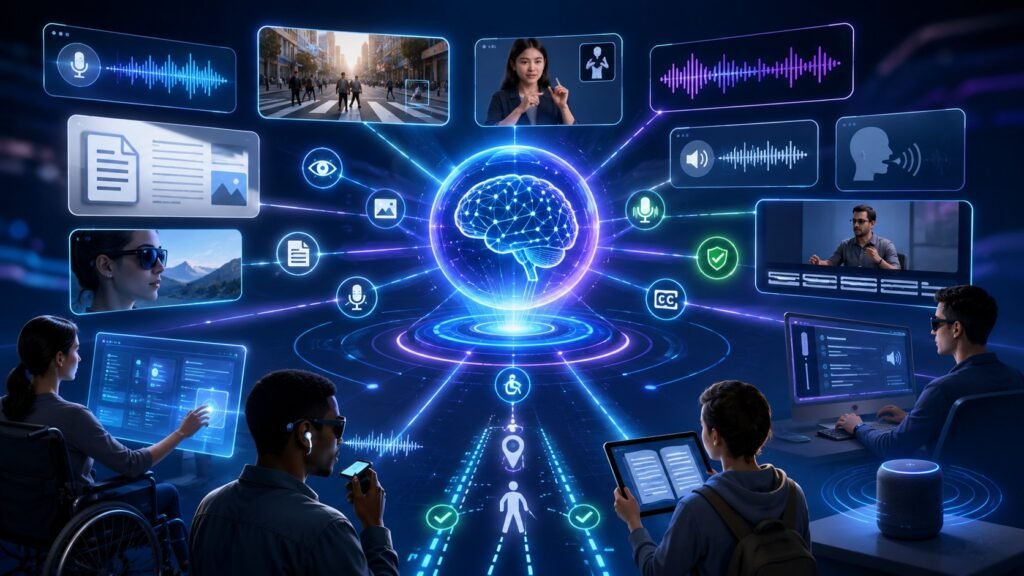
Multimodal AI for accessibility uses text, images, audio, video, voice, documents, captions, and assistive devices together to help more people access digital and physical information. It can support image descriptions, speech-to-text, text-to-speech, document reading, visual navigation, captions, learning support, and more inclusive interfaces.
In Simple Terms
Multimodal AI for accessibility means AI that can understand and convert information across different formats so people can access it in the way that works best for them. A person may not be able to see an image, hear a video, type a message, or read a dense document easily. Multimodal AI can help transform that information into another mode.
For example, an AI system can describe an image aloud, turn speech into captions, summarize a PDF, read a sign through a camera, or let someone control a device with voice. This is why multimodal accessibility is not just one feature. It is a set of assistive pathways that connect vision, language, audio, and interaction.
What Is Multimodal AI for Accessibility?
Multimodal AI for accessibility refers to AI systems that combine multiple input and output types to reduce barriers for users with different needs. These systems may process images, speech, text, video, documents, gestures, screen content, or sensor data.
For accessibility, the goal is not only convenience. The goal is equal access. Microsoft’s accessibility resources frame AI as part of broader accessibility work and emphasize responsible AI guidance for the disability community. Carnegie Mellon’s Digital Accessibility Office similarly describes AI as a way to expand agency, autonomy, and participation when used thoughtfully.
How Multimodal AI Improves Accessibility
Multimodal AI improves accessibility by translating information between formats. It can turn visual information into speech, speech into captions, dense documents into summaries, handwritten notes into text, or user voice into device commands.
The important idea is flexibility. One user may need visual content converted into audio. Another may need audio converted into text. Another may need simplified text, larger structure, or voice interaction. Multimodal AI can support these needs because it is not limited to one input or output channel.
| Accessibility Need | Multimodal AI Support | Example |
| Visual access | Image description, OCR, object detection | Describe a room or sign |
| Hearing access | Captions, transcription, sound alerts | Turn lecture audio into text |
| Speech support | Voice alternatives, text input, AAC workflows | Convert typed text to speech |
| Cognitive support | Summaries, simplification, structure | Explain a complex document |
| Mobility support | Voice commands, automation | Control apps hands-free |
| Learning access | Diagrams, audio, captions, notes | Multiformat study support |
Use Case 1: Image Descriptions for Blind and Low-Vision Users
One of the strongest use cases is helping blind and low-vision users understand visual content. A multimodal AI system can analyze a photo, screenshot, product label, classroom diagram, or sign and generate an audio or text description.
This can support everyday tasks such as reading labels, identifying objects, understanding charts, navigating interfaces, or interpreting visual posts online. The 2024 systematic review on AI and digital accessibility found that much AI accessibility research has focused on visual impairment, especially image descriptions and visual content access. The next step is making these tools more reliable, context-aware, and inclusive across different environments.
Use Case 2: Speech-to-Text Captions for Hearing Accessibility
Multimodal AI can also support people who are deaf or hard of hearing by turning speech into captions, transcripts, summaries, or alerts. This is useful in classrooms, meetings, videos, customer support calls, public events, and online learning.
For example, a lecture can be transcribed in real time. A video meeting can produce captions and a summary. A phone call can be converted into readable text. Jisc’s 2025 accessibility tools coverage highlights transcription, captioning, text-to-speech, and resource adaptation as common AI accessibility use cases in education.
Use Case 3: Text-to-Speech and Document Reading
Text-to-speech remains a core accessibility function, but multimodal AI can make it more useful. Instead of simply reading text aloud, AI can identify document structure, summarize long passages, explain tables, read scanned pages, or convert visual documents into spoken explanations.
This is useful for people with visual impairments, dyslexia, cognitive load challenges, or temporary access needs. A user may upload a scanned PDF, invoice, textbook page, or webpage screenshot and ask the AI to read or summarize it. When combined with document understanding, this becomes more powerful than basic screen reading.
Use Case 4: Accessibility in Education
Multimodal AI for accessibility is especially important in education because learning materials come in many formats: slides, videos, diagrams, textbooks, voice lectures, quizzes, and handwritten notes. AI can support students by converting lectures into notes, diagrams into explanations, readings into summaries, and voice questions into written study help.
This does not remove the need for accessible teaching design. It adds another support layer. AI should help students access learning materials in multiple ways, while schools maintain privacy, teacher oversight, and accessibility standards.
Use Case 5: Voice Control and Hands-Free Interaction
Voice-based AI can help users who cannot easily type, tap, or navigate complex interfaces. A person may use voice commands to write messages, search files, control devices, fill forms, or operate smart home systems.
Multimodal AI improves this further by combining voice with screen understanding. For example, a user can say, “Click the button below the chart,” and the AI may understand both the spoken command and the visual interface. This kind of multimodal interaction can support mobility accessibility, productivity, and independent digital use.
Use Case 6: Wearable and Real-World Assistive AI
Wearable devices can combine cameras, microphones, sensors, object recognition, and audio feedback. For visually impaired users, this can help with object detection, face recognition, environmental descriptions, distance alerts, and navigation support.
Recent examples include AI-driven smart goggles that combine computer vision, face recognition, object detection, distance measurement, and voice feedback to support visually impaired users. These systems show how multimodal AI can move beyond web accessibility and into physical-world assistive technology.
Benefits of Multimodal AI for Accessibility
The biggest benefit is choice. Users can access information through the mode that works for them: text, audio, speech, image description, simplified summary, captions, or voice control.
Another benefit is independence. Multimodal AI can reduce reliance on manual assistance for everyday tasks such as reading labels, understanding images, navigating documents, joining meetings, learning from videos, or using digital services. When designed responsibly, accessibility AI can make technology more flexible for everyone, not only users with permanent disabilities.
Risks and Limitations
Multimodal AI accessibility tools can make mistakes. An image description may miss important details. A caption may mishear a speaker. A document summary may remove critical nuance. A navigation assistant may misidentify an obstacle. These errors can create frustration or safety risks.
Privacy is another major concern. Accessibility tools may process faces, voices, location data, documents, classrooms, workplaces, or personal surroundings. The 2025 Web Almanac accessibility chapter notes that automated testing and tooling are useful, but measurement alone does not guarantee meaningful accessibility progress. Human-centered design, user testing, privacy protection, and accessibility standards still matter.
Common Mistakes to Avoid
A common mistake is treating AI-generated accessibility as a replacement for accessible design. Websites, apps, documents, videos, and learning platforms should still follow accessibility best practices. AI should support accessibility, not excuse inaccessible design.
Another mistake is building tools without disabled users involved in testing. Accessibility tools must be evaluated with real users, real environments, and real failure cases. A tool that performs well in a demo may fail in noisy rooms, low light, complex documents, accents, cluttered scenes, or high-stakes settings.
Suggested Read:
- What Is Multimodal AI? Complete Beginner’s Guide to AI Beyond Text
- Multimodal AI Use Cases
- Multimodal AI in Education
- Document Understanding AI
- Image to Text AI
- Vision-Language Models Explained
- Multimodal AI for Visual Search
- Best Multimodal AI Tools in 2026
FAQ: Multimodal AI for Accessibility
What is multimodal AI for accessibility?
Multimodal AI for accessibility is AI that uses multiple formats such as text, images, audio, video, speech, and documents to make information easier to access for different users.
How does multimodal AI improve accessibility?
It converts information between formats, such as image to speech, speech to captions, document to summary, or voice commands to actions.
How can AI help visually impaired users?
AI can describe images, read text from photos, identify objects, summarize documents, detect surroundings, and provide audio feedback through assistive tools.
How can AI help hearing-impaired users?
AI can generate captions, transcripts, meeting summaries, sound alerts, and text-based alternatives for audio and video content.
What are examples of multimodal AI accessibility tools?
Examples include image description tools, real-time captioning, text-to-speech, OCR document readers, voice assistants, wearable navigation aids, and learning-support tools.
What are the risks of AI accessibility tools?
Risks include inaccurate descriptions, caption errors, privacy exposure, unsafe overreliance, bias, and poor performance in real-world conditions.
Final Takeaway
Multimodal AI for accessibility can make digital and physical information more inclusive by connecting text, images, voice, audio, video, documents, and assistive devices. Its strongest value is giving users more ways to access, understand, and interact with information.
To continue learning, read What Is Multimodal AI, Multimodal AI in Education, and Document Understanding AI next.