
Best AI Tools for Writing eBooks in 2026: Plan, Draft, Edit, and Format Your Book
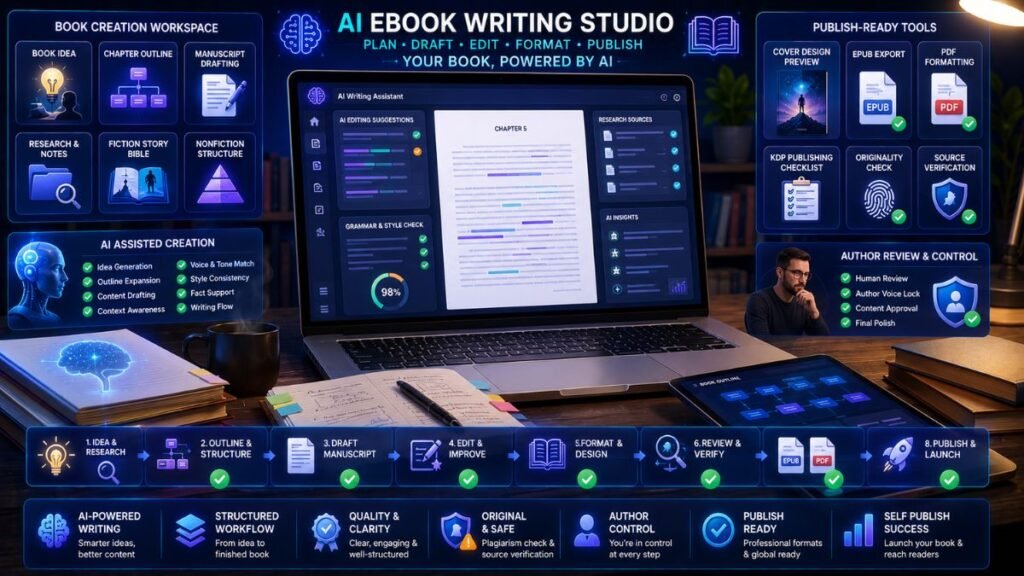
The best AI tools for writing eBooks help authors plan chapters, organize research, draft sections, improve prose, edit manuscripts, design covers, and format EPUB or PDF files for publishing. The right tool depends on the book type. A fiction author needs story continuity, while a nonfiction author needs structure, accuracy, and source control.
In Simple Terms
AI eBook writing tools are assistants for the book creation process.
They can help you brainstorm a book idea, build an outline, draft chapters, rewrite weak sections, check grammar, review structure, create cover concepts, and prepare publishing files. They should not replace your voice, expertise, research, or final judgment. A good eBook still needs a human author.
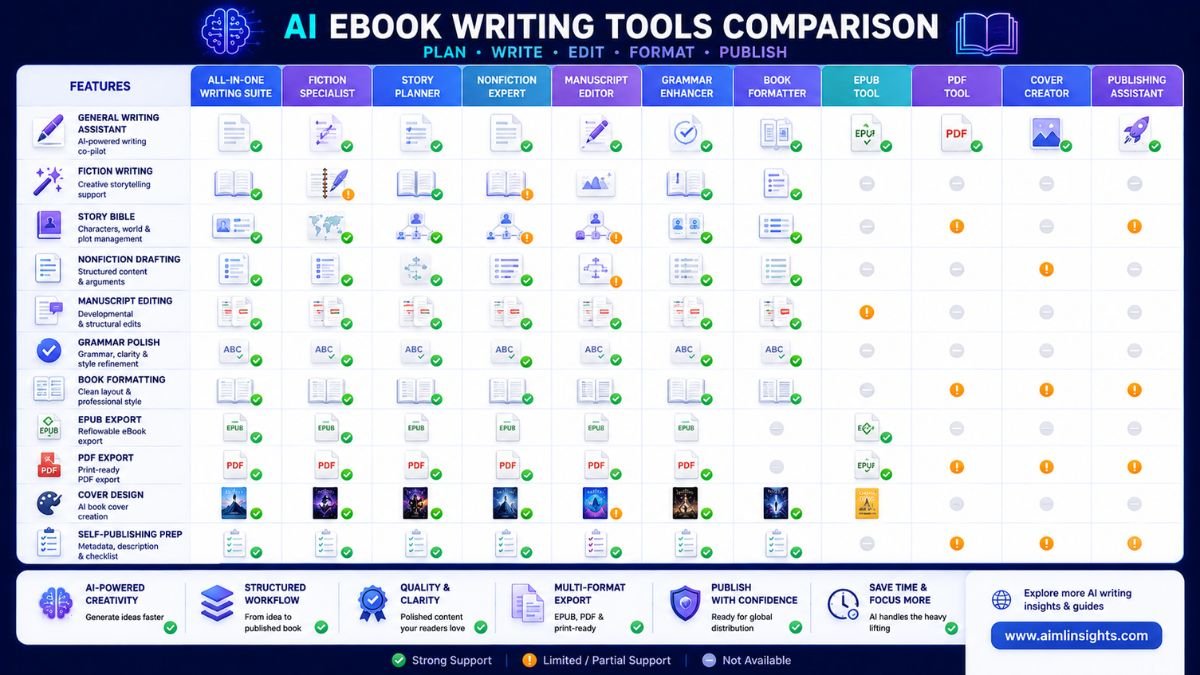
Best AI Tools for Writing eBooks: Quick Comparison
| Tool | Best For | Strong eBook Use Case | Main Limitation |
| ChatGPT | Flexible planning and drafting | Outlines, chapter drafts, rewrites, summaries | Needs fact-checking |
| Claude | Long-form editing | Structure, clarity, chapter review, manuscript feedback | Not a dedicated formatting tool |
| Sudowrite | Fiction eBooks | Scenes, prose, story ideas, creative revision | Needs author control |
| Novelcrafter | Fiction planning and continuity | Story bible, characters, locations, plot tracking | Setup takes effort |
| ProWritingAid | Manuscript editing | Chapter critique, style reports, manuscript analysis | Can be detailed for beginners |
| Jasper | Nonfiction and marketing eBooks | Lead magnets, guides, business eBooks, brand voice | Less author-specific than book tools |
| Grammarly | Final polish | Grammar, clarity, tone, readability | Not enough for book structure |
| Reedsy Studio | Free writing and formatting | Draft, edit, format, export EPUB and PDF | Not mainly an AI writing generator |
| Atticus | Paid formatting and publishing prep | Write and format eBooks and print books | One-time cost |
| Canva AI | eBook covers and visuals | Cover concepts, worksheets, lead magnet design | Not a manuscript tool |
1. ChatGPT: Best Flexible AI Tool for eBook Planning
ChatGPT is useful for authors who need a flexible assistant for idea development, outlines, chapter planning, summaries, rewrites, and reader-focused explanations. It can help turn a rough concept into a table of contents, chapter goals, reader personas, and first-draft sections.
For nonfiction eBooks, ChatGPT can help structure a guide, workbook, lead magnet, or educational book. For fiction, it can help brainstorm scenes and alternatives, but it may struggle with long-term continuity unless you manage notes carefully.
Best for: outlines, chapter ideas, rewrites, summaries, early drafts.
Use carefully for: citations, facts, expert claims, and long-book consistency.
2. Claude: Best for Long-Form eBook Editing
Claude is strong for reviewing longer text and improving structure. It can help identify weak chapters, repetitive explanations, unclear transitions, and sections that do not serve the reader.
Use Claude after you have a draft. Ask it to review the chapter flow, find missing examples, test whether the reader promise is clear, and suggest cuts. This makes it useful for nonfiction authors, coaches, consultants, and content creators turning expertise into an eBook.
Best for: chapter review, structure, clarity, long-form revision.
Use carefully for: source-heavy claims and live publishing details.
3. Sudowrite: Best AI Tool for Fiction eBooks
Sudowrite is built for fiction writers. Its official site describes it as an AI writing partner with story-focused support, making it more specialized than a general chatbot.
Fiction authors can use Sudowrite to explore scenes, improve description, test character reactions, rewrite passages, or overcome writer’s block. It is especially helpful when the author already controls the plot, voice, and emotional direction.
Best for: fiction scenes, prose expansion, description, creative revision.
Use carefully for: generic plot ideas and over-polished prose.
4. Novelcrafter: Best for Story Bible and Fiction Continuity
Novelcrafter is useful for authors who need structure and continuity across a novel or series. Its Codex feature tracks characters, locations, plot lines, and worldbuilding details in an integrated story bible.
This matters because eBook-length fiction can break when characters, timelines, or locations become inconsistent. Novelcrafter is useful for writers who want AI help but also need a system to preserve context.
Best for: story bible, characters, worldbuilding, fiction continuity.
Use carefully for: setup time and organizing your book data well.
5. ProWritingAid: Best for Manuscript Editing
ProWritingAid is one of the best AI tools for editing eBooks because it is built around writing improvement, not just generation. Its official help page says features such as Chapter Critique, Manuscript Analysis, Virtual Beta Reader, Marketability Analysis, and Plot Analysis use AI to provide developmental-editor-style and beta-reader-style feedback.
This is useful after a draft exists. Authors can use it to find style problems, pacing issues, repeated words, weak chapters, unclear scenes, and bigger manuscript-level concerns.
Best for: manuscript editing, chapter critique, style improvement, beta-reader feedback.
Use carefully for: over-editing your natural voice.
6. Jasper: Best for Nonfiction and Business eBooks
Jasper is useful for business eBooks, lead magnets, guides, checklists, and branded educational content. It is better for marketing-focused authors than for literary writing.
A consultant might use Jasper to turn a framework into an eBook. A SaaS company might use it to create a gated guide. A creator might use it to convert a content series into a downloadable resource.
Best for: branded nonfiction, lead magnets, business eBooks, marketing content.
Use carefully for: personal memoirs, fiction, and deeply original voice.
7. Grammarly: Best for Final eBook Polish
Grammarly is useful near the end of the writing process. It helps with grammar, tone, clarity, readability, and sentence-level polish.
It should not decide your book structure or argument. Use it after the chapter order, examples, and core message are already strong. It is especially helpful for self-publishers who want cleaner prose before professional editing or final formatting.
Best for: grammar, clarity, tone, readability, final polish.
Use carefully for: preserving your own style.
8. Reedsy Studio: Best Free Tool for Drafting and Formatting
Reedsy Studio is useful because it supports the book production workflow, not just writing. Reedsy describes Studio as a free online app for authors to plan, draft, edit, and format books, with professional EPUB and print-ready file creation.
It can export EPUB 3 files for major ebook stores and PDF files for print-on-demand. This makes it practical for authors who need formatting without learning complex design software.
Best for: free formatting, EPUB export, PDF export, simple publishing prep.
Use carefully for: AI drafting, because formatting is its main strength.
9. Atticus: Best Paid Tool for eBook and Print Formatting
Atticus is an all-in-one writing and formatting tool for authors. Its official page says it helps create professional print books and eBooks and works on Windows, Mac, Linux, and Chromebook.
Atticus is useful for authors who want one tool for writing and formatting. It is especially practical if you publish multiple books and want consistent formatting across EPUB and print.
Best for: eBook formatting, print formatting, author workflow, self-publishing prep.
Use carefully for: authors who only need one free formatted eBook.
10. Canva AI: Best for eBook Covers and Visual Lead Magnets
Canva AI is useful for eBook cover concepts, worksheets, diagrams, checklists, workbook pages, and promotional graphics. It is not a manuscript editor, but it can help package your book visually.
Use Canva for nonfiction covers, lead magnets, study guides, coaching workbooks, and social launch graphics. For serious commercial publishing, consider a professional designer or at least a careful cover review.
Best for: covers, workbooks, lead magnets, launch visuals.
Use carefully for: generic cover designs and unclear commercial rights.
How to Choose the Best AI eBook Writing Tool
Start with your book type.
For fiction, use Sudowrite or Novelcrafter, then ProWritingAid for editing and Atticus or Reedsy Studio for formatting. For nonfiction, use ChatGPT or Claude for planning and drafting, Perplexity or your own sources for research, Grammarly and ProWritingAid for editing, and Reedsy Studio or Atticus for formatting. For lead magnets, combine Jasper, Canva, Grammarly, and Reedsy Studio.
Research on long-form AI writing shows why workflow matters. A 2026 paper on hierarchical AI writing systems found that long documents benefit from structured outlining and author control, not just text generation. Another 2026 system for scientific book writing emphasized human-in-the-loop editing, hierarchical outlines, and reference linking because book-length writing can suffer from inconsistency and unreliable citations.
Common Mistakes to Avoid
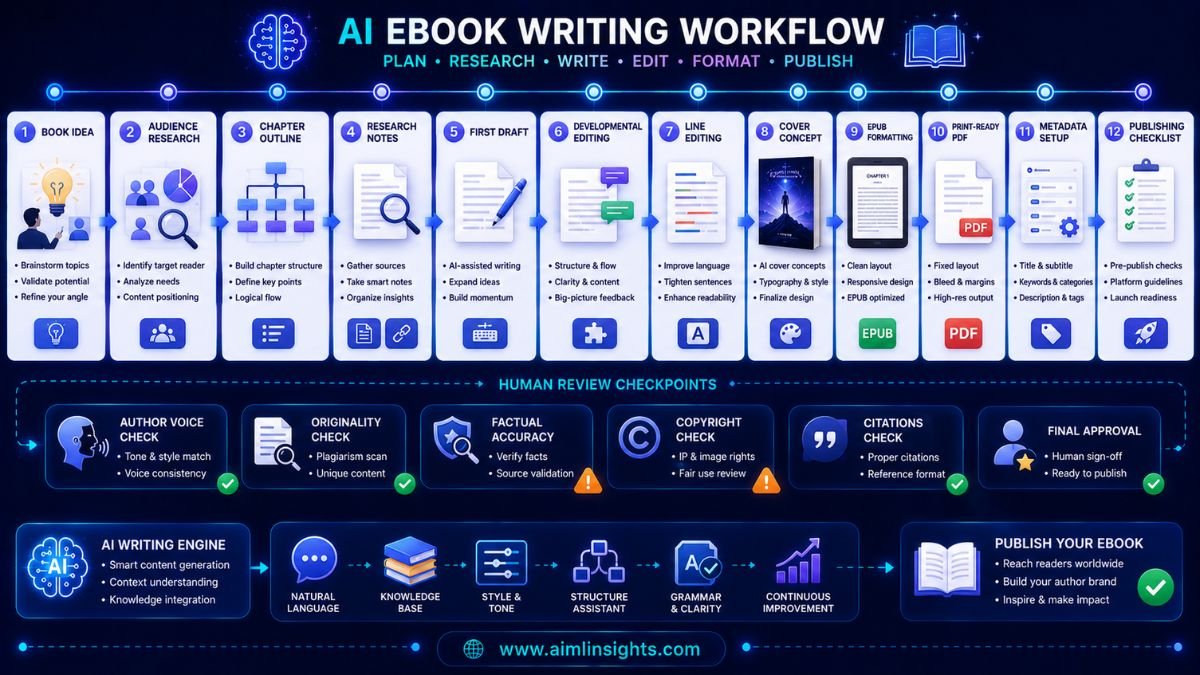
The first mistake is asking AI to write the whole book with little direction. That usually produces generic structure and weak voice.
The second mistake is skipping developmental editing. An eBook can be grammatically clean and still have poor flow.
The third mistake is trusting AI-generated facts or citations. Nonfiction authors should verify claims against original sources.
The fourth mistake is ignoring publishing rules. Platforms may require disclosure or have policies about AI-generated content, and those rules can change.
The fifth mistake is publishing without checking formatting. EPUB, PDF, cover size, table of contents, and metadata all affect the reader experience.
Suggested Read:
- Best AI Tools for Beginners in 2026
- Best AI Tools for Writers
- Best AI Tools for Blog Writing
- AI Tools With Free Plans Worth Using in 2026
- ChatGPT vs Perplexity vs Claude for Research Tasks
- Best Prompt Templates for Summarization and Research
- Prompt Engineering for Beginners: A Practical Guide
- Why LLMs Hallucinate and How to Reduce It
FAQ: Best AI Tools for Writing eBooks in 2026
What are the best AI tools for writing eBooks?
The best AI tools for writing eBooks include ChatGPT, Claude, Sudowrite, Novelcrafter, ProWritingAid, Jasper, Grammarly, Reedsy Studio, Atticus, and Canva AI.
Which AI tool is best for writing a book?
For fiction, Sudowrite and Novelcrafter are strong choices. For nonfiction, ChatGPT, Claude, Jasper, ProWritingAid, and Grammarly can help with planning, drafting, and editing.
Can AI help write an eBook?
Yes, AI can help plan, draft, revise, edit, and format an eBook. It should support the author’s process, not replace the author’s expertise, voice, research, and final judgment.
What is the best AI tool for fiction eBooks?
Sudowrite is strong for fiction prose and scene development, while Novelcrafter is useful for story bibles, character tracking, and continuity.
What is the best AI tool for nonfiction eBooks?
ChatGPT and Claude are useful for planning and drafting, Jasper is strong for branded business eBooks, ProWritingAid helps with editing, and Reedsy Studio or Atticus helps with formatting.
Can AI format an eBook for publishing?
Some tools help with formatting. Reedsy Studio can export EPUB and print-ready PDF files, while Atticus is built for professional eBook and print formatting.
Final Takeaway
The best AI tools for writing eBooks depend on your workflow. Use ChatGPT or Claude for planning, Sudowrite or Novelcrafter for fiction, Jasper for business eBooks, ProWritingAid and Grammarly for editing, Reedsy Studio or Atticus for formatting, and Canva AI for covers and visuals.
The safest strategy is to treat AI as a co-writing assistant. Let it speed up planning, drafting, editing, and formatting, but keep your own voice, research, structure, and publishing responsibility at the center.