
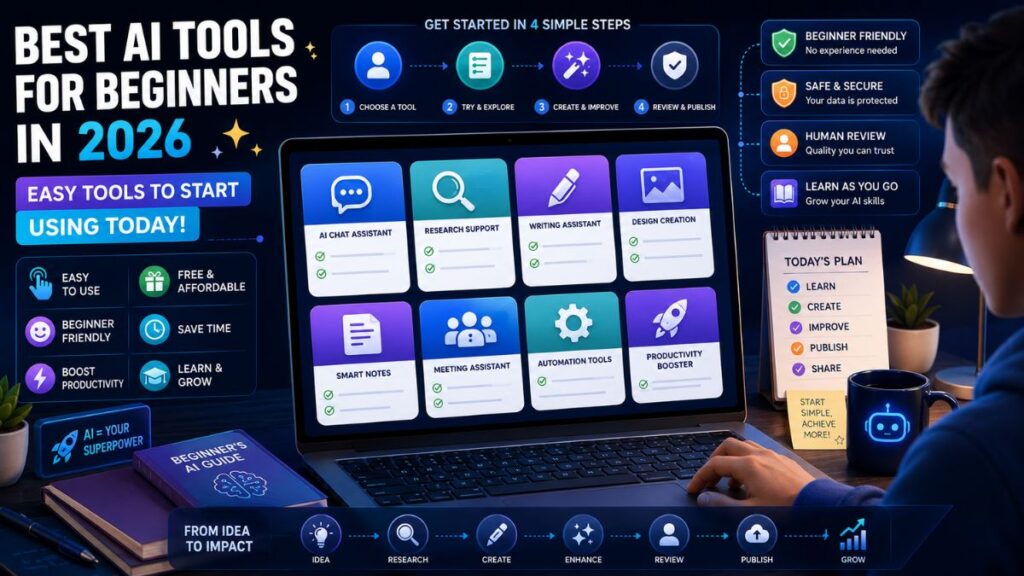
Best AI Tools for Beginners in 2026: Easy Tools to Start Using Today
The best AI tools for beginners are easy to use, useful in daily work, and flexible enough to help with writing, research, design, learning, notes, productivity, and simple automation. Beginners do not need a large AI stack. Start with a few reliable tools, learn what each one does well, and add more only when your workflow needs them.
In Simple Terms
AI tools are apps that help you complete tasks with artificial intelligence.
A beginner can use AI to draft emails, summarize articles, explain difficult topics, create images, organize notes, improve grammar, brainstorm ideas, analyze files, or automate repetitive work. The goal is not to replace your thinking. The goal is to reduce friction so you can work faster and learn more clearly.
Best AI Tools for Beginners: Quick Comparison
| AI Tool | Best For Beginners Who Need | Easy Use Case | Main Limit |
| ChatGPT | A general AI assistant | Ask questions, draft text, summarize, brainstorm | Needs fact-checking |
| Claude | Better writing and long-form thinking | Edit drafts, explain complex ideas, review documents | Not a dedicated design or SEO tool |
| Gemini | Google-friendly AI help | Work with Google apps, search, writing, and files | Best inside Google workflows |
| Perplexity | Research with sources | Find quick answers and source links | Still requires verification |
| Canva AI | Visual design | Create presentations, social posts, images, thumbnails | Not a research tool |
| Grammarly | Writing polish | Improve emails, blogs, resumes, and messages | Does not replace strategy |
| Notion AI | Notes and organization | Summarize notes, plan projects, search workspace content | Needs organized notes |
| Microsoft Copilot | Office productivity | Word, Excel, PowerPoint, Outlook, Teams help | Best for Microsoft users |
| Zapier | Simple automation | Connect apps and automate repetitive steps | Requires clear processes |
| GitHub Copilot | Beginner coding support | Code suggestions and explanations | Code still needs review |
1. ChatGPT: Best First AI Tool for Most Beginners
ChatGPT is usually the easiest first AI tool for beginners because it can handle many common tasks in one place. OpenAI describes ChatGPT as a conversational AI assistant that can answer questions, explain concepts, draft and summarize content, generate creative ideas, solve problems, and translate between languages.
Beginners can use it to write emails, understand new topics, summarize documents, create study notes, draft blog outlines, plan trips, compare options, or practice interview questions. The best way to use ChatGPT is to give it clear context: your goal, audience, format, and constraints.
Best for: everyday questions, writing, planning, learning, summaries, brainstorming.
Use carefully for: current facts, legal advice, medical questions, financial decisions, and citations.
2. Claude: Best for Writing, Editing, and Complex Thinking
Claude is a strong beginner-friendly tool for people who write, study, code, or work with long documents. Anthropic describes Claude as an AI problem solver and thinking partner that works with users to write, research, code, and tackle complex problems with depth and precision.
For beginners, Claude is especially useful as an editor. You can paste a draft and ask it to improve clarity, reduce repetition, explain weak sections, or make the tone more professional. It is also helpful for breaking down complex topics into simpler explanations.
Best for: editing, long-form writing, reasoning, document review, coding help.
Use carefully for: source-heavy research that needs direct citations.
3. Gemini: Best for Google Users
Gemini is a good choice for beginners who already use Google tools. It fits naturally into workflows involving Gmail, Docs, Sheets, Drive, Android, and Google search-related tasks. Recent coverage highlights Gemini’s deep integration across Google products and its use across writing, coding, image generation, research, and multimodal workflows.
Use Gemini if you want AI help inside the tools you already use. It can help draft text, summarize information, generate ideas, work with documents, and support daily productivity.
Best for: Google users, productivity, documents, email, research, mobile AI.
Use carefully for: tasks that require non-Google integrations.
4. Perplexity: Best for Beginner Research
Perplexity is one of the easiest AI tools for beginners who want source-backed answers. Perplexity describes itself as a free AI-powered answer engine that provides accurate, trusted, real-time answers.
Use Perplexity when you are researching a topic, comparing tools, checking trends, or looking for sources. It is especially helpful for students, bloggers, analysts, founders, and curious learners. Still, do not treat summaries as final truth. Click the sources and verify important claims.
Best for: research, source discovery, topic exploration, quick comparisons.
Use carefully for: final academic, legal, medical, or financial claims.
5. Canva AI: Best for Beginner Design
Canva AI is one of the easiest AI tools for beginners who need visuals. Canva says its AI assistant brings together design, writing, image, video, and even code in one place.
Beginners can use Canva AI to create social posts, presentations, posters, thumbnails, blog images, resumes, worksheets, and simple brand visuals. It is useful because you do not need design training to create clean visual assets.
Best for: presentations, social graphics, featured images, thumbnails, simple designs.
Use carefully for: generic visuals that do not match your topic or brand.
6. Grammarly: Best for Writing Polish
Grammarly is useful for beginners who want cleaner writing. It describes its AI writing assistance as personalized guidance and text generation that works across apps and websites.
Use Grammarly for emails, essays, LinkedIn posts, resumes, proposals, blog drafts, and professional messages. It can help with grammar, clarity, tone, and readability. It should be used near the end of your writing process, after your ideas are already clear.
Best for: grammar, tone, clarity, professional writing.
Use carefully for: preserving your natural voice.
7. Notion AI: Best for Notes and Personal Organization
Notion AI is useful for beginners who want to organize notes, tasks, documents, and projects in one place. It can summarize notes, turn rough ideas into structured pages, help plan projects, and make information easier to find.
Beginners should use Notion AI only after creating a simple workspace. If your notes are messy or outdated, the AI will not magically fix the system. Start with basic pages for work, study, ideas, and projects.
Best for: notes, project planning, summaries, personal knowledge management.
Use carefully for: unorganized or outdated information.
8. Microsoft Copilot: Best for Office Work
Microsoft Copilot is useful for beginners who spend most of their time in Word, Excel, PowerPoint, Outlook, and Teams. It can help draft documents, summarize meetings, create slides, analyze spreadsheets, and manage email-heavy workflows.
This makes it practical for office workers, students, managers, consultants, and business teams already using Microsoft 365.
Best for: documents, spreadsheets, slides, email, meetings.
Use carefully for: teams not using Microsoft tools.
9. Zapier: Best for Beginner Automation
Zapier is a good starting point for people who want AI-assisted automation without coding. Zapier says it helps users build and scale AI workflows and agents across more than 9,000 apps.
Use Zapier when you repeat the same steps across apps. For example, you can save form responses, send notifications, create tasks, update spreadsheets, or draft follow-ups automatically.
Best for: app automation, repetitive tasks, simple workflows.
Use carefully for: tasks that involve sensitive data or unclear approvals.
10. GitHub Copilot: Best for Beginners Learning to Code
GitHub Copilot can help beginner developers by suggesting code, explaining snippets, and reducing repetitive coding tasks. It is useful for learning patterns, writing small functions, and understanding errors.
But beginners should not copy code blindly. AI coding assistants can produce insecure, incorrect, or inefficient code. Use Copilot as a helper, not a teacher you never question.
Best for: coding practice, code suggestions, debugging help.
Use carefully for: security, architecture, and production code.
How to Choose the Right Beginner AI Tool
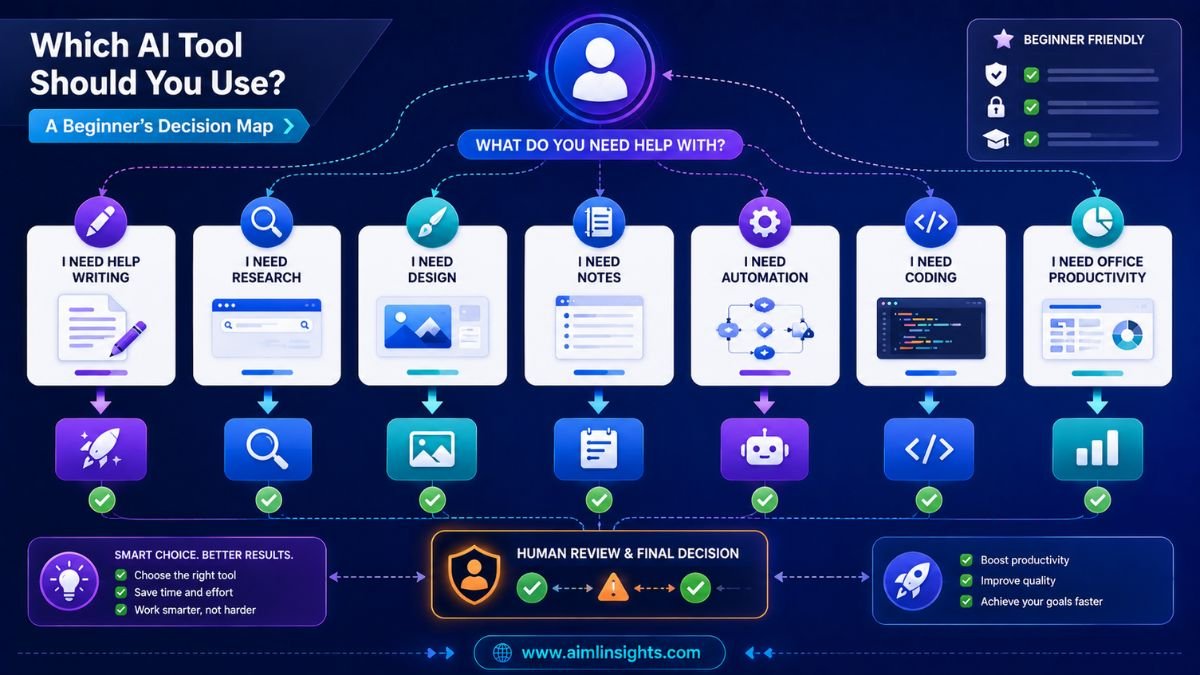
Start with your main need.
If you want one flexible tool, start with ChatGPT. If you write long drafts, try Claude. If you research often, use Perplexity. If you need visuals, choose Canva AI. If you want cleaner writing, use Grammarly. If you live in Google apps, try Gemini. If you work in Microsoft apps, consider Copilot. If you want simple automation, add Zapier later.
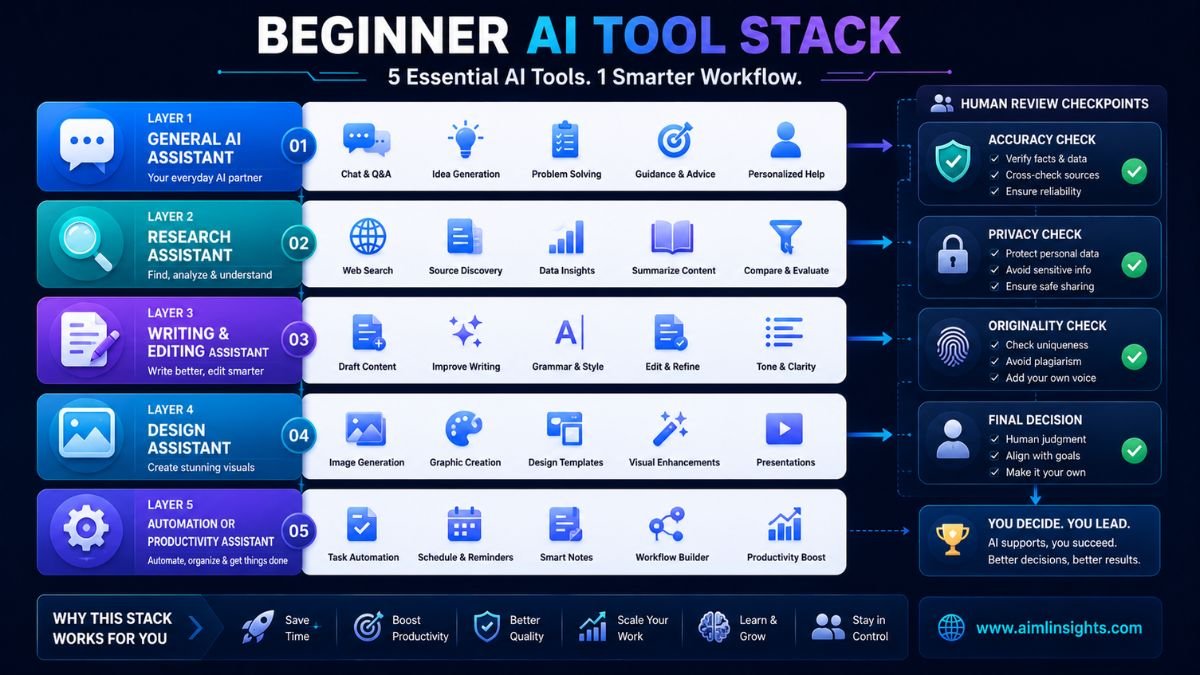
A good beginner stack is simple: ChatGPT or Claude for thinking, Perplexity for research, Grammarly for polish, Canva for visuals, and Notion or Copilot for organization.
Common Mistakes Beginners Should Avoid
The first mistake is trying too many tools at once. You will learn faster with three useful tools than with twenty apps you barely understand.
The second mistake is trusting AI without checking. AI can make mistakes, invent details, or miss context.
The third mistake is uploading sensitive information too casually. Avoid sharing private documents, passwords, client files, financial records, or confidential company data unless you understand the tool’s privacy settings.
The fourth mistake is using AI to avoid learning. AI is most valuable when it helps you think better, not when it replaces your effort completely.
Suggested Read:
- Best AI Tools for Beginners in 2026
- AI Tools With Free Plans Worth Using in 2026
- Best AI Tools for Students
- Best AI Tools for Bloggers and Content Writers
- ChatGPT vs Perplexity vs Claude for Research Tasks
- Best AI Workflow Automation Tools for Teams
- Prompt Engineering for Beginners: A Practical Guide
- What Is a Large Language Model? Explained Simply
FAQ: Best AI Tools for Beginners
What are the best AI tools for beginners?
The best AI tools for beginners include ChatGPT, Claude, Gemini, Perplexity, Canva AI, Grammarly, Notion AI, Microsoft Copilot, Zapier, and GitHub Copilot. Each tool fits a different beginner workflow.
Which AI tool should a beginner use first?
Most beginners should start with ChatGPT or Claude because they are flexible and useful for many everyday tasks. Add Perplexity for research, Canva AI for visuals, and Grammarly for writing polish.
What is the easiest AI tool to use?
ChatGPT and Canva AI are among the easiest AI tools to use. ChatGPT works well for conversation and writing, while Canva AI is beginner-friendly for visual design.
Are there free AI tools for beginners?
Yes. Many AI tools offer free plans or free access with limits, including ChatGPT, Perplexity, Canva, Grammarly, and some Google AI tools. Free plans are often enough for basic learning and daily use.
Can beginners use AI tools without technical skills?
Yes. Most beginner AI tools are designed for normal language prompts. You do not need coding skills to ask questions, create drafts, summarize text, make designs, or improve writing.
Are AI tools safe for beginners?
AI tools can be safe when used carefully. Beginners should avoid sharing sensitive information, verify important outputs, check privacy settings, and use human judgment before acting on AI-generated advice.
Final Takeaway
The best AI tools for beginners are the ones that help with real daily tasks without adding complexity. Start with a small stack: ChatGPT or Claude for general help, Perplexity for research, Grammarly for editing, Canva AI for visuals, and Notion AI, Gemini, Copilot, or Zapier when your workflow needs them.
Beginners do not need to master every AI tool. Learn one tool well, build confidence, and expand only when a new tool solves a clear problem.