
Best AI Tools for Free Video Generation in 2026: Text-to-Video and Image-to-Video Tools
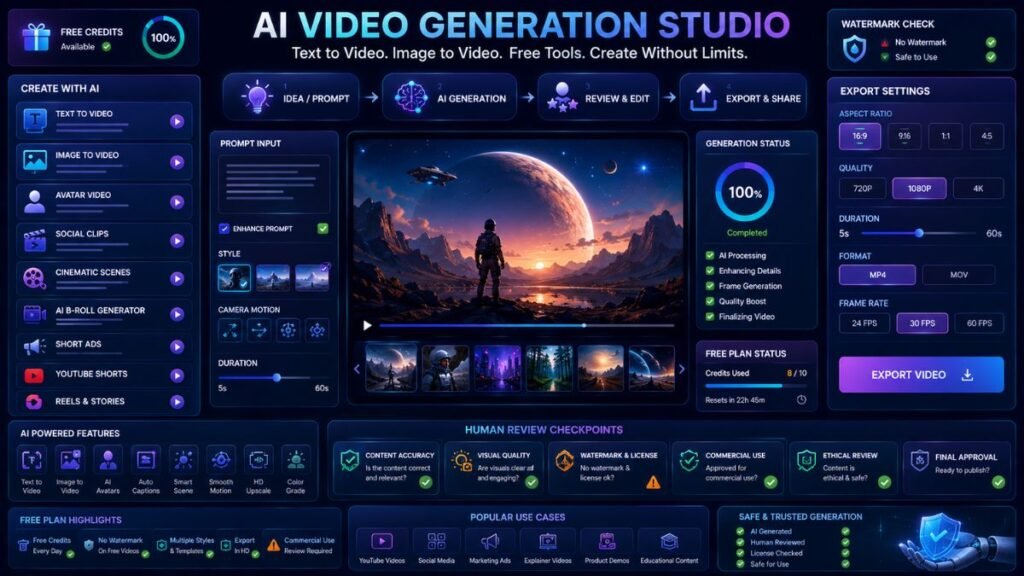
The best AI tools for free video generation help creators turn prompts, scripts, images, and ideas into short clips without paying upfront. Most free tools use credits, watermarks, duration limits, or export restrictions, so the best choice depends on whether you need cinematic clips, avatar videos, image animation, social content, or quick prototypes.
In Simple Terms
Free AI video generators are tools that create videos from text, images, scripts, avatars, or prompts.
They are different from normal video editors. A video editor helps you cut and arrange footage. An AI video generator creates new video content, such as animated product shots, social clips, avatar explainers, cinematic scenes, or short creative visuals.
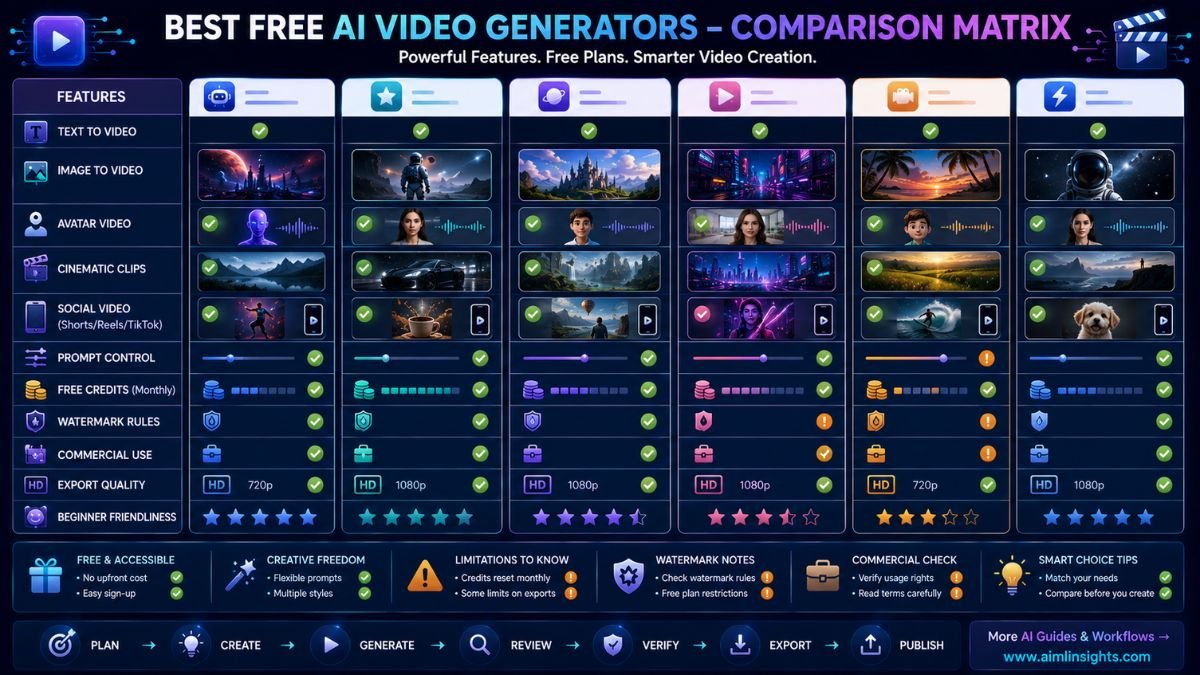
Best AI Tools for Free Video Generation: Quick Comparison
| Tool | Best For | Free Plan Strength | Main Limitation |
| Runway | Creative AI video experiments | Free one-time credits for exploring AI tools | Credits do not refresh |
| Pika | Fun image-to-video effects | Free plan for creative video generation | Advanced features may need paid plan |
| Luma Dream Machine | Realistic motion and cinematic clips | Good for testing high-quality generation when access is available | Commercial use and watermark rules depend on plan |
| Kling AI | High-motion AI clips | Daily free-credit style access in some regions | Free usage and rights can vary |
| Canva AI Video | Beginner social videos | Easy design workflow and free downloads in some tools | Advanced AI video may be paid or limited |
| invideo AI | Script-to-video workflows | Free plan with limited weekly credits | Credits and exports are restricted |
| HeyGen | AI avatar videos | Free plan with limited monthly videos | Short duration and sharing limits |
| Synthesia | Business avatar videos | Free plan with monthly video minutes | Best features are paid |
| Vidu AI | Text/image/reference video | Free credits for video generation | Output volume is limited |
| Hailuo AI | Social and creative clips | Strong free-trial style access in some reports | Watermarks may limit commercial use |
1. Runway: Best Free AI Video Generator for Creative Experiments
Runway is one of the strongest AI video platforms for creators who want to test generative video. Its free plan is designed for individuals exploring Runway’s AI tools and includes a one-time 125-credit deposit. Runway’s help center notes that these free credits do not refresh once spent.
Use Runway for cinematic experiments, image-to-video tests, AI B-roll, product visuals, and creative prototypes. It is not the best free option for high-volume publishing because free credits are limited.
Best for: creative tests, cinematic clips, AI video prototypes.
Use carefully for: credit limits and commercial-use requirements.
2. Pika: Best Free AI Video Generator for Fun Effects
Pika is useful for creators who want fast, playful video effects. Its site highlights photo-to-video transformations and “Pikaffects” style creative edits, while its pricing page lists a free plan for users who want to try the platform.
Use Pika for social clips, image animation, meme-style effects, creator experiments, and short attention-grabbing videos. It is especially useful when the goal is creative motion rather than polished business video.
Best for: social effects, image animation, creative short clips.
Use carefully for: export quality, watermark rules, and paid feature limits.
3. Luma Dream Machine: Best for Realistic Motion Tests
Luma’s Dream Machine is known for realistic motion and cinematic AI video generation. Luma’s current pricing pages show paid tiers, while TechRadar’s overview notes that free access has changed over time and paid plans may be required for generation depending on availability and demand.
Use Luma when you want more realistic camera movement, product-style visuals, or short cinematic clips. It is strong for quality testing, but not always the most predictable free option.
Best for: cinematic motion, realistic short clips, prompt-based scenes.
Use carefully for: current free availability and commercial-use limits.
4. Kling AI: Best for High-Motion AI Video
Kling AI is often discussed as a strong option for high-motion AI clips. Kling’s own free-credit page promotes daily free credits for generating AI videos, and third-party pricing coverage describes a free tier for testing the platform.
Use Kling for action scenes, motion-heavy concepts, and visual experiments where movement quality matters. Check region, credit rules, and commercial rights before building a workflow around it.
Best for: motion-heavy clips, creator experiments, cinematic prompts.
Use carefully for: free-credit availability and licensing clarity.
5. Canva AI Video: Best for Beginners and Social Content
Canva is useful for beginners because video generation sits inside a broader design workflow. Canva offers script-to-video and image-to-video tools that let users generate or animate video assets and then edit designs inside Canva.
Use Canva for social posts, simple ads, presentations, educational clips, creator videos, and branded assets. It is best when you want generated video plus templates, captions, thumbnails, and design polish in one place.
Best for: beginners, social videos, presentations, creator assets.
Use carefully for: advanced AI generation limits and paid feature access.
6. invideo AI: Best for Script-to-Video Workflows
invideo AI is useful when you want to turn a prompt or script into a fuller video workflow. Its help center says users can use invideo AI for free without a card, with limited credits that reset weekly and can be used across platform features.
Use invideo AI for explainers, marketing drafts, YouTube-style videos, social content, and quick campaign concepts. It is stronger for assembling video from a prompt than for pure cinematic generation.
Best for: script-to-video, marketing videos, explainer drafts.
Use carefully for: weekly credit limits and export restrictions.
7. HeyGen: Best Free AI Video Generator for Avatars
HeyGen is a strong option if you need AI avatar videos rather than cinematic scenes. Its pricing page says users can generate up to three videos a month for free, while its help documentation notes that free-plan video quotas and limits can vary by region.
Use HeyGen for product explainers, training clips, course intros, sales messages, and avatar-led social videos.
Best for: AI avatars, explainer videos, training clips.
Use carefully for: duration, sharing, export quality, and avatar rights.
8. Synthesia: Best Free AI Avatar Tool for Business Testing
Synthesia is another strong avatar-video platform. Its official site says its free plan lets users create free AI videos and includes 10 minutes of video per month, 9 stock avatars, and AI voices in more than 160 languages.
Use Synthesia to test training videos, onboarding clips, product walkthroughs, and internal business communication. It is not mainly for cinematic video generation.
Best for: business avatar videos, training, internal explainers.
Use carefully for: free-plan limits and download/export rules.
9. Vidu AI: Best for Free Credits and Reference-Based Generation
Vidu is useful for text-to-video, image-to-video, and reference-style video generation. Its official pricing page lists a free plan, and its main site says users receive free credits to generate videos at no cost.
Use Vidu for animation, short social clips, reference-based scenes, and testing different visual directions.
Best for: text-to-video, image-to-video, reference-based clips.
Use carefully for: credit limits and output quality settings.
10. Hailuo AI: Best for Free Social Video Experiments
Hailuo AI supports text-to-video and image-to-video generation for creators and social content. Its official site positions it around AI video and image generation, while recent Tom’s Guide coverage highlighted its accessible free experience but noted watermarks on the free plan.
Use Hailuo AI for social experiments, image animation, camera-movement prompts, and short creative clips.
Best for: social video experiments, image-to-video, free trials.
Use carefully for: watermarks and commercial-use limitations.
How to Choose the Best Free AI Video Generator
Start with the type of video you need.
If you want cinematic clips, try Runway, Luma, Kling, Vidu, or Hailuo. If you want fun effects, try Pika. If you want social videos with templates, use Canva. If you want script-to-video, use invideo AI. If you need avatar videos, compare HeyGen and Synthesia.
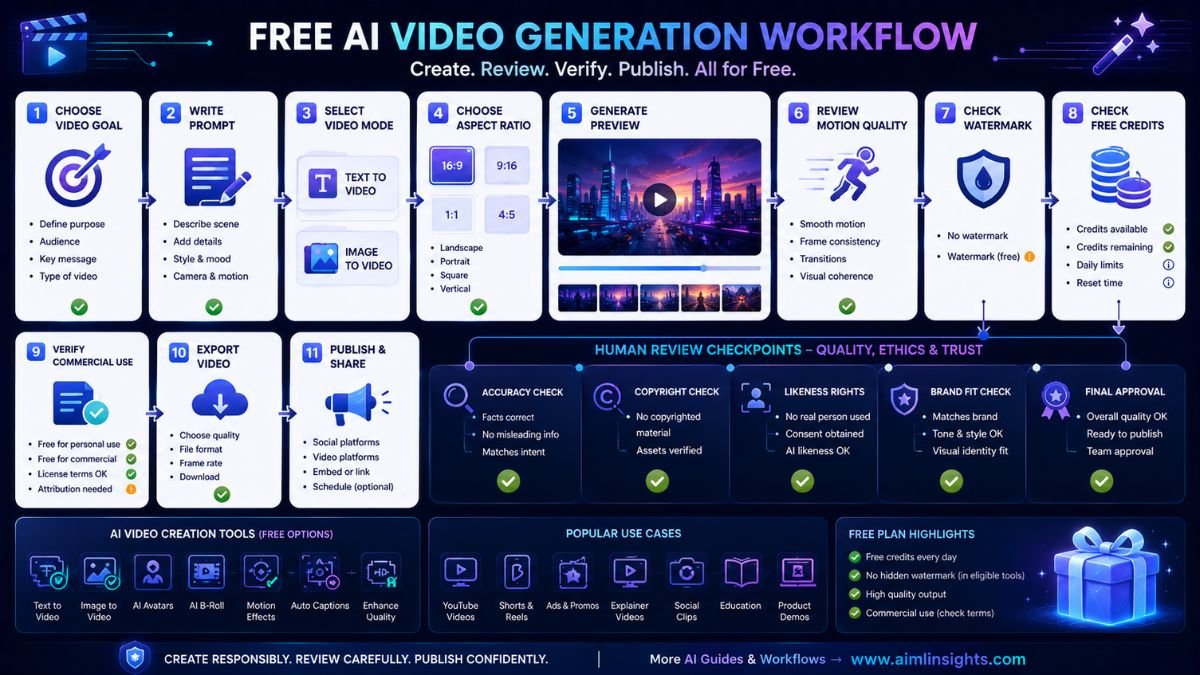
Before publishing, check four things: free credits, watermark rules, commercial-use terms, and whether the generated content uses protected likenesses, logos, characters, or copyrighted styles.
Common Mistakes to Avoid
The first mistake is assuming “free” means unlimited. Most free AI video generators use credits, queues, watermarks, short durations, or lower export quality.
The second mistake is confusing generation with editing. You may still need CapCut, Canva, Descript, or DaVinci Resolve to polish the final clip.
The third mistake is ignoring rights. Avoid generating celebrities, copyrighted characters, brand logos, or private people without consent.
The fourth mistake is using generated video without human review. AI clips can contain distorted hands, strange motion, unreadable text, or misleading visuals.
Suggested Read:
- Best AI Tools for Beginners in 2026
- AI Tools With Free Plans Worth Using in 2026
- Best AI Tools for Video Editing Free
- Best AI Tools for Content Creation
- Best AI Tools for YouTube Creators
- Best AI Tools for T-Shirt Design
- Prompt Engineering for Beginners: A Practical Guide
- Best AI Image Tools in 2026
FAQ: Best AI Tools for Free Video Generation
What are the best AI tools for free video generation?
The best AI tools for free video generation include Runway, Pika, Luma Dream Machine, Kling AI, Canva AI Video, invideo AI, HeyGen, Synthesia, Vidu AI, and Hailuo AI.
Which AI video generator is free?
Runway, Pika, invideo AI, HeyGen, Synthesia, Vidu, Canva, Kling, and Hailuo all offer some form of free access, trial, free credits, or free plan, but limits vary by region, feature, and time.
What is the best free text-to-video AI tool?
For cinematic clips, try Runway, Luma, Kling, Vidu, or Hailuo. For script-based social videos, invideo AI and Canva are easier for beginners. For avatar videos, HeyGen and Synthesia are better choices.
Do free AI video generators add watermarks?
Some do, some do not, and the rules can change. VEED-style video tools and some generation platforms apply watermarks on free plans, while others restrict credits, resolution, or exports instead. Always test one export before committing to a workflow.
Can I use free AI-generated videos commercially?
Sometimes, but not always. Commercial-use rights often depend on the tool, plan, watermark status, asset source, and generated content. Check the platform’s terms before using free AI-generated videos in ads, client work, paid courses, or product marketing.
Which AI video generator gives free credits?
Runway gives a one-time free credit deposit, invideo AI offers limited free credits that reset weekly, and Vidu says users receive free credits for video generation.
Final Takeaway
The best AI tools for free video generation depend on your goal. Use Runway, Luma, Kling, Vidu, or Hailuo for cinematic generation; Pika for creative effects; Canva for beginner social videos; invideo AI for script-to-video; and HeyGen or Synthesia for avatar videos.
Free AI video tools are excellent for testing ideas, but always check credits, watermarks, export quality, commercial-use terms, and copyright risks before publishing.