
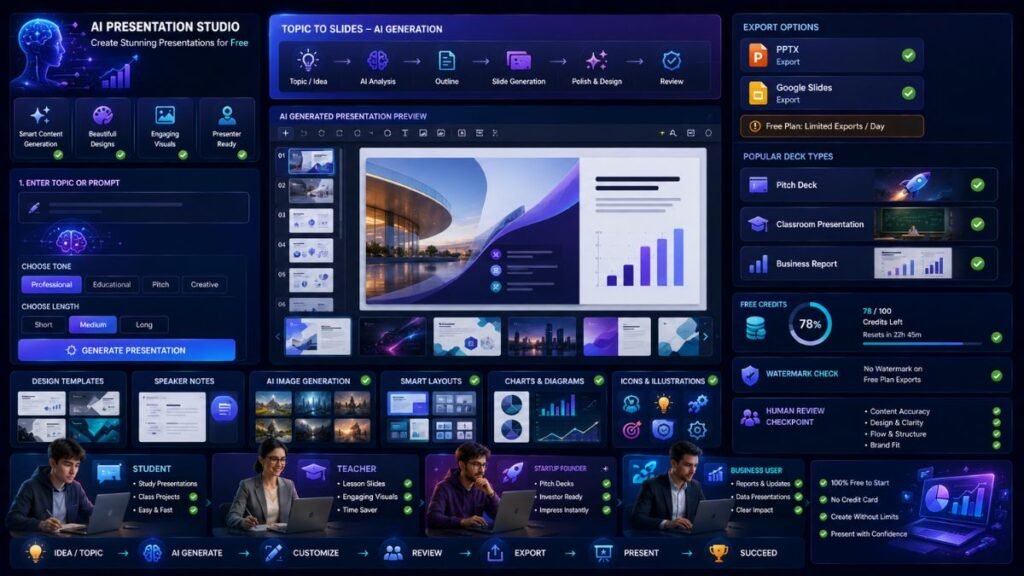
The best AI tools for free PPT help students, teachers, founders, and professionals turn topics, notes, documents, and prompts into presentation slides without paying upfront. The best choice depends on what you need most: PPTX export, Google Slides support, templates, pitch decks, design quality, collaboration, or free AI credits.
In Simple Terms
Free AI PPT tools are presentation makers that use AI to create slides from a prompt, document, outline, or idea.
Some tools generate a full deck. Some provide free templates. Some export to PowerPoint. Others are free only as a trial. Before choosing one, check whether the free plan supports PPTX export, watermarks, slide limits, credits, and commercial use.
Best Free AI PPT Tools: Quick Comparison
| Tool | Best For | Free Strength | Main Limitation |
| Gamma | Fast AI decks with exports | Free credits and PPTX export | Credits do not refresh on free plan |
| Canva AI Presentations | Beginner-friendly design | Prompt-to-slides and easy editing | Some AI/design assets may be paid |
| Slidesgo AI Presentation Maker | Students and teachers | Free AI presentation generator and templates | Download limits or attribution may apply |
| Pitch | Team presentations | Free unlimited presentations | Advanced AI/team features may require paid plans |
| Presentations.AI | Business decks | Free credits and PowerPoint-style output | PPT export and branding may be paid |
| Microsoft PowerPoint/Copilot | PowerPoint-native workflow | Free PowerPoint access; Copilot on eligible plans | Full Copilot is not broadly free |
| Beautiful.ai | Professional slide design | 14-day free trial | No permanent free plan |
| Venngage AI Pitch Deck Generator | Pitch decks | Free pitch deck generator workflow | Exports and premium templates may vary |
| Genspark AI Presentation Maker | Fast topic-to-slides | Free online slide generation | Export and usage limits may apply |
| Smallppt / AutoPPT-style tools | Quick PPT drafts | Simple AI PPT generation | Quality and export controls vary |
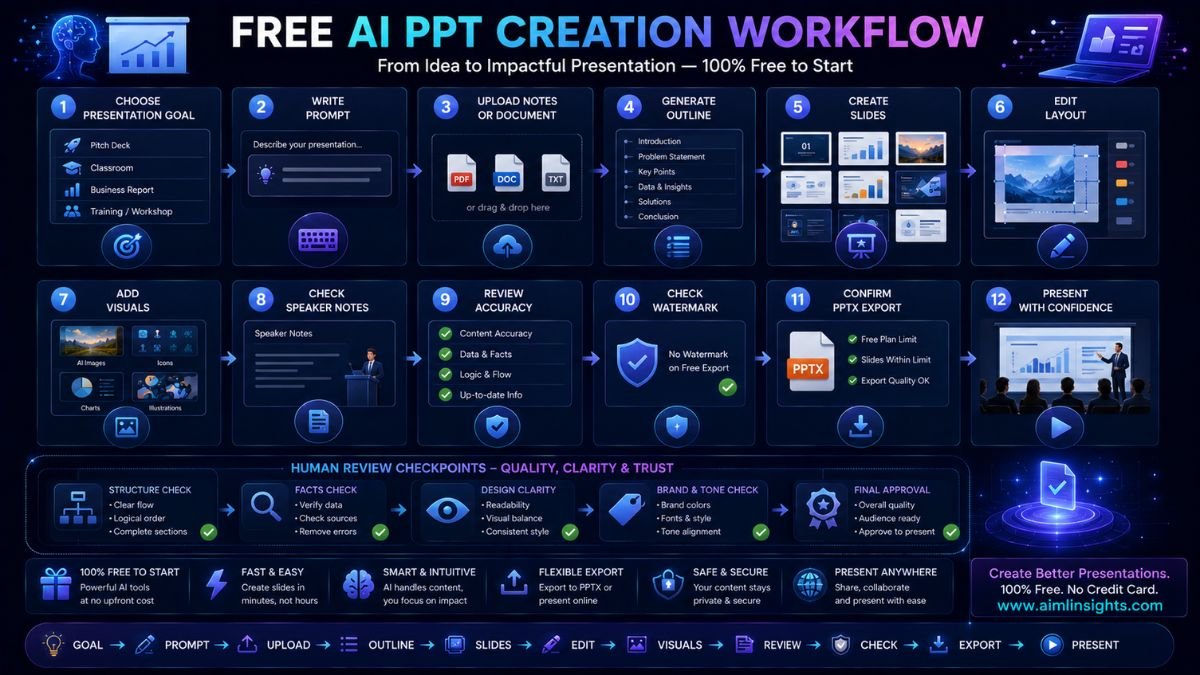
Gamma: Best Overall Free AI PPT Tool
Gamma is one of the best AI tools for free PPT because it can turn a prompt, document, or idea into a full deck and supports multiple export formats. Gamma’s pricing page says the free plan includes 400 signup credits, creation of up to 10 cards per prompt, and export to PDF, PPTX, PNG, and Google Slides.
Gamma is useful for students, founders, consultants, marketers, and educators who need a quick first draft. Its biggest advantage is that it does not only create slide text; it also gives the deck a visual structure.
Best for: fast decks, pitch outlines, reports, PPTX export.
Use carefully for: free credits, because Gamma’s help center says free-plan AI credits do not refresh.
Canva AI Presentations: Best for Beginners and Visual Design
Canva is one of the easiest free AI presentation tools for beginners. Canva’s AI Presentation Maker uses Magic Design for Presentations to generate slides from a prompt and create a cohesive deck outline and visual flow.
Canva works well when presentation design matters. Students can create class presentations, teachers can build lesson slides, and creators can turn ideas into polished visual decks.
Best for: beginners, social-style presentations, education slides, visual design.
Use carefully for: premium templates, brand-kit features, and paid assets.
Slidesgo AI Presentation Maker: Best for Students and Teachers
Slidesgo is strong for education and template-first presentations. Its AI Presentation Maker lets users enter a topic and generate customizable presentation templates quickly. Slidesgo also offers free Google Slides themes and PowerPoint templates, with free registered users able to download a limited number of templates each month.
This makes it useful for school projects, teaching slides, thesis presentations, and classroom visuals.
Best for: students, teachers, academic presentations, templates.
Use carefully for: monthly free template limits and attribution requirements.
Pitch: Best Free AI Presentation Tool for Teams
Pitch is useful for collaborative presentations and startup-style decks. Pitch says its free plan lets users create unlimited presentations forever, and its AI presentation maker can generate polished decks from a prompt, refine slides through chat, and use files as context.
Use Pitch if you work with a small team and need comments, collaboration, clean templates, and modern presentation workflows.
Best for: team decks, startup updates, collaborative presentations.
Use carefully for: paid AI, branding, and workspace features.
Presentations.AI: Best for Business Presentation Drafts
Presentations.AI is built around turning topics, documents, links, and files into presentation-ready decks. Its official site says users can create AI presentations from text, PDFs, Word documents, URLs, Google Docs, and Excel files, and it supports editable PowerPoint outputs.
It is useful for business proposals, sales decks, strategy updates, investor decks, and internal reporting.
Best for: business decks, document-to-slides, PowerPoint-style outputs.
Use carefully for: export limits, branding features, and credit-based free access.
Microsoft PowerPoint and Copilot: Best for PowerPoint Users
PowerPoint remains important because many users need real PPT or PPTX files. Microsoft says PowerPoint helps users create polished slides using AI-driven design and collaboration tools, and Copilot in PowerPoint can help design and create presentations with AI.
However, full Copilot access is usually tied to Microsoft plans rather than being a simple free AI PPT generator. Microsoft’s Copilot pricing page says there is no trial available for Microsoft 365 Copilot, though eligible business users may access Copilot Chat.
Best for: PowerPoint-native editing, business decks, Microsoft users.
Use carefully for: Copilot availability and subscription requirements.
Beautiful.ai: Best Free Trial for Professional Slide Design
Beautiful.ai is strong for polished slide design and smart layouts. Its pricing page says users can try it free for 14 days, with AI-generated presentation features such as unlimited AI content generation, brand styling, file/link context, AI images, translation, and smart slide design.
This is not a permanent free PPT tool, but it is useful for testing professional slide creation before committing to a paid plan.
Best for: professional decks, polished design, brand-style slides.
Use carefully for: trial ending and paid-plan requirement.
Venngage AI Pitch Deck Generator: Best for Startup Pitch Decks
Venngage’s free AI pitch deck generator is useful when the presentation goal is fundraising, startup storytelling, or business pitching. Its page says users can create pitch decks from simple prompts, with designs tailored to audience connection.
Use it for investor decks, product pitches, classroom startup assignments, and business-plan presentations.
Best for: pitch decks, startup slides, business storytelling.
Use carefully for: export options and premium design elements.
Genspark AI Presentation Maker: Best for Fast Topic-to-Slides
Genspark offers a free AI presentation maker that turns topics into polished slides and supports use cases such as personal presentations, everyday decks, and startup pitch decks.
It is useful when you need a fast first draft and do not want to build slides manually from a blank page.
Best for: quick drafts, topic-to-slides, simple presentation generation.
Use carefully for: export quality, accuracy, and free usage limits.
Smallppt and AutoPPT-Style Tools: Best for Quick PPT Drafts
Smallppt, AutoPPT, and similar tools are useful when the main goal is a quick AI-generated PPT draft. AutoPPT says it offers a free trial and free online office tools, while Smallppt-style tools are often positioned around fast AI PowerPoint generation.
These tools are best for rough drafts. Review the final deck carefully before using it in class, client work, or a business meeting.
Best for: quick drafts, basic slide generation, simple PPT workflows.
Use carefully for: design consistency, export quality, and source reliability.
How to Choose the Best Free AI PPT Tool
Start with your output need.
If you need PPTX export, Gamma is a strong first choice. If design matters most, use Canva or Beautiful.ai’s trial. If you are a student or teacher, try Slidesgo. If you work with a team, test Pitch. If you need business decks from documents, try Presentations.AI. If you need native PowerPoint editing, use Microsoft PowerPoint and check whether Copilot is available to you.
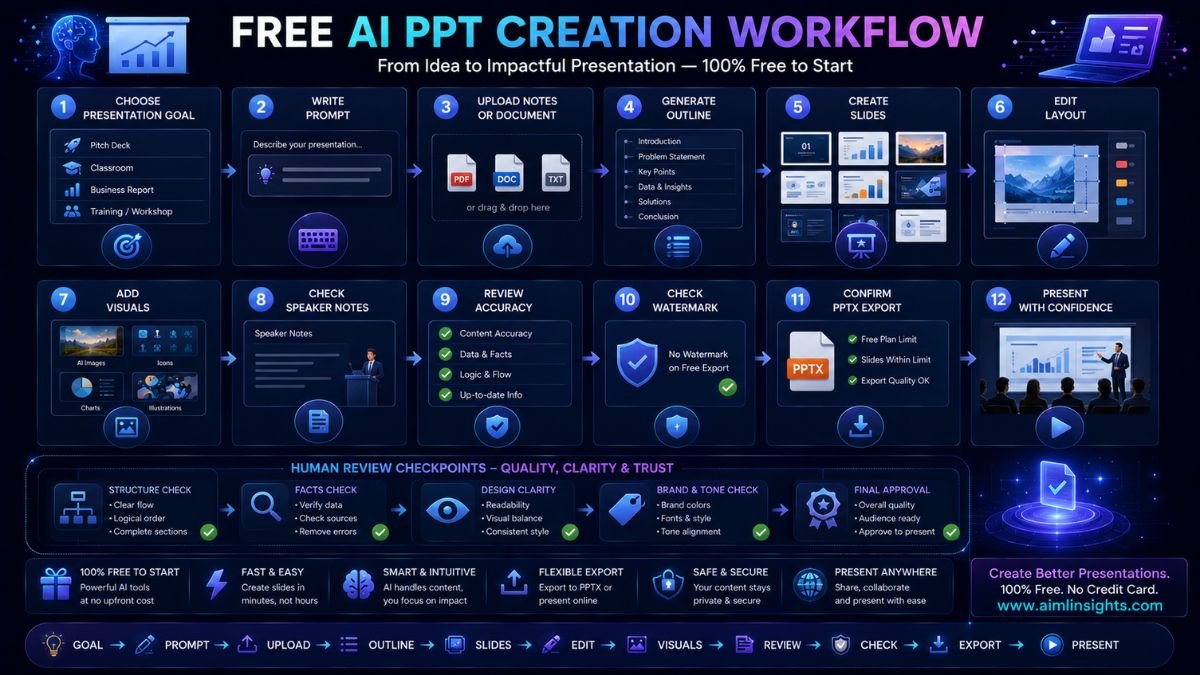
Before relying on any free AI PPT tool, check credits, slide limits, watermark rules, export formats, attribution, and whether the deck can be used commercially.
Common Mistakes to Avoid
The first mistake is assuming every free AI presentation tool exports to PPTX. Some only export PDFs, images, links, or online decks.
The second mistake is presenting AI-generated facts without checking them. AI can create confident but wrong slide claims.
The third mistake is using too much text. Good slides support the speaker; they should not read like an essay.
The fourth mistake is ignoring visual consistency. A free AI deck still needs clean fonts, consistent colors, readable charts, and clear section flow.
Suggested Read:
- Best AI Tools for Beginners in 2026
- AI Tools With Free Plans Worth Using in 2026
- Best AI Tools for Students
- Best AI Tools for Education
- Best AI Tools for Business
- Best AI Tools for Product Marketing
- Prompt Engineering for Beginners: A Practical Guide
FAQ: Best Free AI PPT Tools
What are the best AI tools for free PPT?
The best AI tools for free PPT include Gamma, Canva AI Presentations, Slidesgo, Pitch, Presentations.AI, Microsoft PowerPoint, Beautiful.ai, Venngage, Genspark, and Smallppt or AutoPPT-style tools.
Which AI presentation maker is free?
Gamma, Canva, Slidesgo, Pitch, Presentations.AI, Genspark, and several smaller AI PPT tools offer free access, free credits, free trials, or free plans. Limits vary by tool.
Can AI create PowerPoint presentations for free?
Yes. Some AI tools can create presentations for free, but PPTX export may depend on the platform and plan. Gamma’s free plan currently supports PPTX export.
What is the best free AI PPT maker for students?
Slidesgo and Canva are strong for students because they are beginner-friendly and offer education-friendly templates. Gamma is also useful when students need fast PPTX export.
Which AI tool is best for pitch decks?
Gamma, Pitch, Presentations.AI, Beautiful.ai, and Venngage are strong for pitch decks. Gamma is good for fast AI generation, while Beautiful.ai is strong for polished design during its free trial.
Are free AI PPT tools good enough?
Yes, free AI PPT tools are good enough for first drafts, class projects, internal presentations, and simple business decks. For client work or investor pitches, edit the structure, verify facts, improve visuals, and check export quality before presenting.
Final Takeaway
The best AI tools for free PPT depend on your presentation goal. Gamma is strong for fast AI-generated decks with PPTX export, Canva is best for beginner-friendly design, Slidesgo is useful for students and teachers, Pitch works well for teams, and Presentations.AI is practical for business decks.
Free AI PPT tools can save time, but do not skip review. Check slide accuracy, export format, design consistency, watermark rules, and whether the free plan fits your real workflow.