

The 10 best AI tools for education help teachers save time, support students, create lessons, personalize learning, generate quizzes, explain difficult topics, improve writing, and organize study materials. The best choice depends on the task. A teacher planning lessons needs different AI support than a student preparing for exams or a school managing classroom workflows.
In Simple Terms
AI tools for education are digital assistants for teaching and learning.
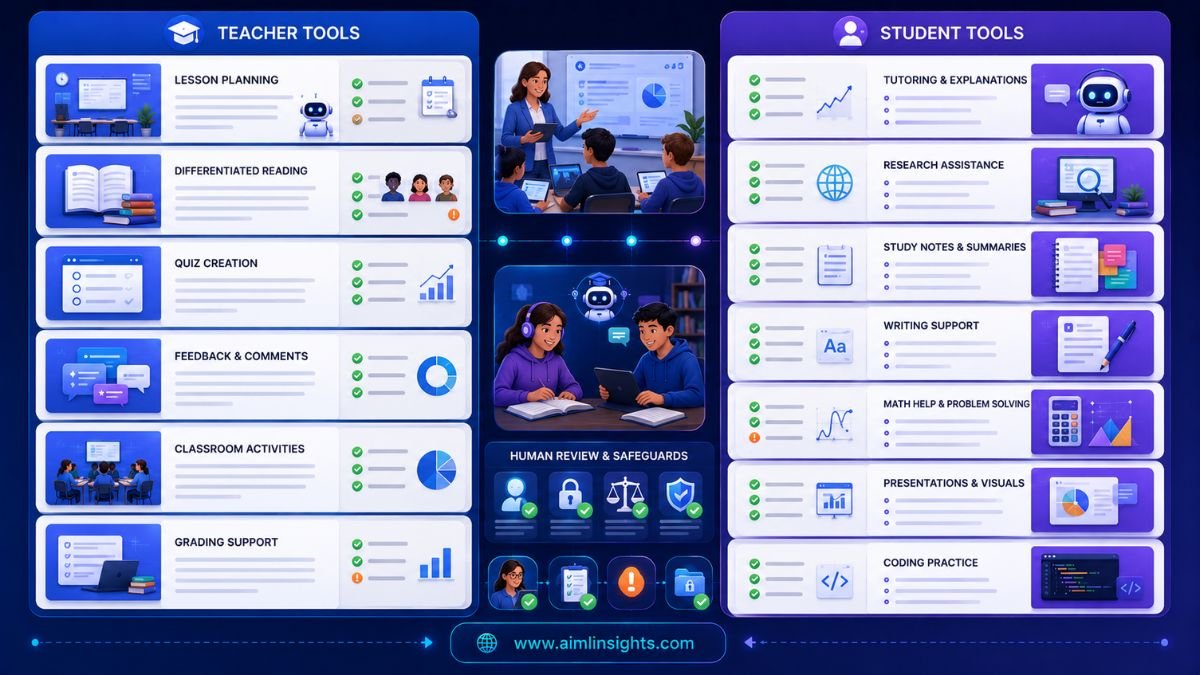
They can help teachers create lesson plans, adapt reading materials, write rubrics, generate quizzes, summarize documents, and provide feedback. Students can use AI tools to understand topics, practice questions, organize notes, improve writing, and study from class materials. The goal is not to replace teachers. The goal is to reduce repetitive work and support better learning.
10 Best AI Tools for Education: Quick Comparison
| Tool | Best For | Education Use Case | Main Limitation |
| MagicSchool AI | Teacher productivity | Lesson plans, rubrics, IEP support, classroom materials | Needs teacher review |
| Khanmigo | Tutoring and teacher support | Guided learning, student practice, teacher aide workflows | Availability may vary by region or school setup |
| NotebookLM | Study from class sources | Notes, summaries, audio overviews, quizzes from uploaded material | Quality depends on source materials |
| Brisk Teaching | Teacher workflow inside the browser | Feedback, reading-level changes, lesson resources | Works best inside supported classroom workflows |
| Diffit | Differentiated reading | Adapting texts by level, activities, vocabulary support | Needs accuracy checks |
| Quizizz | Quizzes and engagement | Practice quizzes, assessments, interactive review | Not a full curriculum tool |
| Canva for Education | Visual learning materials | Presentations, posters, worksheets, classroom visuals | Design quality still needs judgment |
| Grammarly | Student and teacher writing | Grammar, clarity, tone, feedback support | Does not judge subject accuracy |
| ChatGPT / Claude | General education assistant | Explaining topics, outlines, study plans, examples | Can hallucinate without verification |
| GitHub Copilot | Coding education | Code suggestions, explanations, programming practice | Students must avoid overreliance |
1. MagicSchool AI: Best All-in-One AI Tool for Teachers
MagicSchool AI is one of the strongest AI tools for teachers because it focuses on classroom workflows rather than generic writing. Current education-tool roundups commonly rank MagicSchool highly for lesson planning, rubric creation, classroom materials, and teacher productivity.
Teachers can use it to draft lesson plans, generate discussion questions, create differentiated materials, write parent emails, build rubrics, and prepare classroom activities. It is especially useful for teachers who want one education-specific AI workspace instead of using several general chatbots.
Best for: lesson planning, rubrics, differentiated materials, teacher productivity.
Use carefully for: final classroom content, which should always be reviewed for accuracy and age suitability.
2. Khanmigo: Best AI Tutor for Guided Learning
Khanmigo is useful for tutoring-style support because it is designed around learning rather than simply giving answers. It can help students think through problems, ask guiding questions, and practice concepts. Current teacher-tool rankings also list Khanmigo among notable education AI tools for teachers and students.
This matters because students should not use AI only to get completed answers. A good AI tutor should help them reason step by step, test understanding, and learn from mistakes.
Best for: tutoring, guided practice, math support, learning explanations.
Use carefully for: homework policies and school rules about AI assistance.
3. NotebookLM: Best for Study Notes From Class Materials
NotebookLM is one of the best AI tools for students and educators who want source-grounded study support. Recent 2026 coverage says Google Classroom expanded NotebookLM so students can create personal class notebooks from assigned course materials, with features such as study aids, audio/video overviews, slide decks, and quizzes.
Students can upload class readings, notes, PDFs, and study documents, then ask questions based on those sources. Teachers can also use it to organize materials and create study resources.
Best for: study notes, summaries, class-source Q&A, revision materials.
Use carefully for: incomplete or low-quality source uploads.
4. Brisk Teaching: Best for Fast Classroom Workflow Support
Brisk Teaching is helpful for teachers who work across browser-based classroom materials. It is often listed in 2026 teacher-tool roundups alongside MagicSchool, Diffit, Khanmigo, and Canva.
Teachers can use tools like Brisk to generate feedback, adjust reading levels, create lesson resources, and support classroom preparation. It is useful when teachers want AI help close to where they already browse, read, and prepare content.
Best for: feedback, reading-level adjustments, classroom resources.
Use carefully for: student data privacy and final feedback tone.
5. Diffit: Best for Differentiated Reading Materials
Diffit is useful when teachers need the same topic at different reading levels. Current education AI lists often include Diffit as a tool for differentiating reading materials and classroom resources.
This is valuable because classrooms rarely have one reading level. A teacher might need a simpler version of a science passage, vocabulary support, comprehension questions, and extension activities for advanced learners.
Best for: differentiated instruction, reading support, vocabulary, classroom handouts.
Use carefully for: preserving meaning when simplifying complex texts.
7. Quizizz: Best for Quizzes and Classroom Engagement
Quizizz is useful for teachers who want interactive quizzes, practice activities, and review sessions. It is frequently mentioned in education-tool guides because quizzes are one of the easiest places to use AI for classroom preparation.
Teachers can use AI-assisted quiz tools to create practice questions, check understanding, review lessons, and make formative assessment more engaging. Students benefit from immediate practice and repetition.
Best for: quizzes, review games, formative assessment, student engagement.
Use carefully for: checking question quality and answer accuracy.
7. Canva for Education: Best for Visual Learning Materials
Canva is useful for teachers and students because education often needs visuals: slides, posters, worksheets, infographics, mind maps, classroom displays, and project presentations. Teacher-focused education lists often mention Canva because it supports visual creation and classroom materials.
Teachers can create lesson visuals, activity sheets, and classroom resources. Students can use it for presentations, reports, posters, and project-based learning.
Best for: presentations, worksheets, posters, infographics, classroom visuals.
Use carefully for: visual clutter and generic AI-generated designs.
8. Grammarly: Best for Writing Support
Grammarly is useful in education because writing clarity matters across subjects. Students can use it to improve essays, emails, reports, and applications. Teachers can use it to polish instructions, feedback, rubrics, and communication.
It should not replace writing instruction. Students still need to learn structure, argument, evidence, and voice. But Grammarly can help reduce avoidable grammar and clarity problems.
Best for: grammar, clarity, tone, academic and professional writing.
Use carefully for: over-editing student voice or bypassing learning.
9. ChatGPT and Claude: Best General AI Assistants for Education
ChatGPT and Claude are useful general AI assistants for education because they can explain topics, generate examples, create study plans, draft outlines, simplify complex ideas, and help teachers brainstorm activities. They are flexible, but they are not education-specific by default.
For students, they can explain a concept in simpler terms, create practice questions, or help compare ideas. For teachers, they can help draft lesson outlines, create examples, or adapt explanations for different levels.
Best for: explanations, study plans, outlines, examples, brainstorming.
Use carefully for: hallucinations, citations, and academic integrity.
10. GitHub Copilot: Best for Coding Education
GitHub Copilot can help students learning programming by suggesting code, explaining patterns, and reducing repetitive syntax work. AI in programming education is now an active research area. A recent systematic review of AI tools in programming education found reported benefits such as personalized feedback, improved learning outcomes, and educator time savings, while also highlighting risks such as setup barriers, overreliance, superficial learning, AI errors, and academic integrity concerns.
For coding students, Copilot should be used as a learning assistant, not as a shortcut. Students should explain the code, test it, debug it, and understand why it works.
Best for: coding practice, syntax help, code suggestions, debugging support.
Use carefully for: overreliance and unreviewed code.
How to Choose the Best AI Tools for Education
Start with the classroom problem.
If teachers need lesson planning support, choose MagicSchool, Brisk Teaching, or Eduaide-style tools. If students need tutoring, choose Khanmigo or a guided learning assistant. If the goal is study notes, use NotebookLM. If the goal is differentiated reading, use Diffit. If the goal is quizzes, use Quizizz. If the goal is visual projects, use Canva. If the goal is writing clarity, use Grammarly.
Schools should also check privacy, age suitability, accessibility, academic-integrity policies, teacher control, and whether the tool supports the curriculum.
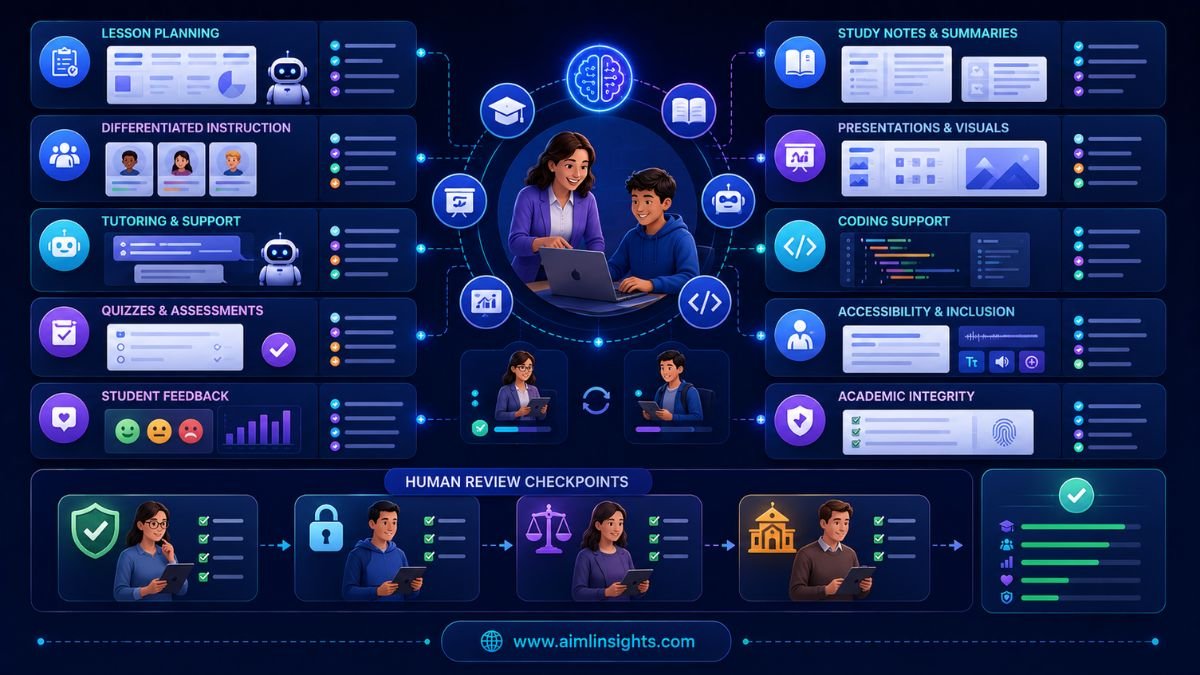
Research on teacher-AI collaboration suggests AI lesson-planning systems can reduce workload and support activity-based teaching, but the strongest results come when teachers customize AI outputs for local classroom needs rather than using them unchanged.
Common Mistakes to Avoid
The first mistake is using AI tools without school policy. Teachers and students should know what is allowed, what must be disclosed, and which tasks require human work.
The second mistake is trusting AI-generated content without review. AI can create incorrect examples, biased wording, weak quiz questions, or unsuitable reading levels.
The third mistake is replacing teaching judgment. AI can support instruction, but teachers understand classroom context, student needs, emotions, and learning gaps better than software.
The fourth mistake is ignoring equity. Not all students have equal access to paid tools, devices, fast internet, or quiet study environments.
Suggested Read:
- Best AI Tools for Beginners in 2026
- Best AI Tools for Students
- AI Tools With Free Plans Worth Using in 2026
- ChatGPT vs Perplexity vs Claude for Research Tasks
- Best Prompt Templates for Summarization and Research
- Prompt Engineering for Beginners: A Practical Guide
- Why LLMs Hallucinate and How to Reduce It
- What Is a Large Language Model? Explained Simply
FAQ: 10 Best AI Tools for Education in 2026
What are the best AI tools for education?
The best AI tools for education include MagicSchool AI, Khanmigo, NotebookLM, Brisk Teaching, Diffit, Quizizz, Canva for Education, Grammarly, ChatGPT or Claude, and GitHub Copilot.
Which AI tools are best for teachers?
Teachers often benefit from MagicSchool AI for lesson planning, Brisk Teaching for workflow support, Diffit for differentiated reading, Quizizz for quizzes, Canva for visual materials, and Grammarly for communication.
Which AI tools are best for students?
Students can use Khanmigo for tutoring, NotebookLM for study notes, Grammarly for writing, Canva for presentations, ChatGPT or Claude for explanations, and GitHub Copilot for coding practice.
Can AI tools help with lesson planning?
Yes. AI tools can help draft lesson plans, activities, rubrics, discussion questions, and differentiated materials. Teachers should customize and verify all AI-generated materials before using them in class.
Are AI tools safe for classrooms?
AI tools can be safe when schools use clear policies, privacy checks, age-appropriate settings, teacher review, and academic-integrity rules. Sensitive student data should be handled carefully.
Can teachers use AI for grading?
AI can support feedback and rubric drafting, but teachers should review final grades and comments. Assessment decisions should remain human-led, especially for high-stakes work.
Final Takeaway
The 10 best AI tools for education are useful because they solve different teaching and learning problems. MagicSchool helps teachers plan faster, Khanmigo supports tutoring, NotebookLM helps students study from sources, Diffit supports differentiated reading, Quizizz improves practice, Canva improves visuals, and Grammarly improves writing.
The best education AI strategy is not to automate the classroom. It is to give teachers and students better support while keeping accuracy, fairness, privacy, and human judgment at the center.