
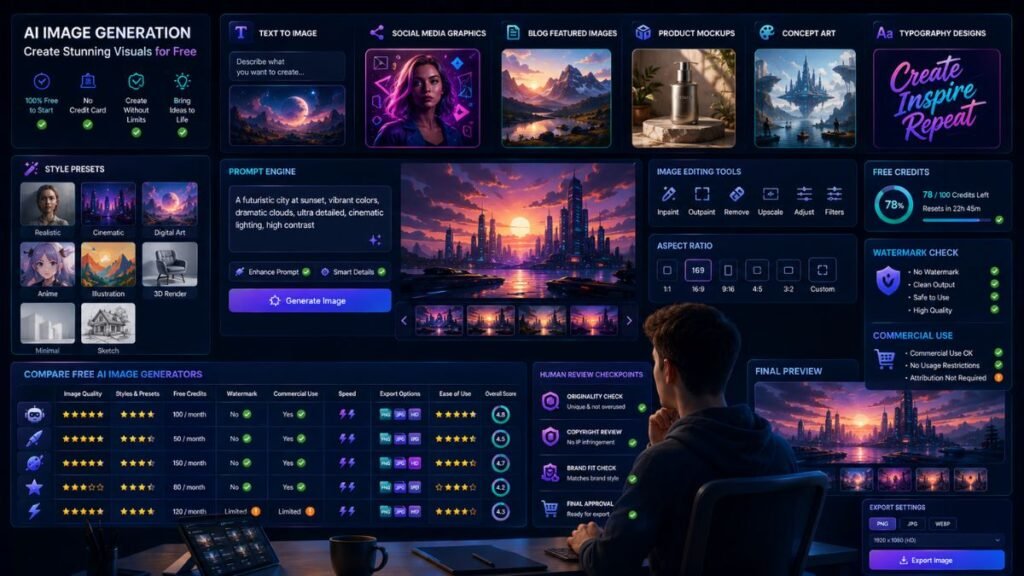
The best AI tools for free image generation help creators turn text prompts into images for blogs, social posts, ads, thumbnails, mockups, presentations, and concept art. The right free tool depends on what you need most: easy design, realistic images, text inside graphics, editing control, commercial safety, or daily free credits.
In Simple Terms
Free AI image generators are tools that create images from text prompts or edit existing images using artificial intelligence.
Some are built for quick social graphics. Some are better for photorealism, typography, product mockups, or artistic styles. Most free plans come with limits such as credits, slower generation, lower resolution, watermark rules, or fewer editing features.
Best Free AI Image Generators: Quick Comparison
| Tool | Best For | Free Plan Strength | Main Limitation |
| Microsoft Designer | Beginners and social graphics | Free AI design and image creation with monthly credits | Availability and features can vary by market |
| Canva AI | Social visuals and editable designs | Easy design workflow with AI image tools | Some AI tools and assets may be plan-limited |
| Adobe Firefly | Commercial-safe creative assets | Limited free generative credits | Credit limits and advanced tools may require paid plans |
| Leonardo AI | Concept art and style control | Free users get daily tokens | Public generations and token limits may apply |
| Ideogram | Text inside images | Strong typography and prompt alignment | Free access limits can change |
| Playground AI | Quick visual experiments | Free-plan style access for image creation | Limits vary by model and plan |
| NightCafe | Community AI art | Credit-based free creation and community tools | Best for art, not full design workflows |
| Perchance | No-login experiments | Fast browser-based image generation | Less control and lower production polish |
| Stable Diffusion / FLUX local | Unlimited local generation | Free if you have the hardware | Setup and GPU requirements |
| ChatGPT / Gemini image tools | Conversational image creation | Easy prompt iteration when available | Free limits and access vary by account |
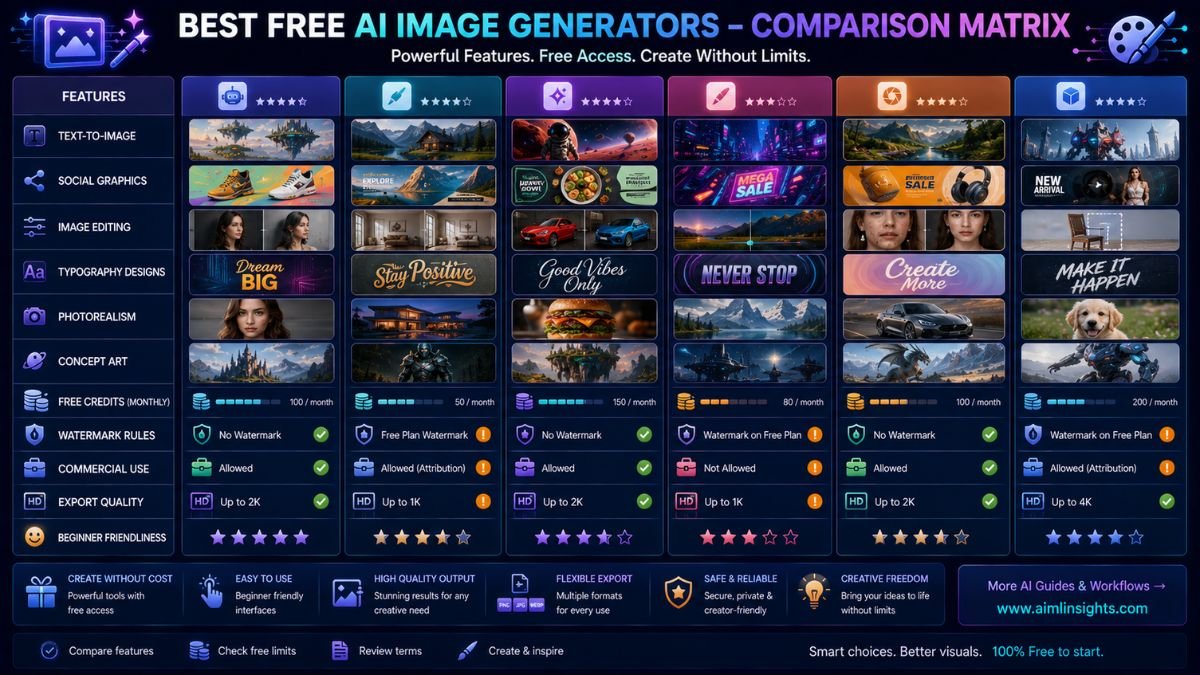
Microsoft Designer: Best Free AI Image Generator for Beginners
Microsoft Designer is one of the easiest free AI image tools for beginners. Microsoft describes Designer as a tool for creating and editing with AI, with monthly credits for images, stickers, cards, collages, wallpapers, avatars, designs, and image edits.
Use it for social posts, thumbnails, invitations, simple graphics, and quick creative drafts. It is especially useful when you want image generation plus design editing in one place.
Best for: beginners, social graphics, invitations, thumbnails, quick designs.
Use carefully for: market availability and monthly credit limits.
Canva AI: Best for Social Media and Blog Visuals
Canva is one of the best free AI image generation tools for creators who need images inside a full design workflow. Canva AI lets users generate creative assets inside the editor, and its app listing highlights an AI image generator for turning text into visuals.
Use Canva for blog featured images, Instagram posts, Pinterest pins, YouTube thumbnails, presentations, posters, and simple brand visuals. Canva is strongest when you need to generate and edit in the same workspace.
Best for: social media, blog images, presentations, creator graphics.
Use carefully for: premium assets, brand-kit features, and advanced AI limits.
Adobe Firefly: Best for Commercial-Safe Image Creation
Adobe Firefly is a strong option for creators who care about commercial safety and integration with professional design tools. Adobe says Firefly or Creative Cloud free memberships include a limited number of generative credits at no cost, while paid Firefly plans add larger monthly credit allowances.
Use Firefly for marketing visuals, image edits, backgrounds, product concepts, and design assets that may later move into Adobe workflows.
Best for: commercial-minded creators, image editing, design assets.
Use carefully for: credit limits and plan-specific features.
Leonardo AI: Best for Concept Art and Style Control
Leonardo AI is useful for creators who want more control over style, characters, environments, and creative direction. Its pricing page says free users receive a daily token allocation that resets daily, while paid plans provide larger monthly token allowances.
Use Leonardo for concept art, game assets, fantasy visuals, product inspiration, character ideas, and stylized images. It is stronger than many beginner tools when you want a more creative workflow.
Best for: concept art, game visuals, character ideas, stylized images.
Use carefully for: token limits and public/private generation settings.
Ideogram: Best for Text Inside Images
Ideogram is one of the strongest AI image tools when the image needs readable text. Ideogram’s official site says Ideogram 4.0 improves typography, prompt alignment, editing, and output designers can use.
Use Ideogram for posters, quote graphics, logo concepts, stickers, merch ideas, ad concepts, and social images where text accuracy matters. Always inspect the text before publishing.
Best for: typography, posters, quote graphics, text-heavy visuals.
Use carefully for: free usage limits and final brand/legal review.
Playground AI: Best for Fast Creative Experiments
Playground AI is useful for quick image experiments and visual idea testing. Recent 2026 review coverage notes that Playground has a free plan, but limits can change by model and plan.
Use it when you want to test many ideas before moving to a more polished editing workflow. It is useful for creators, students, marketers, and hobby designers.
Best for: experiments, quick drafts, moodboard images.
Use carefully for: changing free-plan limits.
NightCafe: Best for Community AI Art
NightCafe is useful for people who enjoy AI art communities, style exploration, and credit-based image creation. It is less of a business design platform and more of a creative art generator.
Use it for artistic experiments, fantasy visuals, style tests, and community inspiration. For brand work, move the output through additional editing and licensing review.
Best for: AI art, community prompts, style exploration.
Use carefully for: commercial-use clarity and production polish.
Perchance: Best No-Login AI Image Experiment
Perchance is useful when you want quick AI image generation without a heavy account setup. Digital Camera World describes it as a browser-based, no-login generator that is useful for quick experimentation, though limited in resolution and realism.
Use it for rough ideas, early prompt testing, and visual brainstorming. It is not the best choice for polished brand graphics.
Best for: no-login experiments, prompt testing, quick idea generation.
Use carefully for: lower polish and limited control.
Stable Diffusion or FLUX Local: Best Free Option for Advanced Users
Stable Diffusion and open models such as FLUX can be free to run locally if you have the right hardware. This gives advanced users more control, privacy, and customization.
The trade-off is setup. Local image generation may require a good GPU, model downloads, safety choices, prompt tuning, and technical maintenance.
Best for: advanced creators, privacy, customization, unlimited local use.
Use carefully for: setup complexity and responsible model use.
ChatGPT or Gemini Image Tools: Best for Conversational Editing
Chat-based image tools are useful when you want to create and revise images through conversation. Recent AI image generator testing from Tom’s Guide highlights the shift toward production-ready tools with better prompt following, text rendering, editing, and broader creative workflows.
Use them when you want to describe changes naturally: “make the image brighter,” “turn this into a blog thumbnail,” or “create three variations with a cleaner background.”
Best for: easy iteration, natural-language edits, creative direction.
Use carefully for: free-plan limits and account-specific access.
How to Choose the Best Free AI Image Generator
Start with your image goal.
If you need quick social graphics, try Microsoft Designer or Canva. If you need commercial-safe design assets, test Adobe Firefly. If you need style control, try Leonardo. If the image needs text, use Ideogram. If you want quick experiments, use Playground or Perchance. If you want maximum control and have technical skill, use local Stable Diffusion or FLUX.
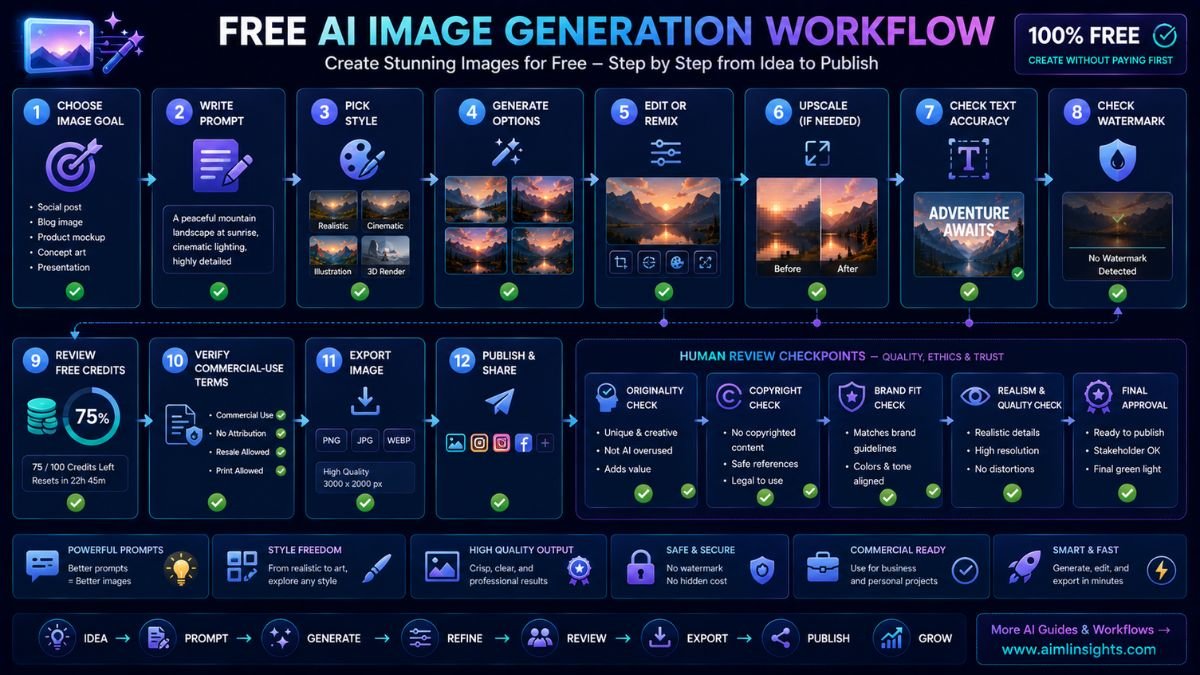
Before publishing, check four things: free credits, watermark rules, export quality, and commercial-use terms.
Common Mistakes to Avoid
The first mistake is assuming free means unlimited. Most free AI image tools limit credits, speed, resolution, exports, or editing features.
The second mistake is ignoring text errors. AI-generated text inside images can still be wrong, even when the image looks polished.
The third mistake is using copyrighted characters, logos, celebrities, or trademarked phrases without permission.
The fourth mistake is publishing without human editing. A good visual should match the brand, article, platform, and audience.
Suggested Read:
- Best AI Tools for Beginners in 2026
- AI Tools With Free Plans Worth Using in 2026
- Best AI Tools for T-Shirt Design
- Best AI Tools for Logo Design
- Best AI Tools for Bloggers and Content Writers
- Prompt Engineering for Beginners: A Practical Guide
FAQ: Best Free AI Image Generators
What are the best AI tools for free image generation?
The best AI tools for free image generation include Microsoft Designer, Canva AI, Adobe Firefly, Leonardo AI, Ideogram, Playground AI, NightCafe, Perchance, local Stable Diffusion or FLUX, and chat-based image tools such as ChatGPT or Gemini.
Which AI image generator is free?
Microsoft Designer, Canva, Adobe Firefly, Leonardo, Ideogram, Playground, Perchance, and several local open-model workflows offer free access, free credits, or free-plan options, but limits vary by tool and can change.
What is the best free AI image generator for beginners?
Microsoft Designer and Canva are the easiest starting points because they combine image generation with simple design editing.
Which free AI image generator is best for text in images?
Ideogram is a strong choice for text-heavy visuals because its official positioning emphasizes better typography and prompt alignment.
Can I use free AI-generated images commercially?
Sometimes, but not always. Commercial-use rights depend on the tool, plan, model, prompt, generated content, and whether the image includes protected people, brands, characters, or copyrighted material.
Do free AI image generators add watermarks?
Some tools add watermarks; others limit credits, speed, resolution, or exports instead. Always test one export before using a tool for client work, ads, or website visuals.
Final Takeaway
The best AI tools for free image generation depend on your workflow. Use Microsoft Designer or Canva for beginner-friendly graphics, Adobe Firefly for commercial-minded creative assets, Leonardo for style control, Ideogram for text-heavy visuals, and Playground or Perchance for quick experiments.
Free AI image tools are excellent for testing ideas, but always check credits, watermarks, export quality, commercial-use rules, and originality before publishing.