
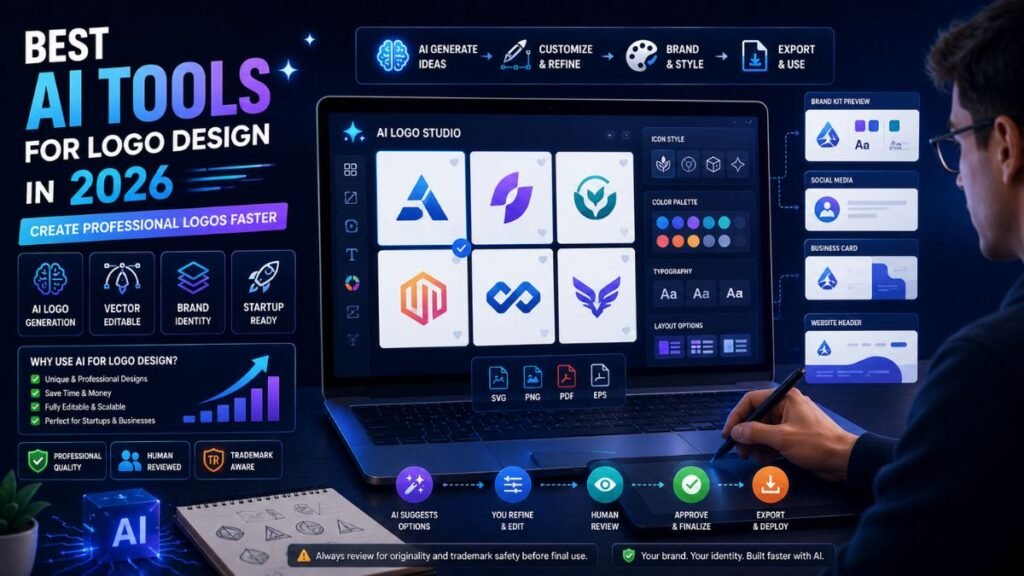
The best AI tools for logo design help startups, creators, and small businesses generate logo ideas, test colors, edit fonts, preview brand assets, and export files faster than a manual design-from-scratch workflow. They are useful for early branding, but the final logo still needs human review for originality, readability, scalability, and commercial safety.
In Simple Terms
AI logo design tools help you create logo concepts from a business name, industry, style preference, or text prompt.
Some tools act like quick logo generators. Others provide full brand kits with colors, fonts, social media graphics, business cards, and website mockups. The best AI logo maker depends on whether you need a fast draft, a polished brand kit, or editable files for real business use.
Best AI Tools for Logo Design: Quick Comparison
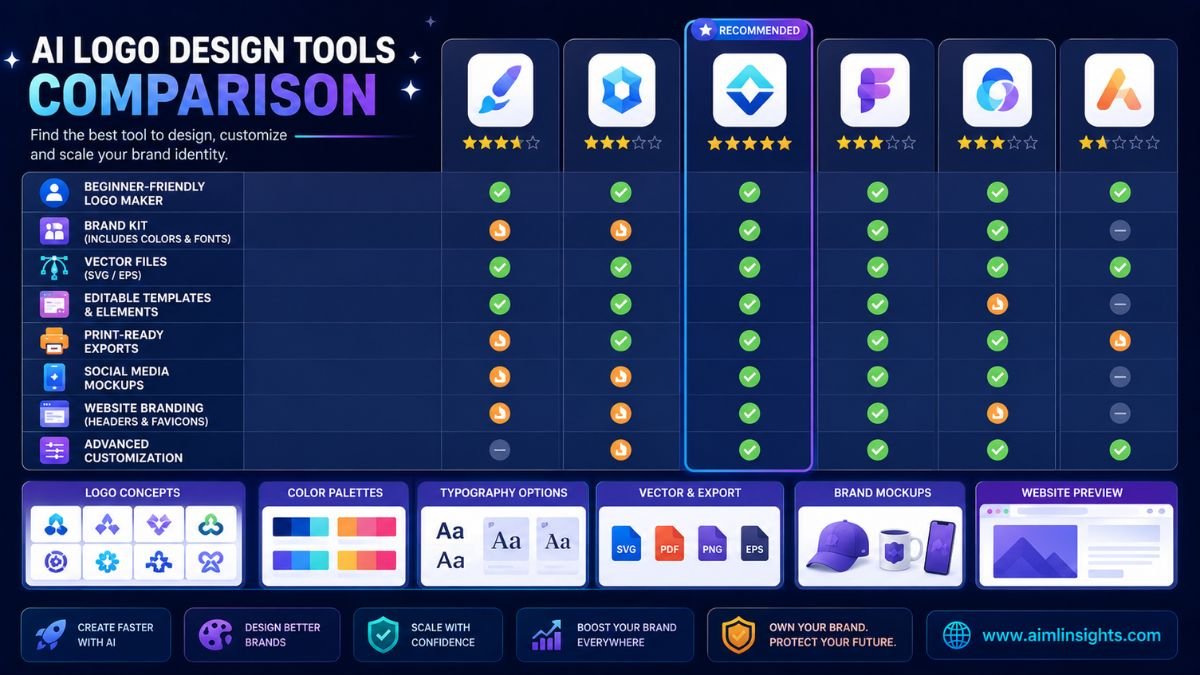
| Tool | Best For | Strong Use Case | Main Limitation |
| Looka | Brand kits and startup logos | Logo, colors, business cards, social assets | Best exports usually require payment |
| Canva AI | Beginners and creators | Logo concepts, templates, social graphics | Not always ideal for exclusive logo identity |
| Adobe Express | Clean editable logo design | AI logo prompts plus templates and Adobe workflow | More useful if you like manual editing |
| Wix Logo Maker | Website-centric brands | Logo plus website and Wix branding workflow | Designs can need customization |
| Tailor Brands | Small business branding | Fast AI logo generation and business branding | Quality depends on inputs and edits |
| Brandmark | AI-generated brand identity | Logos, business cards, social graphics, animations | May feel less hands-on than design software |
| Design.com | Many logo options and brand assets | Fast logo variations, brand kits, templates | Free options may be limited |
| LOGO.com | Quick affordable logos | Unlimited design exploration and logo downloads | May feel template-heavy |
| LogoAI | Logo plus brand identity assets | Logo, stationery, business card, animations | Needs review for uniqueness |
| VistaPrint AI Logo Maker | Print-ready small business branding | Logos connected to printed marketing materials | Not ideal for full trademark control |
1. Looka: Best AI Logo Maker for Brand Kits
Looka is one of the best AI tools for logo design if you want more than a single logo file. Looka says its AI-powered software creates logos based on your preferences and supports brand kits with more than 300 branded templates.
This makes Looka useful for startups, consultants, ecommerce brands, YouTube channels, coaches, and small businesses that need a logo plus matching brand assets. You can generate logo concepts, adjust colors and layouts, then build assets such as business cards and social posts.
Best for: startup branding, brand kits, social media assets, business cards.
Use carefully for: final legal identity and trademark-sensitive brands.
2. Canva AI: Best for Beginners and Creators
Canva is one of the easiest AI logo design tools for beginners because it combines templates, AI generation, editing, and social media design in one familiar interface. Canva offers an AI logo generator and a free online logo maker for custom logo creation.
Canva works well when your logo is part of a larger creator workflow. For example, a blogger can design a logo, YouTube banner, Instagram post, newsletter header, and featured image in the same ecosystem.
Best for: beginners, creators, bloggers, social graphics, simple brand visuals.
Use carefully for: highly distinctive logos that need exclusivity.
3. Adobe Express: Best for Clean Editable Logo Design
Adobe Express is a strong option for users who want AI logo generation plus manual editing control. Adobe says its AI logo generator can create a professional-looking logo quickly from a prompt and style or composition references. Adobe Express also offers a free logo maker with customizable templates and AI-powered features.
This makes it useful for freelancers, creators, and businesses that want a more polished design workflow without opening advanced software like Illustrator.
Best for: clean logos, template editing, Creative Cloud-friendly workflows.
Use carefully for: complex custom brand systems.
4. Wix Logo Maker: Best for Website-Centric Brands
Wix Logo Maker is useful if you plan to build a website and brand identity together. Wix says users can describe their vision, enter business details and style preferences, customize the design, and download a logo.
This is helpful for small businesses that want a simple logo connected to a website, online store, or service landing page. A TechRadar review also described Wix Logo Maker as beginner-friendly, with customization options and integration into Wix’s broader website ecosystem, while noting that automated suggestions can feel generic without manual tweaking.
Best for: small businesses, personal brands, Wix website users.
Use carefully for: brands that need a highly custom identity.
5. Tailor Brands: Best for Fast Small Business Logo Ideas
Tailor Brands is a long-running AI logo maker focused on quick logo generation for small businesses. Its official page says the logo creator uses AI to create custom logos in a few clicks.
It is useful for founders who need a simple logo quickly, especially when they are testing a business idea and do not want to hire a designer yet. The results still need editing, because fast logo generation can produce similar-looking layouts.
Best for: small businesses, early-stage ideas, quick logo drafts.
Use carefully for: serious rebrands or trademark-heavy businesses.
6. Brandmark: Best for AI-Generated Brand Identity Concepts
Brandmark positions itself as an AI brand identity tool that can create a logo, business card, social media graphics, animations, websites, and more.
This makes Brandmark useful when you want a more complete brand direction rather than only one logo. It can help non-designers move from a blank page to a usable visual identity faster.
Best for: brand identity concepts, business cards, social graphics, startup visuals.
Use carefully for: fine-grained manual design control.
7. Design.com: Best for Large Logo Option Variety
Design.com says its AI logo generator can generate thousands of logo options in seconds and provides access to AI design tools and brand-kit-style assets such as business cards, websites, and templates.
This is useful if you want a large number of logo directions before choosing one. It can work well for small businesses, creators, and entrepreneurs who do not yet know which visual direction fits their brand.
Best for: many logo variations, brand assets, template-driven branding.
Use carefully for: users who want fully custom manual design from the start.
8. LOGO.com: Best for Quick Affordable Logo Creation
LOGO.com is useful for fast logo exploration. Its official pages describe a free logo maker and AI logo generator with custom logos, unlimited designs, platform-ready formats, and a large design/icon library.
This makes it helpful for side projects, podcasts, YouTube channels, small businesses, and early-stage brands. It is best when speed and affordability matter more than deep creative direction.
Best for: fast logo generation, budget-conscious users, side projects.
Use carefully for: brands needing a highly differentiated identity.
9. LogoAI: Best for Logo Plus Business Identity Assets
LogoAI describes itself as an AI logo maker that can generate logos, matching stationery, business cards, logo mockups, animations, email signatures, and brand identity assets.
This makes it useful for businesses that want a logo and basic identity system in one place. It is especially practical for founders who need launch-ready assets without using multiple tools.
Best for: logo plus brand identity assets, stationery, business cards, mockups.
Use carefully for: originality checks and professional brand refinement.
10. VistaPrint AI Logo Maker: Best for Print-Ready Small Business Branding
VistaPrint’s AI logo maker is useful for small businesses that want a logo connected to physical marketing materials. Recent TechRadar coverage says VistaPrint’s AI logo maker offers guided prompting, customization, and downloads in formats such as SVG, PDF, and PNG, while also connecting designs to VistaPrint’s promotional product ecosystem.
This is helpful if you need business cards, labels, signage, flyers, or packaging soon after creating a logo.
Best for: small businesses, print materials, local brands, marketing products.
Use carefully for: full intellectual property and trademark protection.
How to Choose the Best AI Logo Design Tool
Choose based on what you actually need.
If you need a full brand kit, start with Looka, Brandmark, LogoAI, or Design.com. If you need the easiest beginner workflow, try Canva or Wix Logo Maker. If you want more editing control, Adobe Express is strong. If you need print-ready business materials, VistaPrint is practical. If you need fast and affordable logo concepts, LOGO.com or Tailor Brands may be enough.
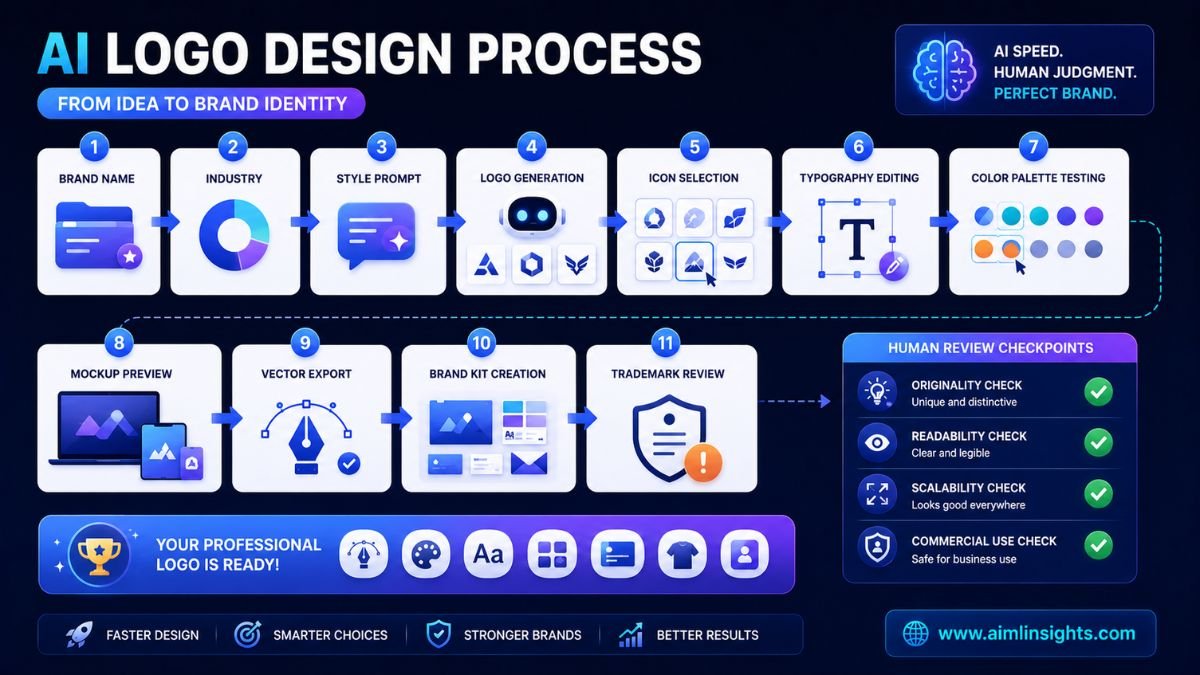
For serious businesses, check four things before publishing the logo: export formats, readability at small sizes, uniqueness, and commercial-use terms.
Common Mistakes to Avoid
The first mistake is choosing the first logo the AI generates. Always test several directions.
The second mistake is ignoring scalability. A logo must work on a website header, favicon, business card, invoice, social profile, and product label.
The third mistake is using complicated icons, thin fonts, or too many colors. Simple logos usually perform better.
The fourth mistake is assuming AI-generated logos are always trademark-safe. Some AI logo tools use templates, shared icon libraries, or generative systems that may not give you exclusive rights. A recent TechRadar review of VistaPrint’s AI logo maker noted that users can use generated logos for business and marketing, but intellectual property rights and trademark eligibility may not transfer in the same way as custom human-designed work.
Suggested Read:
- Best AI Tools for Beginners in 2026
- AI Tools With Free Plans Worth Using in 2026
- Best AI Tools for Bloggers and Content Writers
- Best AI Tools for Content Creation
- Best AI Tools for Small Businesses on a Budget
- Best AI Tools for YouTube Creators
- Prompt Engineering for Beginners: A Practical Guide
- Best AI Image Tools in 2026
FAQ: Best AI Tools for Logo Design in 2026
What are the best AI tools for logo design?
The best AI tools for logo design include Looka, Canva AI, Adobe Express, Wix Logo Maker, Tailor Brands, Brandmark, Design.com, LOGO.com, LogoAI, and VistaPrint AI Logo Maker.
Which AI logo maker is best for beginners?
Canva AI and Wix Logo Maker are strong beginner choices because they offer simple editing workflows. Looka is also beginner-friendly if you want a logo plus brand kit.
Can AI create a professional logo?
Yes, AI can create a professional-looking logo concept, especially for startups, side projects, creators, and small businesses. For high-stakes branding, a designer should still refine the final identity.
What is the best free AI logo generator?
Canva, Adobe Express, Wix, LOGO.com, and several other tools offer free logo creation or free starting workflows. Always check what file formats, commercial rights, and downloads are included before relying on the free version.
Which AI logo tool gives vector files?
Looka, Wix Logo Maker, Design.com, VistaPrint, and several dedicated logo platforms offer vector or scalable export options on certain plans or downloads. Check whether SVG, PDF, or EPS files are included before paying.
Are AI-generated logos safe to use commercially?
They can be useful commercially, but you should check each tool’s licensing terms. For trademark-sensitive brands, review uniqueness, icon ownership, and legal rights before using an AI-generated logo as your final brand identity.
Final Takeaway
The best AI tools for logo design are useful because they help you move from a blank page to polished logo options quickly. Looka is strong for brand kits, Canva AI is easiest for creators, Adobe Express gives clean editing control, Wix works well for website-first brands, and VistaPrint is practical for print-ready small business materials.
Use AI logo makers for speed and exploration, but do not skip human review. A good logo should be simple, readable, scalable, original, and safe enough for the way your brand will use it.