
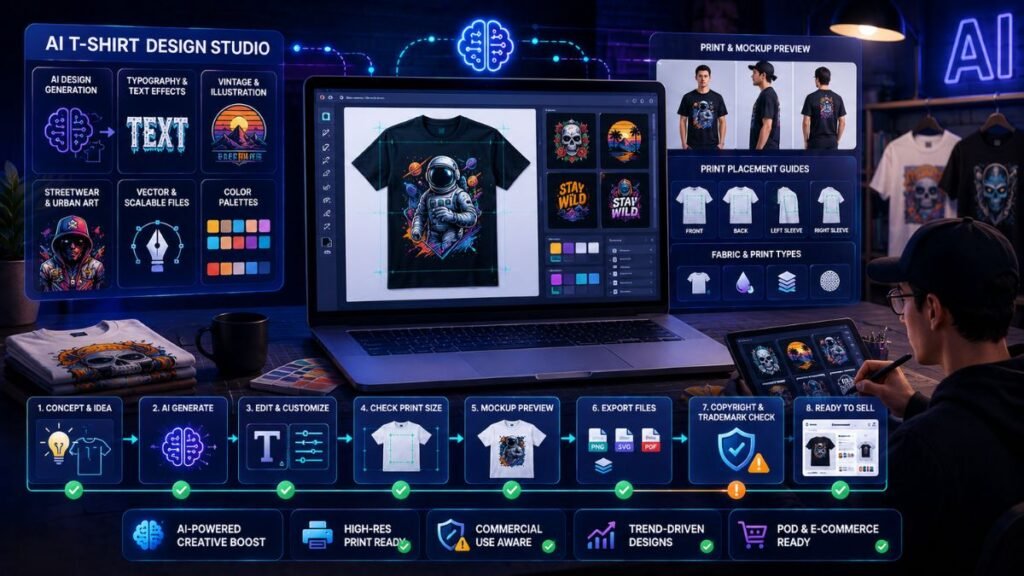
The best AI tools for T-shirt design help creators generate graphics, edit typography, build mockups, prepare print files, and sell apparel through print-on-demand workflows. The right tool depends on your goal. A hobby creator may need Canva, while a serious POD seller may need Kittl, Midjourney, Adobe Firefly, Printful, and mockup tools together.
In Simple Terms
AI T-shirt design tools help you turn text prompts, ideas, templates, and artwork into wearable designs.
Some tools generate images. Some are better for typography. Some help create mockups. Others connect your designs to print-on-demand stores. The best AI T-shirt design workflow is not one tool doing everything. It is a stack that moves from idea to print-ready product.
Best AI Tools for T-Shirt Design: Quick Comparison
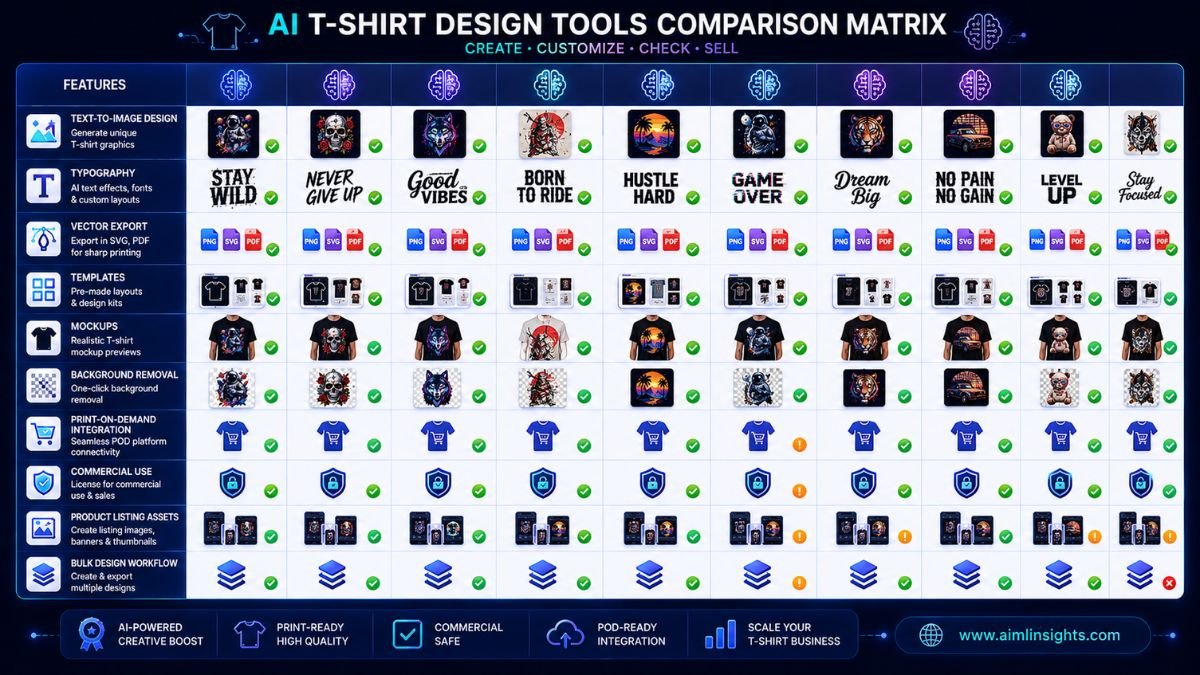
| Tool | Best For | Strong Use Case | Main Limitation |
| Kittl | Editable merch graphics | Typography, vectors, templates, print-ready exports | Commercial use depends on plan |
| Canva | Beginners and creators | Templates, simple T-shirt graphics, social promotion | Less advanced for complex vector work |
| Adobe Firefly | Commercial-safe creative assets | AI image generation inside Adobe workflow | Needs editing for apparel layout |
| Midjourney | Artistic T-shirt graphics | Detailed illustrations, vintage art, concept generation | Requires cleanup and licensing review |
| Ideogram | Text-heavy shirt designs | Typography-style prompts and slogan graphics | Text still needs inspection |
| DALL·E / ChatGPT Image | Prompt-based concepts | Fast idea exploration and visual variations | Needs print prep |
| Leonardo AI | Game, fantasy, and illustration styles | Graphic concepts and themed artwork | May need editing for wearable design |
| Printful Design Maker | POD production workflow | Mockups, product setup, print-on-demand selling | Not mainly an AI art generator |
| Placeit | T-shirt mockups | Lifestyle mockups and product previews | Does not generate final artwork |
| Vectorizer / Upscaler Tools | Print file cleanup | Convert, upscale, sharpen, remove backgrounds | Quality depends on source artwork |
1. Kittl: Best Overall AI Tool for T-Shirt Design
Kittl is one of the strongest AI tools for T-shirt design because it combines merch-focused templates, text tools, vector elements, AI features, and print-ready exports. Kittl’s official T-shirt maker page says users can design with editable templates, vector elements, uploaded artwork, and AI-powered features. It also supports exporting PNG, JPEG, PDF, and SVG files.
Kittl is especially useful for vintage shirts, typography designs, badges, mascots, retro graphics, and niche merch. It gives more design control than a basic AI image generator.
Best for: typography, merch templates, editable designs, vector exports.
Use carefully for: commercial-use rules, which depend on your plan.
2. Canva: Best AI T-Shirt Design Tool for Beginners
Canva is one of the easiest tools for beginners who want to design T-shirts without learning advanced software. Canva’s T-shirt maker lets users start from scratch or customize ready-to-print templates, and Canva Print can turn designs into physical products.
Canva is ideal for event shirts, school shirts, creator merch, small business shirts, and simple quote designs. It also helps you create matching social posts, product images, and promotional graphics.
Best for: beginners, creators, simple T-shirt templates, social graphics.
Use carefully for: originality and template-heavy designs.
3. Adobe Firefly: Best for Commercial-Safe AI Image Generation
Adobe Firefly is useful for creators who want AI image generation inside a professional design ecosystem. It works well when you need visual assets, background ideas, textures, patterns, or illustrations that can later be refined in Adobe Express, Photoshop, or Illustrator.
For T-shirt design, Firefly is strongest as an asset generator. You may still need to remove backgrounds, simplify details, adjust colors, and prepare files for print.
Best for: creative assets, patterns, illustrations, Adobe workflows.
Use carefully for: print layout and final apparel composition.
4. Midjourney: Best for Artistic T-Shirt Graphics
Midjourney is popular for detailed, stylized visuals. It can generate strong concepts for vintage shirts, fantasy art, streetwear graphics, animal designs, abstract designs, and poster-style compositions.
The limitation is that Midjourney outputs often need cleanup. T-shirt designs must be readable, not too detailed, and printable at the right size. You may need background removal, upscaling, vector conversion, and manual typography work.
Best for: artistic graphics, niche concepts, dramatic illustrations.
Use carefully for: text accuracy, print prep, and marketplace originality.
5. Ideogram: Best for Text-Based T-Shirt Concepts
Ideogram is useful for T-shirt designs that rely on words, slogans, or stylized text. AI image tools have historically struggled with text, so a tool that focuses more heavily on typography-style generation can be helpful.
Use Ideogram for funny quotes, niche phrases, retro badges, and slogan designs. Still inspect every letter. A small spelling error can ruin a shirt.
Best for: slogan shirts, typography concepts, phrase-based merch.
Use carefully for: spelling, trademarked phrases, and readability.
6. DALL·E / ChatGPT Image: Best for Fast Concept Exploration
DALL·E and ChatGPT image tools are useful for exploring T-shirt concepts quickly. You can brainstorm niche ideas, generate variations, test visual directions, and create draft artwork from natural-language prompts.
These tools are best at the idea stage. Before selling, check whether the design is high-resolution, readable, unique, and suitable for the printing method.
Best for: concept generation, variations, prompt testing.
Use carefully for: print file preparation and commercial checks.
7. Leonardo AI: Best for Themed Apparel Art
Leonardo AI is useful for themed visuals such as gaming shirts, fantasy art, sci-fi graphics, anime-style concepts, character-inspired designs, and detailed illustration prompts.
For T-shirts, avoid overly complex results. A design that looks good on screen may print poorly if it has tiny details, low contrast, or too many colors.
Best for: themed art, illustrations, niche apparel graphics.
Use carefully for: simplification and final print quality.
8. Printful Design Maker: Best for Print-on-Demand Production
Printful is not mainly an AI art generator, but it is important for T-shirt sellers because it connects design, mockup, product setup, and fulfillment. Printful’s Design Maker is free and includes built-in design tools, resources, more than 3,500 pre-made graphics, and more than 1,400 mockup images.
Printful is useful after you have a finished design. You can place it on shirts, create mockups, connect a store, and sell without holding inventory.
Best for: POD selling, product mockups, store setup, fulfillment.
Use carefully for: uploading low-resolution or unsafe designs.
9. Placeit: Best for T-Shirt Mockups
Placeit is useful for presenting designs on realistic models and lifestyle scenes. Good mockups can improve product pages, ads, Etsy listings, Shopify stores, and social media posts.
A strong design can underperform if the product image looks weak. Use mockups to show the shirt in context: streetwear, fitness, parenting, pets, gaming, school events, or small business branding.
Best for: product mockups, lifestyle previews, ads, listing images.
Use carefully for: overused mockup scenes.
10. Vectorizer and Upscaler Tools: Best for Print File Cleanup
Many AI-generated images are not ready for apparel printing. You may need to remove the background, upscale the file, convert it to vector, sharpen edges, or simplify colors.
This is where upscalers, background removers, and vectorizer tools help. Kittl notes that 300 DPI at final print size is a good target for sharp T-shirt designs.
Best for: print prep, cleanup, background removal, vector conversion.
Use carefully for: artifacts, blurry edges, and distorted text.
How to Choose the Best AI T-Shirt Design Tool
Choose based on your workflow.
If you are a beginner, start with Canva or Kittl. If you sell print-on-demand products, combine Kittl, Midjourney or Firefly, Printful, and a mockup tool. If you create text-heavy shirts, test Ideogram and Kittl. If you need artistic graphics, try Midjourney, Firefly, Leonardo, or DALL·E. If you already have artwork, focus on cleanup, mockups, and POD publishing.
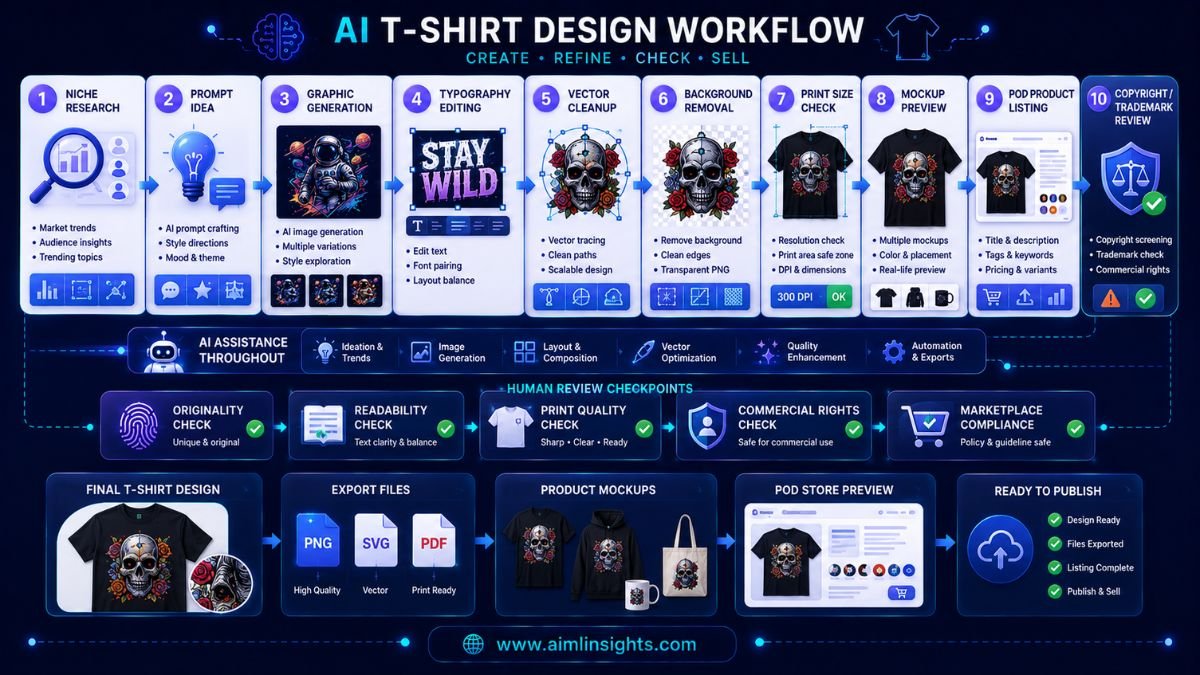
A strong workflow looks like this: research a niche, generate concepts, refine typography, check print size, create mockups, review copyright and trademarks, then publish.
Common Mistakes to Avoid
The first mistake is selling raw AI images without editing. Many AI outputs are not print-ready.
The second mistake is ignoring file quality. A T-shirt design should be high-resolution and suitable for the print area.
The third mistake is using copyrighted characters, brand names, logos, celebrities, or trademarked phrases. Marketplaces can reject listings or close accounts.
The fourth mistake is assuming AI-generated designs are automatically copyright-protected. Printful’s 2026 guidance explains that purely AI-generated images usually do not receive copyright protection because copyright law focuses on human authorship.
Suggested Read:
- Best AI Tools for Beginners in 2026
- AI Tools With Free Plans Worth Using in 2026
- Best AI Tools for Logo Design
- Best AI Tools for Bloggers and Content Writers
- Best AI Tools for Content Creation
- Best AI Workflow Automation Tools for Teams
- Prompt Engineering for Beginners: A Practical Guide
- Best AI Image Tools in 2026
FAQ: Best AI Tools for T-Shirt Design
What are the best AI tools for T-shirt design?
The best AI tools for T-shirt design include Kittl, Canva, Adobe Firefly, Midjourney, Ideogram, DALL·E or ChatGPT image tools, Leonardo AI, Printful Design Maker, Placeit, and vectorizer or upscaler tools.
Which AI tool is best for T-shirt designs?
Kittl is one of the best overall choices for T-shirt design because it supports merch-focused templates, typography, vector elements, AI features, and export options such as PNG, JPEG, PDF, and SVG.
Can AI create print-ready T-shirt designs?
AI can help create T-shirt designs, but many outputs still need editing, upscaling, background removal, typography cleanup, and print-size checks before they are ready to sell.
What size should an AI T-shirt design be?
Kittl notes that a standard adult full-front design is often up to 12 by 14 inches, while a center-chest design is commonly around 11 by 11 inches. A common print-quality target is 300 DPI at final print size.
Can I sell AI-generated T-shirt designs?
You may be able to sell AI-generated T-shirt designs, but you must check each tool’s commercial-use terms, marketplace policies, trademark rules, and copyright issues. Avoid protected characters, brand names, logos, and copied artwork.
Which AI tools create T-shirt mockups?
Printful Design Maker and Placeit are useful for T-shirt mockups. Printful also connects mockups to print-on-demand product setup and fulfillment.
Final Takeaway
The best AI tools for T-shirt design are not just image generators. Kittl is strong for editable merch graphics, Canva is easy for beginners, Adobe Firefly and Midjourney help with creative assets, Ideogram supports text-heavy concepts, and Printful helps turn finished designs into sellable products.
For serious T-shirt design, use AI for speed and ideas, but keep human review in charge. Check readability, print quality, originality, commercial rights, and marketplace rules before selling any design.