
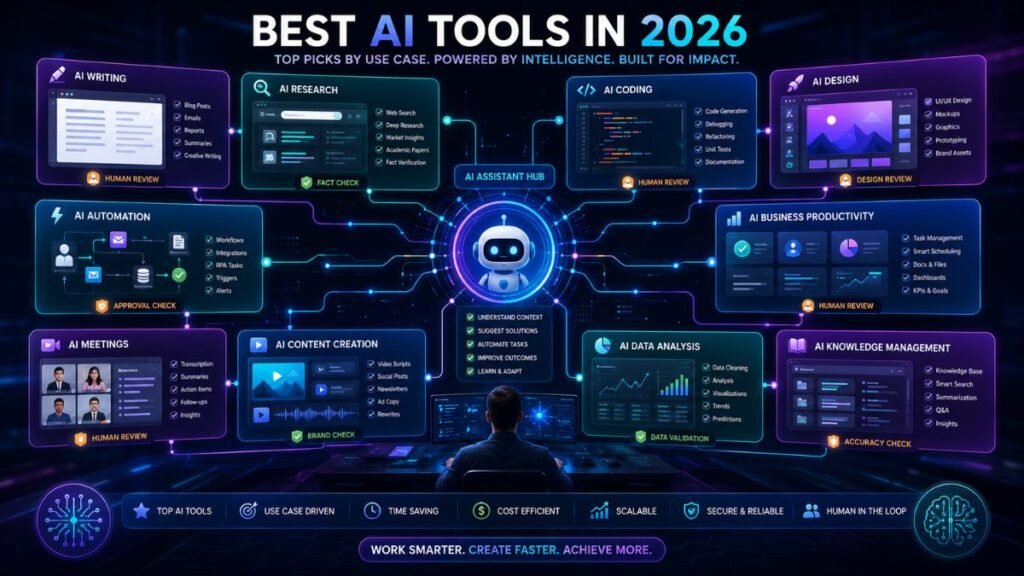
What Are the Best AI Tools in 2026? Top Picks by Use Case
The best AI tools in 2026 are the ones that solve a specific workflow problem: writing faster, researching with sources, coding, designing visuals, automating repetitive work, summarizing meetings, organizing knowledge, or improving business productivity. The smartest approach is not downloading every popular app. It is building a small AI stack that fits your daily work.
In Simple Terms
AI tools are software products that use artificial intelligence to help users think, write, search, design, code, analyze, automate, and communicate.
Some AI tools work like chat assistants. Some are built for research, coding, SEO, images, meetings, or business automation. The best AI tool depends on the job you want done, not only on which brand is most popular.
Best AI Tools: Quick Comparison
| AI Tool | Best For | Strong Use Case | Main Limitation |
| ChatGPT | Everyday AI assistant | Writing, planning, learning, analysis, brainstorming | Needs fact-checking for current claims |
| Claude | Long-form thinking and editing | Deep writing, document review, coding, reasoning | Not a dedicated SEO or design tool |
| Gemini | Google ecosystem productivity | Gmail, Docs, Sheets, Android, research workflows | Best if you already use Google tools |
| Perplexity | Research and source discovery | Fast answers with sources and market research | Still requires source verification |
| Microsoft Copilot | Microsoft 365 work | Word, Excel, PowerPoint, Outlook, Teams workflows | Best inside Microsoft environments |
| Canva AI | Design and visual content | Images, presentations, social graphics, brand visuals | Not a full writing or automation tool |
| Zapier | Workflow automation | Connecting apps, automating tasks, building AI workflows | Requires clear processes |
| Notion AI | Knowledge management | Docs, notes, projects, internal search | Needs organized workspace content |
| Grammarly | Writing polish | Grammar, clarity, tone, professional communication | Does not replace strategy or research |
| GitHub Copilot | Coding assistance | Code suggestions, developer productivity, IDE workflows | Generated code still needs review |
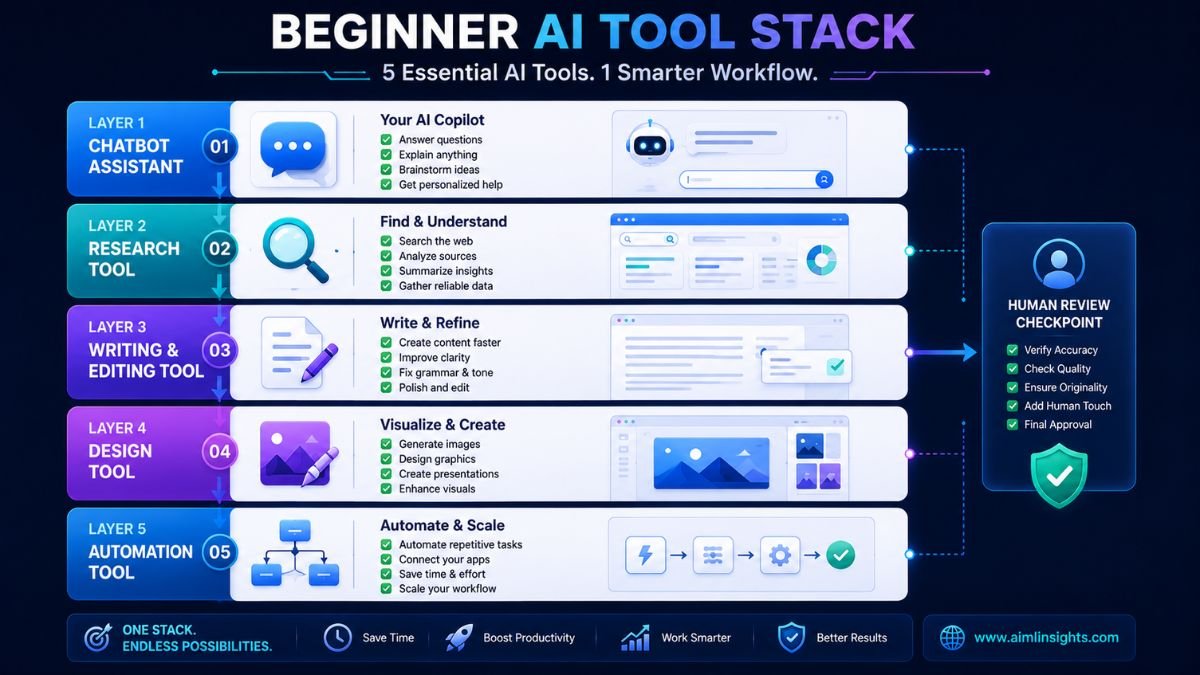
1. ChatGPT: Best All-Purpose AI Tool
ChatGPT is one of the best AI tools for everyday work because it can support many tasks in one place. OpenAI describes ChatGPT as an AI chatbot for everyday use that helps users explore ideas, solve problems, and learn faster.
Use ChatGPT for brainstorming, outlines, email drafts, summaries, data analysis, learning, coding help, and content planning. It is a strong first AI tool for beginners because it can adapt to many workflows.
Best for: general productivity, writing, planning, learning, analysis.
Use carefully for: recent facts, citations, legal advice, medical claims, and pricing details.
2. Claude: Best for Long-Form Thinking and Editing
Claude is a strong option for people who work with long documents, complex explanations, and careful editing. Anthropic describes Claude as an AI for problem solvers that can analyze data, write code, and help users think through hard work.
Claude is useful for improving article structure, reviewing reports, simplifying complex ideas, editing long drafts, and reasoning through decisions. Developers may also use Claude Code, which Anthropic positions as an agentic coding tool that can understand a codebase, edit files, run commands, and help ship faster.
Best for: long-form writing, editing, reasoning, document analysis, coding support.
Use carefully for: source-heavy research and live market data.
3. Gemini: Best for Google Users
Gemini is a strong AI tool for people already working inside Google’s ecosystem. It is especially useful when your workflow includes Gmail, Docs, Sheets, Drive, Android, and Google search-related tasks.
Gemini is helpful for drafting emails, summarizing documents, generating ideas, analyzing spreadsheet content, and working across Google apps. Recent coverage also notes that Gemini has become deeply integrated across Google products and supports features across writing, coding, image generation, research, and multimodal use cases.
Best for: Google Workspace users, email, documents, productivity, research.
Use carefully for: workflows outside Google’s ecosystem.
4. Perplexity: Best AI Tool for Research
Perplexity is useful when you need fast research with source visibility. Perplexity Enterprise is positioned as a secure platform that works across files and tools for tasks, deep research, and complex projects.
Use it to explore markets, compare tools, understand technical topics, find source-backed answers, and start research quickly. It should not replace reading original sources, but it is useful for discovery.
Best for: research, source discovery, market scans, technical exploration.
Use carefully for: final claims that require direct verification.
5. Microsoft Copilot: Best for Microsoft 365 Productivity
Microsoft Copilot is best for organizations and professionals who already use Word, Excel, PowerPoint, Outlook, and Teams. It is useful for drafting documents, summarizing meetings, analyzing spreadsheets, preparing slides, and managing email-heavy workflows.
This makes it a practical AI productivity tool for business users, consultants, managers, analysts, and office teams.
Best for: Microsoft workflows, office productivity, meetings, documents, spreadsheets.
Use carefully for: teams not already committed to Microsoft 365.
6. Canva AI: Best AI Tool for Design
Canva AI is one of the easiest AI tools for visual content. Canva says its AI assistant helps users brainstorm, design, and polish content, while its AI image generator can turn prompts into visuals using Magic Media.
Use Canva AI for featured images, social posts, presentations, thumbnails, posters, infographics, and simple brand visuals. It is especially useful for creators, marketers, teachers, founders, and small businesses.
Best for: design, social graphics, presentations, blog images, marketing visuals.
Use carefully for: generic images that do not match your message.
8. Zapier: Best AI Tool for Automation
Zapier is one of the best AI tools for automating work across apps. Zapier says it helps users build and scale AI workflows and agents across more than 9,000 apps.
Use Zapier when you want apps to talk to each other. For example, you can turn a form response into a CRM lead, draft a follow-up email, notify a Slack channel, and create a task automatically.
Best for: workflow automation, app integrations, AI agents, repetitive tasks.
Use carefully for: unclear processes that need human judgment.
8. Notion AI: Best for Notes and Knowledge Management
Notion AI is useful for people and teams that want notes, projects, documents, meeting summaries, and knowledge bases in one workspace. It helps summarize information, rewrite notes, answer questions from workspace content, and turn scattered material into organized pages.
Best for: team knowledge, project documentation, notes, meeting summaries.
Use carefully for: messy workspaces with outdated or unstructured information.
9. Grammarly: Best for Writing Polish
Grammarly is useful for anyone who writes emails, proposals, blog posts, support replies, essays, or internal documentation. It helps with grammar, tone, clarity, and readability.
It is not a research tool or a strategy tool. Its real value is improving the final layer of communication so your writing feels cleaner and more professional.
Best for: editing, grammar, tone, clarity, business writing.
Use carefully for: preserving your natural voice.
10. GitHub Copilot: Best for Developers
GitHub Copilot is one of the best-known AI coding assistants. It helps developers write code faster, generate suggestions, understand snippets, and reduce repetitive coding tasks.
AI coding tools can improve speed, but developers still need review. Recent research on AI coding assistants shows that productivity should be evaluated beyond simple speed, including ownership, expertise, task complexity, and long-term code quality.
Best for: coding, code suggestions, developer productivity, IDE workflows.
Use carefully for: security, architecture, and unreviewed generated code.
How to Choose the Best AI Tool
Start with your main bottleneck.
If you need a general assistant, choose ChatGPT, Claude, or Gemini. If you need research, use Perplexity. If you need visuals, use Canva AI. If you need automation, use Zapier. If you work in Microsoft 365, use Copilot. If you write every day, add Grammarly. If you code, use GitHub Copilot or Claude Code.
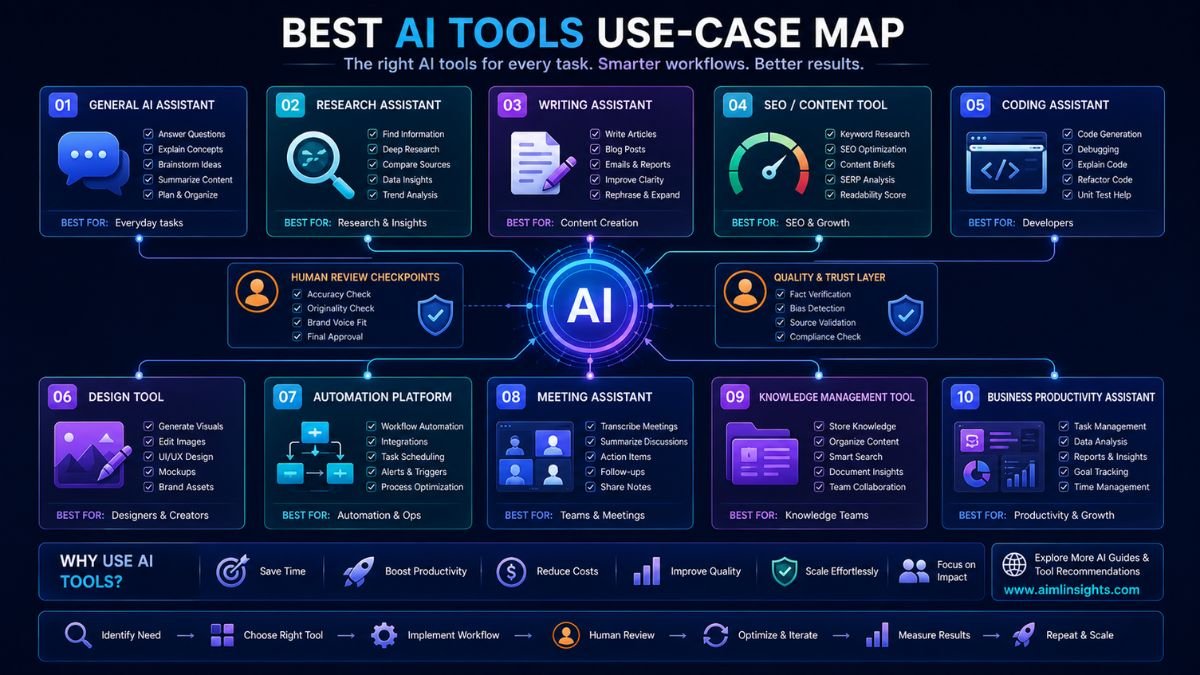
A beginner should not buy ten tools at once. Start with one chatbot, one research tool, one editing tool, one design tool, and one automation tool only when you need it.
Common Mistakes to Avoid
The biggest mistake is choosing AI tools by hype instead of workflow. A popular tool may still be wrong for your use case.
The second mistake is trusting AI output without review. AI tools can make errors, miss context, or produce outdated information.
The third mistake is stacking too many subscriptions. Overlapping tools create cost and confusion.
The fourth mistake is ignoring privacy. Be careful before uploading client data, confidential documents, unpublished research, financial records, or private company information.
Suggested Read:
- Best AI Tools for Beginners in 2026
- AI Tools With Free Plans Worth Using in 2026
- Best AI Tools for Students
- Best AI Tools for Bloggers and Content Writers
- Best AI Workflow Automation Tools for Teams
- ChatGPT vs Perplexity vs Claude for Research Tasks
- Prompt Engineering for Beginners: A Practical Guide
- What Is a Large Language Model? Explained Simply
FAQ: What Are the Best AI Tools in 2026?
What are the best AI tools right now?
The best AI tools include ChatGPT for general work, Claude for writing and reasoning, Gemini for Google users, Perplexity for research, Microsoft Copilot for office productivity, Canva AI for design, Zapier for automation, Notion AI for knowledge management, Grammarly for editing, and GitHub Copilot for coding.
Which AI tool is best for beginners?
ChatGPT is usually the easiest starting point because it works across many everyday tasks. Beginners can also add Canva AI for visuals, Grammarly for writing polish, and Perplexity for research.
What are the best AI tools for productivity?
The best AI productivity tools include ChatGPT, Claude, Gemini, Microsoft Copilot, Notion AI, Zapier, and Grammarly. The right choice depends on whether you work mainly in documents, email, meetings, automation, or team knowledge.
Which AI tool is best for research?
Perplexity is strong for source discovery and quick research. ChatGPT, Claude, Gemini, NotebookLM, and academic tools can also help, but important claims should always be checked against original sources.
Are paid AI tools worth it?
Paid AI tools are worth it when they save time, improve quality, or support work you do often. They are not worth it if you only use them occasionally or if a free plan already solves your problem.
Can AI tools replace human work?
AI tools can speed up tasks, but they should not replace human judgment. The best results come from combining AI speed with human strategy, expertise, review, and accountability.
Final Takeaway
What are the best AI tools? The answer depends on your workflow. ChatGPT, Claude, Gemini, Perplexity, Microsoft Copilot, Canva AI, Zapier, Notion AI, Grammarly, and GitHub Copilot are strong choices because each solves a different problem.
The best setup is simple: choose one tool for thinking, one for research, one for writing polish, one for visuals, and one for automation when needed. That gives you practical AI power without turning your workflow into a crowded software stack.