
How to Write Better System Prompt Engineering
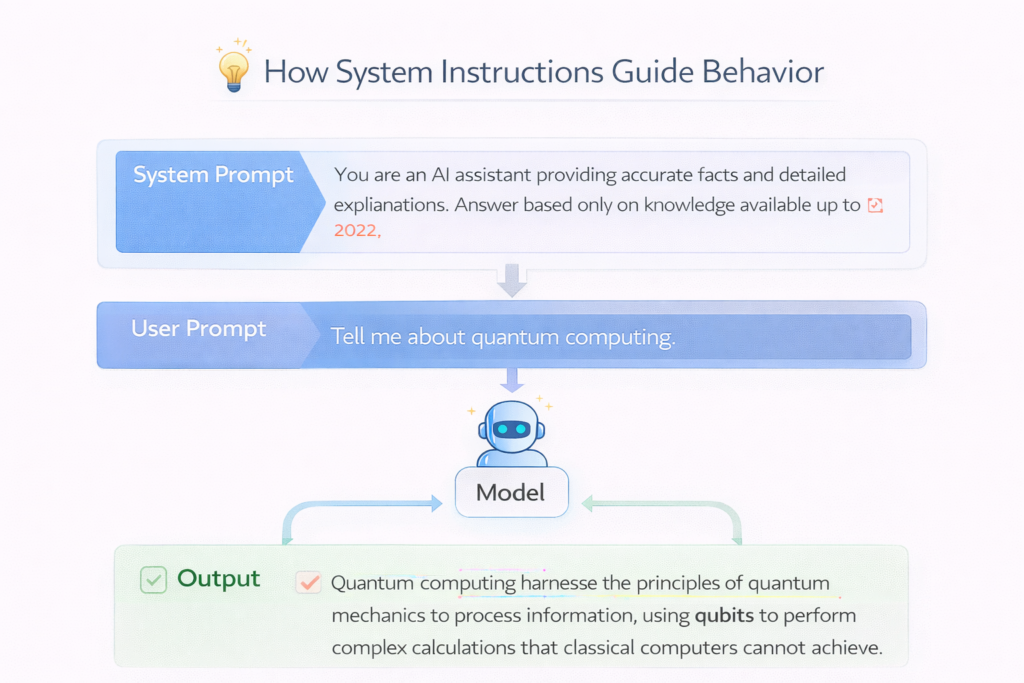
System prompts are the most powerful way to control AI behavior. Unlike regular prompts, they define how the model should behave across an entire conversation or application.
If user prompts are questions, system prompts are the rules.
The quality of your system prompt directly determines consistency, tone, accuracy, and reliability—especially in production AI systems.
In simple terms
A system prompt tells the AI:
- who it is
- what it should do
- how it should respond
- what it should avoid
It acts like a permanent instruction layer.
Why system prompts matter more than user prompts
In modern AI systems:
- user prompts change every time
- system prompts stay consistent
This means system prompts:
- enforce behavior
- reduce hallucinations
- improve consistency
- control tone and format
Many high-ranking guides mention prompting techniques, but system prompts are where real control happens.
Structure of a strong system prompt
A well-designed system prompt usually includes:
- Role definition
- Task definition
- Constraints
- Output format
- Examples (optional)
Let’s break this down.
1. Role definition
Define who the AI is.
Example:
“You are a senior software engineer specializing in backend systems.”
This sets tone and expertise level.
2. Task definition
Clearly define the job.
Example:
“Your task is to review code and suggest improvements.”
Avoid vague instructions.
3. Constraints
Tell the model what to avoid.
Example:
- “Do not make assumptions.”
- “Only use provided information.”
This reduces hallucinations.
4. Output format
Specify structure.
Example:
“Respond in bullet points with headings.”
This improves consistency.
5. Examples (optional but powerful)
Provide sample outputs.
Example:
“Example response:
Issue: X
Fix: Y”
Examples dramatically improve reliability.
System prompt template
Here is a reusable template:
You are [role].
Your task is to [task].
Follow these rules:
– [constraint 1]
– [constraint 2]
Output format:
– [format instructions]
Example:
[input → output]
Example: Weak vs strong system prompt
Weak prompt
“Help with writing.”
Problem:
- vague
- no structure
- inconsistent output
Strong prompt
“You are a professional content writer.
Your task is to write clear, engaging blog content for beginners.
Follow these rules:
- Use simple language
- Avoid jargon
- Keep sentences short
Output format:
- Use headings and short paragraphs”
Result:
- consistent
- readable
- aligned output
Advanced system prompt techniques
1. Layered instructions
Combine multiple rules.
Example:
- role + tone + constraints
- structure + reasoning steps
2. Guardrails
Prevent unwanted behavior.
Example:
- “Do not generate harmful content”
- “Ask for clarification if unsure”
3. Context-aware system prompts
Inject context dynamically.
Example:
- user profile
- company data
- session memory
4. Modular prompts
Split prompts into reusable components.
Example:
- base prompt
- task-specific prompt
- formatting prompt
5. Evaluation prompts
Add self-checking.
Example:
“Before answering, verify correctness.”
Common mistakes
- writing vague instructions
- missing output format
- overloading with unnecessary rules
- ignoring edge cases
- not testing prompts
Most failures come from unclear system design, not model limitations.
When to use system prompts
System prompts are essential for:
- chatbots
- AI agents
- RAG systems
- enterprise applications
- content pipelines
For one-off tasks, user prompts may be enough—but for systems, system prompts are critical.
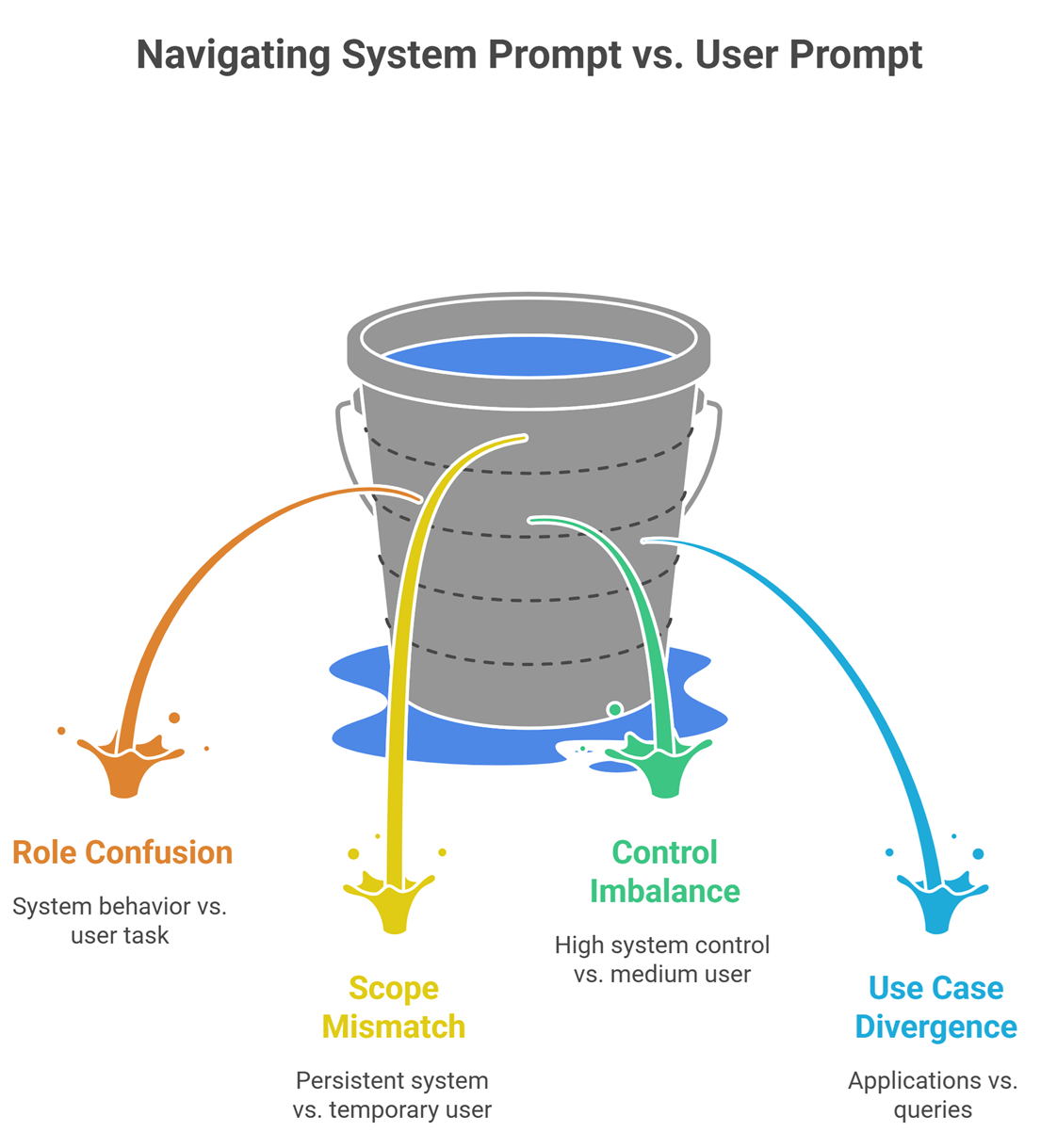
System Prompts Engineering vs User Prompts Engineering
| Aspect | System Prompt | User Prompt |
| Role | Defines behavior | Defines task |
| Scope | Persistent | Temporary |
| Control | High | Medium |
| Use case | Applications | Queries |
Real-world workflow
Modern AI systems use:
- system prompt (rules)
- context (data)
- user prompt (task)
This layered approach improves reliability significantly.
Suggested Read:
- Prompt Engineering for Beginners: A Practical Guide
- 25 Prompt Engineering Techniques With Examples
- Zero-Shot vs Few-Shot Prompting Explained
- What Is Prompt Injection? Examples and Risks
- Context Engineering vs Prompt Engineering: What Changed?
- Best Prompt Templates for Summarization and Research
FAQ: System Prompt Engineering
What is a system prompt?
A persistent instruction that defines how an AI behaves.
Are system prompts necessary?
Yes, for consistent and production-level outputs.
How long should a system prompt be?
As long as needed—but clear and structured.
Can system prompts reduce hallucination?
Yes, especially with constraints and context rules.
Final takeaway
System prompts are the foundation of reliable AI systems. While user prompts control individual tasks, system prompts define behavior at scale.
If you want better AI outputs, start by improving your system prompts—not just your questions.