

LLM for Knowledge Bases: How AI Is Reinventing Internal Search in 2026
Most businesses store valuable knowledge across documents, PDFs, wikis, emails, help centers, and shared drives. The problem is not lack of information—it is finding the right information quickly.
Employees waste time searching. Customers get delayed answers. Teams repeat the same questions.
That is why many organizations are adopting LLMs for knowledge bases.
Large Language Models can turn static documentation into conversational, searchable, and intelligent systems.
This guide explains how LLMs improve knowledge bases, common use cases, benefits, risks, and best practices.
In simple terms
An LLM for a knowledge base is:
An AI system that reads company information and helps users find accurate answers in natural language.
Instead of browsing folders or typing exact keywords, users can ask:
- How do I reset enterprise accounts?
- What is our refund policy?
- Where is the onboarding checklist?
- Summarize the HR travel policy.
- Compare product plan differences.
Think of it as an AI librarian for company knowledge.
Why traditional knowledge bases struggle
Many knowledge bases fail because they are:
- hard to search
- outdated
- spread across tools
- keyword-dependent
- difficult for new employees
- slow during urgent tasks
LLMs improve access by understanding meaning, not just keywords.
Easy analogy
Imagine entering a huge library with no librarian.
Now imagine a smart assistant who instantly reads every shelf and guides you to the right answer.
That is the value LLMs bring to knowledge systems.
Popular ecosystems businesses evaluate
Many organizations build internal AI search tools using platforms from:
The best fit depends on privacy, cost, deployment, and integration needs.
Top use cases of LLMs for Knowledge Bases
1. Internal Employee Search
Employees ask questions across company docs.
Examples:
- leave policy
- sales playbooks
- onboarding steps
- IT setup guides
2. Customer Help Centers
Turn support articles into AI Q&A systems.
3. Product Documentation Assistants
Help users understand APIs, manuals, or setup steps.
4. HR Knowledge Assistants
Answer benefits, payroll, and policy questions.
5. Sales Enablement Search
Quick access to pricing sheets, battlecards, and case studies.
6. Research Repositories
Summarize reports and documents.
7. Compliance & SOP Access
Find regulated procedures faster.
Major benefits
Faster Answers
Minutes become seconds.
Better Productivity
Less time searching, more time doing.
Easier Onboarding
New hires ramp faster.
Reduced Repetition
Fewer repeated Slack or email questions.
Natural Language Search
No need for exact keywords.
Better Decision Speed
Knowledge becomes accessible.
LLM Knowledge Base vs Traditional Search
| Feature | Traditional Search | LLM Knowledge Base |
| Keyword Matching | Yes | Sometimes |
| Natural Questions | Limited | Strong |
| Summaries | Weak | Strong |
| Multi-Doc Reasoning | Weak | Better |
| Personalization | Low | Better |
| Conversational Use | No | Yes |
How it usually works
Many systems use Retrieval-Augmented Generation (RAG):
Step 1
Documents are indexed.
Step 2
Relevant content is retrieved when asked.
Step 3
The LLM generates an answer using trusted sources.
This helps reduce hallucinations.
Real Business Examples
SaaS Company
Employees ask product and support questions instantly.
Ecommerce Brand
Customers search return and shipping policies conversationally.
Consulting Firm
Staff retrieve past proposals and frameworks.
Enterprise IT Team
Employees solve setup issues quickly.
Risks and limitations
Hallucinations
AI may answer beyond source material.
Outdated Documents
Bad source data creates bad answers.
Access Control Issues
Users should only see allowed data.
Overconfidence
Wrong answers may sound convincing.
Sensitive Data Exposure
Requires secure architecture.
Best practices for success
1. Clean Source Content First
Good data matters most.
2. Use Permissions
Respect role-based access.
3. Cite Sources
Show where answers came from.
4. Keep Human Escalation Options
For critical decisions.
5. Monitor Queries
Learn what users need.
6. Refresh Indexes Regularly
Keep knowledge current.
Metrics to track
| Metric | Why It Matters |
| Search Success Rate | Users found answers |
| Time Saved | Productivity gain |
| Repeat Queries | Missing content signals |
| User Satisfaction | Experience quality |
| Hallucination Incidents | Trust risk |
| Adoption Rate | Real usage |
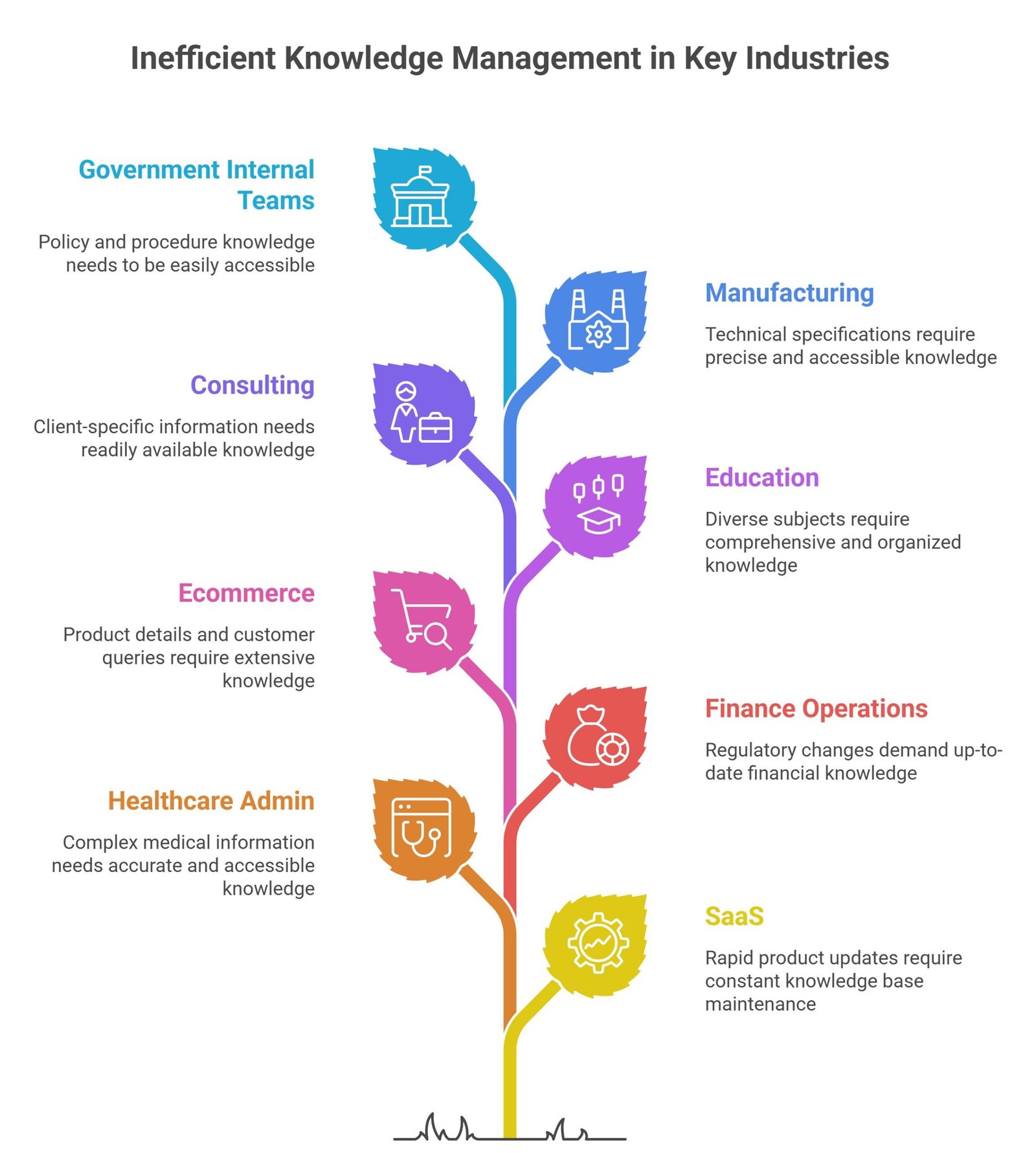
Best Industries for LLM Knowledge Bases
- SaaS
- Healthcare admin
- Finance operations
- Ecommerce
- Education
- Consulting
- Manufacturing
- Government internal teams
Future of AI knowledge bases
Expect growth in:
- voice-enabled enterprise search
- multimodal document assistants
- proactive knowledge recommendations
- auto-updated internal wikis
- agentic workflows using company knowledge
- personalized employee copilots
Knowledge bases may shift from static pages to living AI systems.
Suggested Read:
- LLM for Customer Support
- LLM Use Cases for Startups
- How LLMs Work
- How to Reduce LLM Hallucinations
- LLM Monitoring
- LLM for Beginners
FAQ: LLM for Knowledge Bases
Are LLMs good for knowledge bases?
Yes, especially for document-heavy organizations.
What is the biggest benefit?
Faster access to useful answers.
Do LLMs replace documentation?
No. They improve how documentation is used.
Is RAG important?
Yes, it helps ground answers in real sources.
What matters most?
Clean data, permissions, and accuracy.
Final takeaway
LLMs for knowledge bases turn scattered company information into a usable advantage. Instead of losing time searching, teams can ask questions naturally and act faster.
The future of knowledge management is not just storage—it is intelligent access.