
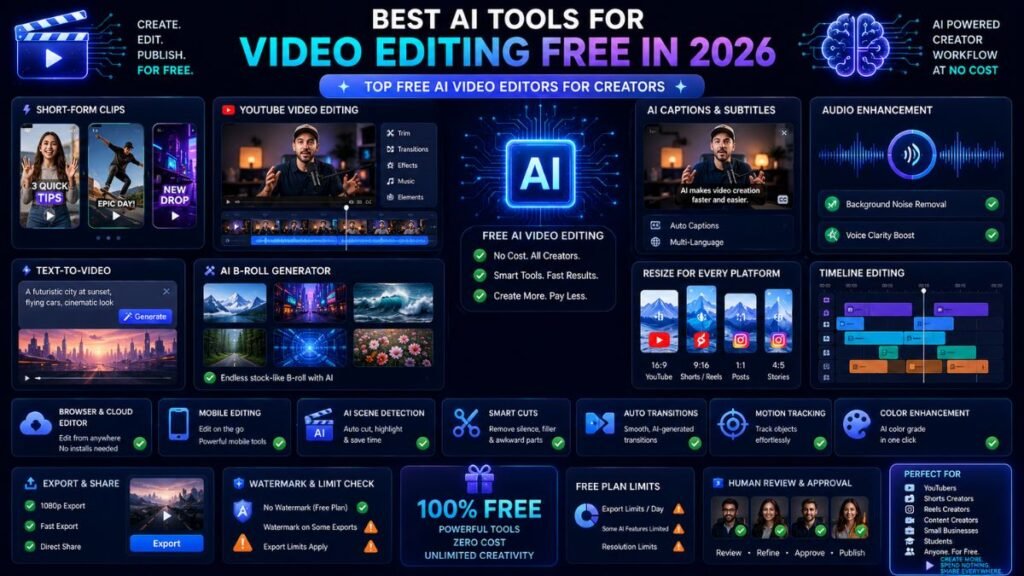
The best AI tools for video editing free help creators cut clips, add captions, remove noise, resize for social platforms, generate short videos, clean audio, and publish faster without paying upfront. The main thing to check is not only whether the tool is free, but whether free exports include watermarks, resolution limits, or AI-credit restrictions.
In Simple Terms
Free AI video editing tools are video editors that use artificial intelligence to speed up editing tasks.
They can generate captions, remove background noise, create clips, resize videos, edit from transcripts, add B-roll, generate video from text, or turn long videos into short clips. Some are truly free for basic editing. Others are freemium, meaning useful AI features may be limited unless you upgrade.
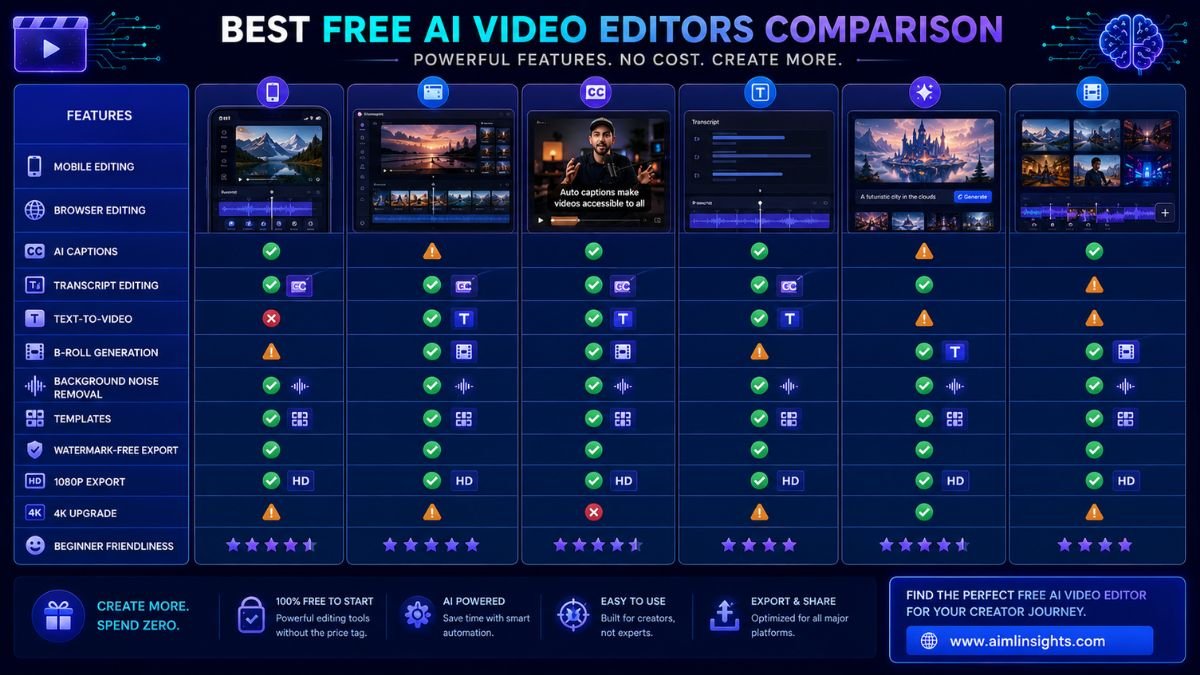
Best Free AI Video Editing Tools: Quick Comparison
| Tool | Best For | Free Plan Strength | Main Free Limitation |
| CapCut | Shorts, Reels, TikTok, quick social editing | Strong mobile and desktop editing, templates, captions | Some advanced assets and AI features may require Pro |
| Microsoft Clipchamp | Casual browser editing | Free online editor with templates and AI-powered tools | Premium unlocks more assets and higher-end needs |
| Canva Video | Design-first video editing | Simple templates, social videos, AI video tools | Advanced AI and assets may be plan-limited |
| Descript | Text-based video editing | Edit video by editing transcript, captions, audio cleanup | Free plan has limits |
| VEED | Online captions and quick edits | Free basic editing and AI trials | Free exports include watermark and 720p limit |
| Kapwing | Browser AI editing | Free to start, subtitles, B-roll, resize, AI editing | Limits can apply to exports and usage |
| Runway | AI video generation and creative editing | Free account for exploring AI tools | Free credits are limited |
| DaVinci Resolve | Professional editing | Powerful free desktop editor | Many AI Neural Engine tools require Studio |
| Adobe Express | Quick social videos | Easy video templates and AI creative workflow | Advanced assets/features may require paid plan |
| iMovie | Apple users | Free, simple video editing on Apple devices | Limited AI features compared with newer platforms |
1. CapCut: Best Free AI Video Editor for Short-Form Creators
CapCut is one of the best free AI video editing tools for creators making TikToks, Instagram Reels, YouTube Shorts, and quick social videos. Its AI video editor includes AI templates, one-click generation workflows, avatars, and beginner-friendly editing. CapCut’s AI creator page also says it can generate scripts, images, avatars, clips, subtitles, and music.
Use CapCut when speed matters. It is especially strong for captions, templates, trend-style edits, mobile editing, and social-first formats.
Best for: short-form video, captions, templates, mobile creators.
Use carefully for: advanced AI features that may move behind paid plans.
2. Microsoft Clipchamp: Best Free AI Video Editor for Windows Users
Microsoft Clipchamp is a strong choice for beginners who want a simple browser-based editor. Microsoft describes Clipchamp as a free online video editor with AI-powered features, templates, screen recording, and no downloads required.
It works well for casual YouTube videos, presentations, tutorials, screen recordings, and simple business clips. It is not the most advanced AI editor, but it is easy to start.
Best for: Windows users, browser editing, simple videos, screen recordings.
Use carefully for: advanced creative effects and professional AI editing.
3. Canva Video: Best Free AI Video Tool for Design-First Creators
Canva is useful when video editing is part of a larger content workflow. Canva’s AI video editor supports text-to-video workflows and lets users edit, enhance, and share videos from the same dashboard. Canva also offers an AI video generator that can create video clips from text with synchronized audio.
Use Canva for social posts, video ads, educational clips, presentations, thumbnails, and branded content. It is especially good when you need video plus design assets in one place.
Best for: social graphics, simple videos, presentations, creator branding.
Use carefully for: advanced timeline editing and plan-limited AI assets.
4. Descript: Best Free AI Video Editor for Transcript Editing
Descript is ideal if you want to edit video like a document. Its AI video editor automatically transcribes footage, so deleting or changing text in the transcript updates the video. It also supports captions, filler-word removal, audio cleanup, and AI-assisted editing.
This is useful for podcasts, interviews, talking-head videos, YouTube explainers, webinars, and course content.
Best for: talking-head videos, podcasts, transcript editing, captions.
Use carefully for: free-plan usage limits and longer projects.
5. VEED: Best Free AI Video Editor for Captions and Quick Online Edits
VEED is a browser-based AI video creation platform for generating and editing videos, dubbing, subtitles, talking heads, and audio cleanup. Its video editor page says free users get basic editing tools, 720p exports, and one-time trials for AI tools such as Auto Edits, AI B-roll, and audio cleanup, but free exports include a watermark.
Use VEED when you need fast online editing, captions, simple resizing, and social-ready clips.
Best for: subtitles, quick web editing, social videos.
Use carefully for: watermark and export limits on the free plan.
6. Kapwing: Best Free Online AI Video Editor for Teams and Creators
Kapwing is useful for browser-based AI editing. Its AI video editor can build a first draft from a prompt, script, PDF, or footage, then add subtitles, translate, generate B-roll, resize, and export in multiple aspect ratios. Kapwing also says its tools are free to start.
Use Kapwing for creator teams, social media managers, classroom videos, and quick collaborative editing.
Best for: online editing, subtitles, B-roll, resizing, collaboration.
Use carefully for: free export and usage limits.
7. Runway: Best Free AI Video Tool for Creative Experiments
Runway is better known for AI video generation and creative editing than simple timeline editing. Its pricing page says the free plan is for individuals exploring Runway’s AI tools and content creation features, with 125 one-time credits.
Use Runway to test text-to-video, image-to-video, stylized clips, creative effects, and generative video ideas.
Best for: AI video generation, visual experiments, creative clips.
Use carefully for: limited free credits and production-scale usage.
8. DaVinci Resolve: Best Free Professional Video Editor
DaVinci Resolve is the best free option if you want serious editing power. Blackmagic Design describes Resolve as a free professional video editing, color correction, visual effects, motion graphics, and audio post-production application.
However, many advanced AI features are in DaVinci Resolve Studio. Blackmagic’s product page says Studio includes the DaVinci AI Neural Engine, temporal and AI spatial noise reduction, text-based editing, Magic Mask, and more.
Best for: professional editing, color, audio, long-form projects.
Use carefully for: AI features that are Studio-only.
9. Adobe Express: Best Free AI Video Tool for Quick Branded Clips
Adobe Express is useful for creators who want fast branded videos, social clips, and design-led editing. It is not a replacement for Premiere Pro, but it works well for simple edits, templates, captions, and visual content.
Best for: social videos, branded clips, quick creator assets.
Use carefully for: advanced editing and premium asset limitations.
10. iMovie: Best Free Simple Editor for Apple Users
iMovie is not the most AI-heavy editor, but it remains useful for beginners on Mac, iPhone, and iPad. It is free, stable, simple, and good for basic cuts, transitions, titles, and quick YouTube-style edits.
Use it when you want a clean editor without subscriptions or browser limits. Pair it with free AI tools for captions, thumbnails, or scripts if needed.
Best for: Apple beginners, simple edits, school projects, casual videos.
Use carefully for: advanced AI automation.
How to Choose the Best Free AI Video Editor
Start with your content type.
If you make Shorts, Reels, or TikToks, choose CapCut. If you edit talking-head videos, choose Descript. If you need captions and browser editing, try VEED or Kapwing. If you use Windows, Clipchamp is easy. If you need design-first videos, Canva works well. If you want professional editing, use DaVinci Resolve. If you want generative video experiments, try Runway.
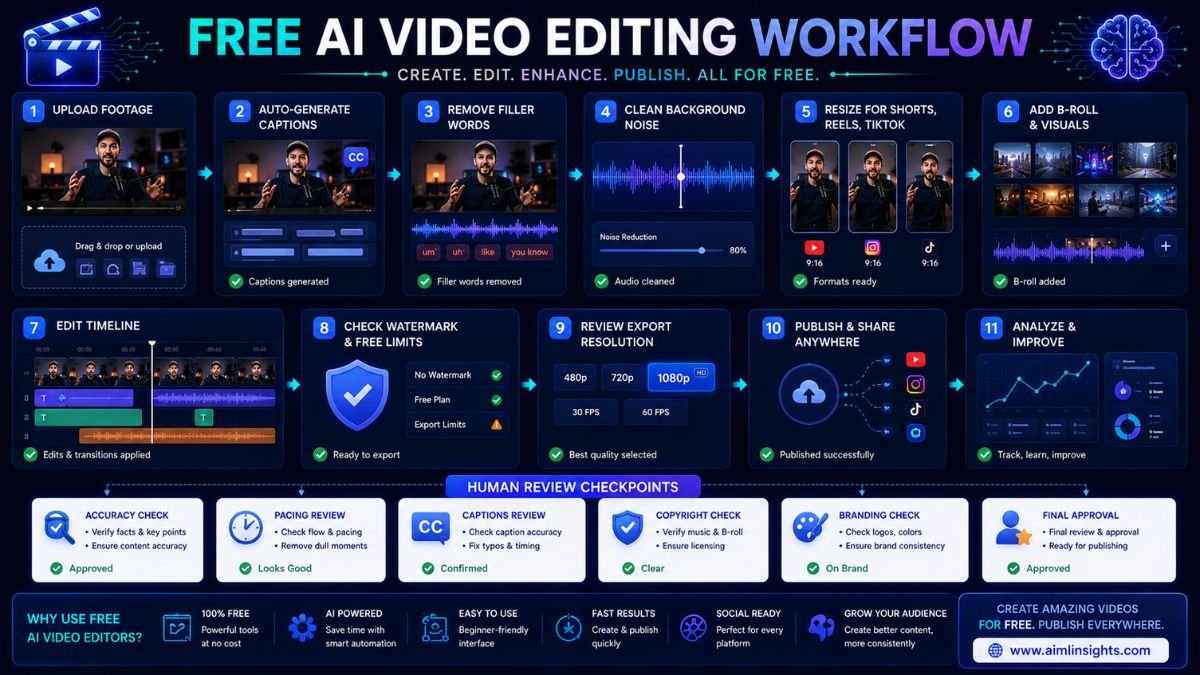
Always check four things before choosing: watermark rules, export resolution, AI-credit limits, and whether your videos can be used commercially.
Common Mistakes to Avoid
The first mistake is assuming “free” means unlimited. Many free AI video editors limit exports, credits, storage, watermark removal, or resolution.
The second mistake is choosing a tool only for AI features. Basic editing, timeline control, captions, audio quality, and export reliability still matter.
The third mistake is publishing AI captions without review. Captions can mishear names, technical words, accents, and brand terms.
The fourth mistake is ignoring music, stock footage, and image rights. A video can look great but still create copyright problems.
Suggested Read:
- Best AI Tools for Beginners in 2026
- AI Tools With Free Plans Worth Using in 2026
- Best AI Tools for YouTube Creators
- Best AI Tools for Content Creation
- Best AI Tools for Bloggers and Content Writers
- Best AI Workflow Automation Tools for Teams
- Prompt Engineering for Beginners: A Practical Guide
- Best AI Image Tools in 2026
FAQ: Best AI Tools for Video Editing Free in 2026
What are the best AI tools for video editing free?
The best free AI video editing tools include CapCut, Microsoft Clipchamp, Canva Video, Descript, VEED, Kapwing, Runway, DaVinci Resolve, Adobe Express, and iMovie.
Which free AI video editor is best for beginners?
CapCut, Clipchamp, and Canva are the easiest starting points. CapCut is best for social videos, Clipchamp is best for simple browser editing, and Canva is best for design-first content.
What is the best free AI video editor without watermark?
CapCut and Clipchamp are often strong options for free editing without heavy beginner friction, but watermark rules can change by plan, region, feature, and export type. Always test the export before building a workflow around one tool.
Can AI edit videos for free?
Yes. Free AI video editors can help with captions, text-based editing, resizing, simple auto edits, background noise cleanup, and video generation trials. The limits usually appear in export quality, watermarks, AI credits, or advanced features.
Which free AI tool is best for YouTube videos?
Descript is strong for talking-head YouTube videos, DaVinci Resolve is best for professional long-form editing, Canva is good for simple educational videos, and CapCut works well for Shorts.
Are free AI video editing tools good enough?
Yes, free AI video editing tools are good enough for beginners, social creators, students, and small businesses. Professional creators may eventually need paid plans for watermark-free exports, higher resolution, more AI credits, team workflows, or advanced audio and color tools.
Final Takeaway
The best AI tools for video editing free depend on what you create. CapCut is best for short-form social video, Clipchamp is easy for Windows and browser users, Canva is strong for design-led clips, Descript is excellent for transcript editing, VEED and Kapwing are useful for online captions and quick edits, Runway is best for AI experiments, and DaVinci Resolve is the strongest free professional editor.
Start with one free editor, test the export, check watermark rules, and only upgrade when the tool saves enough time to justify the cost.