

Text and image models are multimodal AI models that connect visual information with language. They can understand images, screenshots, diagrams, charts, or documents together with text prompts, captions, or questions. These models power image captioning, visual question answering, image-to-text workflows, visual search, document AI, and modern multimodal assistants.
In Simple Terms
Text and image models help AI understand pictures and words together. A text-only model can read a prompt. A computer vision model can analyze an image. A text and image model connects both, so users can ask natural-language questions about visual content.
For example, you can upload a screenshot and ask, “What does this error mean?” The model reads the visible text, inspects the interface, connects it with your question, and generates an answer. This is why text and image models are often described as vision-language models or visual language models. Hugging Face describes image-text-to-text models as systems that take an image and text prompt as input and output text, also calling them vision-language models.
What Are Text and Image Models?
Text and image models are AI systems trained or designed to work across two modalities: visual data and language. The visual data may include photos, screenshots, charts, scanned documents, diagrams, or video frames. The text data may include prompts, captions, labels, questions, instructions, or document text.
The goal is not only to recognize objects in an image. The goal is to connect visual details with language meaning. A strong model can answer questions about an image, match captions with pictures, describe a scene, interpret a chart, or help users search visual content with words. This makes text-image models an important part of multimodal AI.
How Text and Image Models Work
Most text and image models use separate processing paths for visuals and language. A visual encoder converts the image into visual embeddings. A text encoder or language model converts the prompt into language representations. Then an alignment layer connects visual meaning with text meaning.
For example, the model learns that the phrase “a dog sitting on a sofa” should match an image containing those elements. It also learns that a user’s question may refer to a specific image region, chart line, button, label, object, or document section. IBM explains that vision-language models blend computer vision and natural language processing to map relationships between text and visual data.
Common Types of Text and Image Models
| Type | What It Does | Example |
| Image-to-text model | Converts visual content into text | Image captioning or OCR-style explanation |
| Image-text-to-text model | Takes image + prompt and outputs text | Ask a question about a screenshot |
| Text-to-image model | Generates images from text prompts | Create an illustration from a description |
| Image-text retrieval model | Matches images and text | Search products by description |
| Visual grounding model | Links words to image regions | Identify “the red box on the left” |
| Document understanding model | Reads text, layout, tables, and visuals | Extract information from forms or reports |
Image-to-Text vs Text-to-Image Models
Image-to-text and text-to-image models sound similar, but they solve different problems. Image-to-text models start with visual input and produce language. They may describe an image, read visible text, summarize a chart, or answer a question about a screenshot.
Text-to-image models start with language and generate visuals. They are used for creative design, marketing visuals, concept art, product mockups, and illustration. Both belong to the broader text-image AI ecosystem, but their direction is different. One moves from image to language. The other moves from language to image.
Are Text and Image Models the Same as Vision-Language Models?
In many contexts, yes. Text and image models are often called vision-language models, especially when they focus on understanding images and language together. Hugging Face defines vision-language models as models that learn simultaneously from images and texts for tasks from visual question answering to image captioning.
However, “text and image models” is a broader phrase. It can include image-to-text systems, text-to-image generators, image-text retrieval models, OCR-enhanced document systems, and visual grounding models. “Vision-language model” usually refers more specifically to models that connect visual understanding with language reasoning.
Real-World Use Cases: Text and Image Models
Text and image models are useful whenever people need AI to understand visual content with language. In customer support, users can upload screenshots and ask what went wrong. In ecommerce, shoppers can search using product photos or ask for similar items. In education, students can upload diagrams and ask for simple explanations.
Businesses also use text and image models for document processing. Invoices, contracts, scanned forms, reports, and dashboards often contain both text and visual layout. A text-only model may miss structure, while a text-image model can understand visual context. These systems are also useful for accessibility, helping users convert visual content into written explanations.
Why Text and Image Models Matter for Business
Many business workflows depend on visual information. Teams work with screenshots, dashboards, product photos, scanned documents, charts, slide decks, design mockups, forms, and inspection images. Text-only AI cannot fully understand these assets unless they are converted into text, and even then, layout or visual details may be lost.
Text and image models make AI assistants more practical. A support agent can ask about a screenshot. A finance team can ask questions about a chart. A retail team can search by product image. A compliance team can review scanned forms. This is why text-image AI is becoming a key building block for enterprise AI, document intelligence, visual search, and multimodal workflows.
Benefits of Text and Image Models
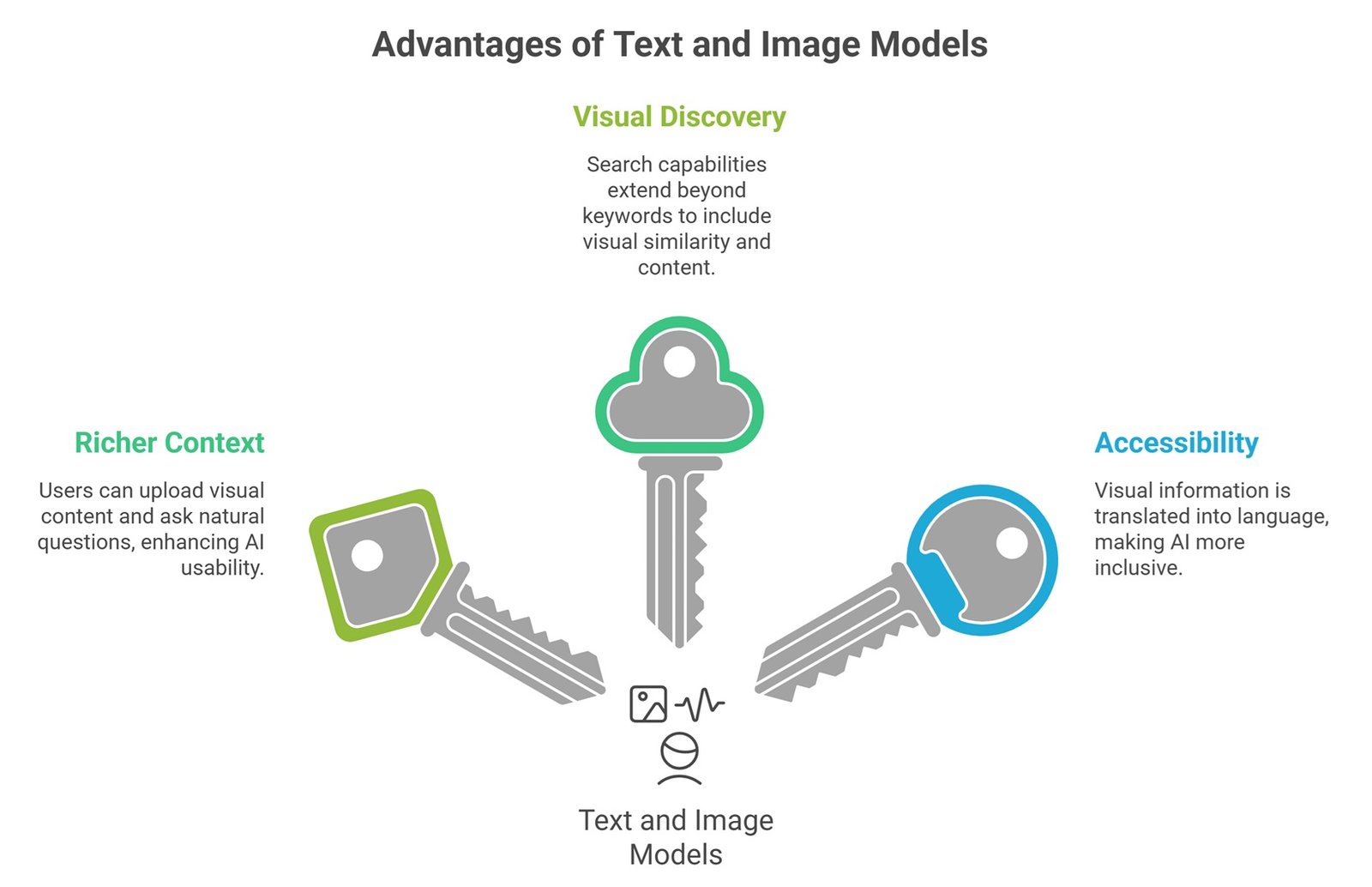
The biggest benefit is richer context. Users do not need to describe every visual detail manually. They can upload an image, screenshot, chart, or document and ask a natural question. This makes AI easier to use and more aligned with real workflows.
Another benefit is better visual discovery. Search can move beyond keywords. Instead of searching only by product name or document title, users can search by visual similarity, screenshot content, chart pattern, or image description. Text and image models also support accessibility by helping translate visual information into language.
Limitations and Risks
Text and image models are powerful, but they can make mistakes. They may misread small text, misunderstand charts, overlook details, or hallucinate visual facts. A model may confidently describe something that is not present in the image. It may also struggle with blurry screenshots, complex diagrams, low-resolution scans, or domain-specific images.
Milvus notes that vision-language models are primarily designed to understand and analyze relationships between visual and textual data, not inherently to generate images from textual descriptions. This distinction matters because users often confuse image understanding models with image generation models. For high-risk workflows such as healthcare, legal review, finance, and safety inspection, human review and evaluation remain necessary.
Common Mistakes About Text and Image Models
A common mistake is assuming every text and image model does the same thing. Some models caption images. Some answer questions. Some generate images. Some retrieve similar images. Some understand documents. Choosing the right model depends on the task.
Another mistake is assuming text-image AI understands visuals like a human. These models can be impressive, but they do not always understand intent, causality, context, or hidden meaning. They work best when paired with clear prompts, high-quality images, evaluation, and well-designed workflows.
Future of Text and Image Models
Text and image models are becoming central to multimodal AI. The next wave will likely improve visual reasoning, document understanding, chart interpretation, image grounding, multimodal search, and AI assistants that can work naturally with screenshots and files.
As these models improve, users will expect AI systems to understand what they show, not just what they type. For AIML Insights readers, this makes text and image models an essential bridge between computer vision, LLMs, document AI, and multimodal agents.
Suggested Read:
- What Is Multimodal AI? Complete Beginner’s Guide to AI Beyond Text
- Vision-Language Models Explained
- How Multimodal AI Works
- Multimodal Reasoning
- Best Multimodal AI Tools in 2026
FAQ: Text and Image Models Explained
What are text and image models?
Text and image models are AI systems that connect visual data and language so the model can understand images, screenshots, charts, or documents together with text prompts or questions.
How do text and image models work?
They use visual encoders to process images, language components to process text, and alignment mechanisms to connect visual and textual meaning.
Are text and image models the same as vision-language models?
Often, yes. Vision-language models are a major type of text and image model focused on connecting visual understanding with language reasoning.
What can AI models do with text and images?
They can caption images, answer questions about screenshots, interpret charts, search images using text, understand documents, and support visual AI assistants.
What is the difference between image-to-text and text-to-image models?
Image-to-text models turn visual input into language. Text-to-image models use language prompts to generate visuals.
What are the limitations of text and image models?
Limitations include visual hallucinations, weak chart reasoning, OCR errors, small text mistakes, difficulty with blurry images, and reliability issues in high-risk workflows.
Final Takeaway
Text and image models are AI systems that connect language with visual understanding. They help AI answer questions about images, explain screenshots, interpret charts, summarize visual documents, and support multimodal search.
To keep building topical depth, read Vision-Language Models Explained, Image to Text AI, and Document Understanding AI next.