
Role Prompting Explained: How to Use AI Personas for Better Results
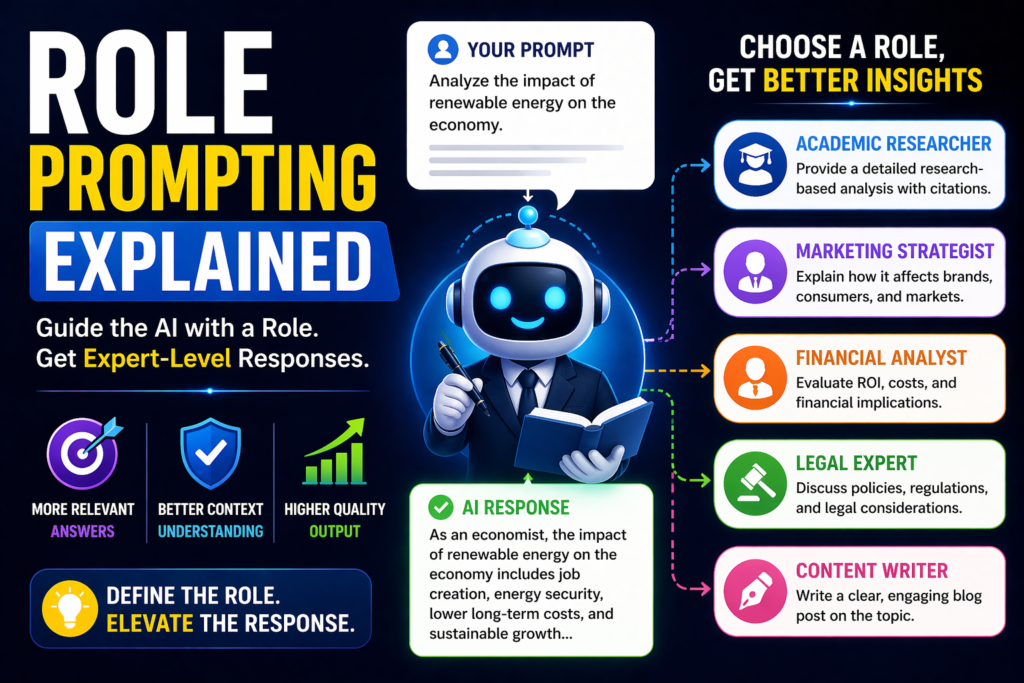
Role prompting is one of the easiest ways to improve AI responses. Instead of asking a generic question, you assign the AI a specific role such as teacher, marketer, developer, recruiter, or strategist.
That simple change often creates more relevant, focused, and professional outputs.
In this guide, you’ll learn what role prompting is, why it works, and how to use it effectively.
In simple terms
Role prompting means:
Tell the AI who it should act like before answering.
Instead of:
“Write a product description.”
Use:
“Act as an expert ecommerce copywriter. Write a persuasive product description.”
The second prompt gives clearer direction.
What is Role Prompting?
Role prompting is a prompt engineering technique where you instruct an AI model to respond from a defined perspective, profession, or expertise area.
Common roles include:
- teacher
- software engineer
- marketing expert
- business consultant
- recruiter
- financial analyst
- editor
The assigned role helps shape tone, priorities, and style.
Why Role Prompting Works
AI models generate responses based on context. When you specify a role, you narrow the response style and expected expertise.
This often improves:
- relevance
- tone consistency
- domain language
- output quality
- practical usefulness
Instead of generic answers, you get responses aligned with a real-world perspective.
Simple Role prompting Examples
Example 1: Writing
Prompt:
“Act as an SEO content strategist. Create a blog outline for AI tools for students.”
Example 2: Coding
Prompt:
“Act as a senior Python developer. Review this script and improve performance.”
Example 3: Learning
Prompt:
“Act as a patient math tutor. Explain percentages to a beginner.”
Example 4: Career Advice
Prompt:
“Act as a recruiter. Improve my resume summary for a data analyst role.”
Example 5: Business Strategy
Prompt:
“Act as a startup advisor. Suggest growth strategies for a SaaS product.”
Best use cases for Role Prompting
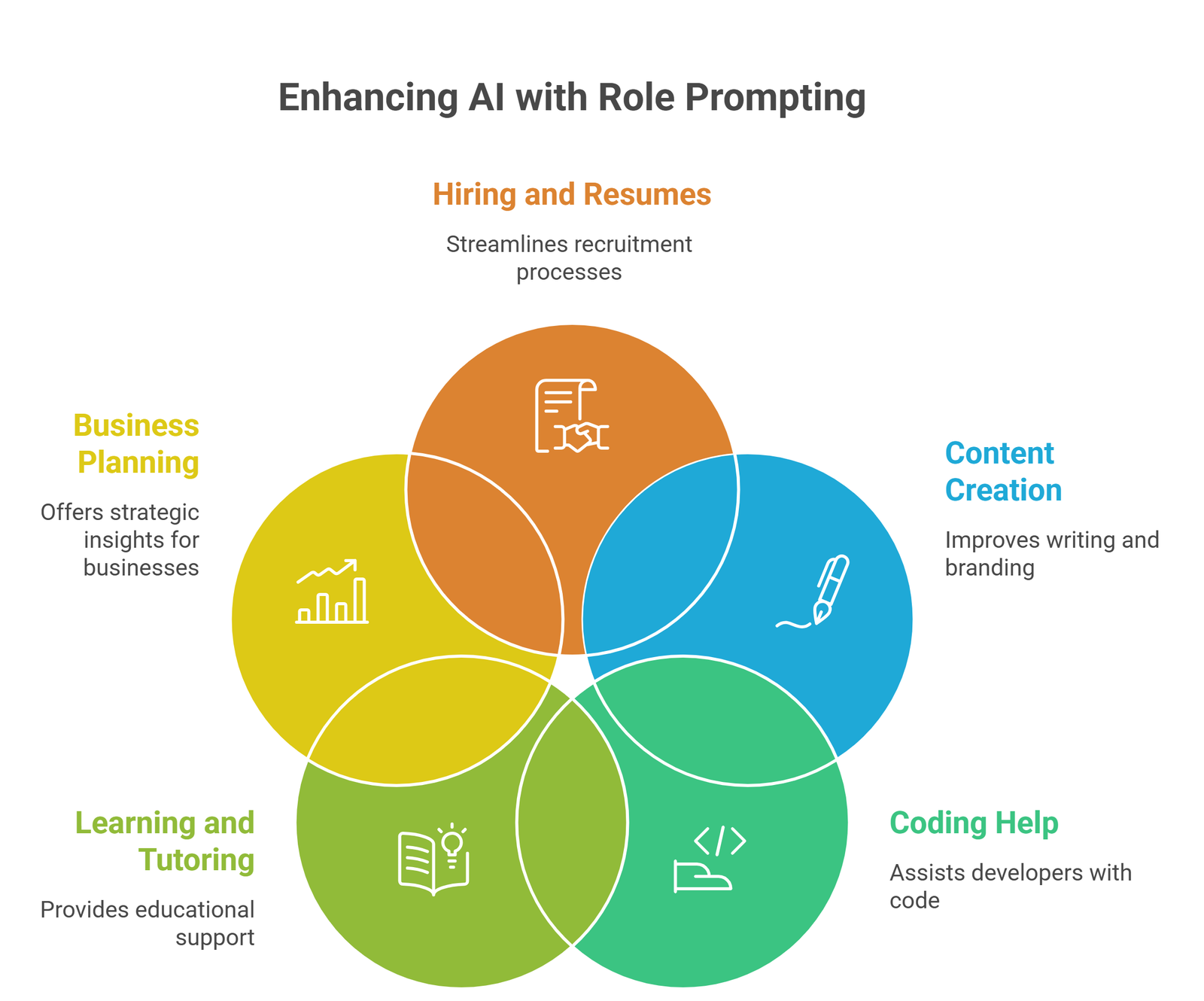
Role prompting works especially well for:
1.Content creation
Use writer, editor, strategist, brand voice roles.
2.Coding help
Use developer, architect, debugger roles.
3.Learning and tutoring
Use teacher, mentor, coach roles.
4.Business planning
Use consultant, CFO, marketer roles.
5.Hiring and resumes
Use recruiter, HR manager, interviewer roles.
Role Prompting vs Normal Prompting
| Method | How It Works | Best For |
| Generic Prompting | Ask directly | Quick simple tasks |
| Role Prompting | Assign expertise/persona | Better quality outputs |
| Few Shot Prompting | Show examples | Formatting consistency |
If a generic prompt feels weak, role prompting is often the fastest upgrade.
How to write better Role Prompts
1.Be specific about the role
Weak:
“Act as an expert.”
Better:
“Act as a B2B SaaS growth marketer.”
2.Add the task clearly
Role alone is not enough.
Example:
“Act as a recruiter and rewrite my resume summary.”
3.Define audience
Example:
- beginners
- executives
- students
- developers
4.Add output constraints
Example:
- under 150 words
- bullet points
- professional tone
5.Combine with other prompting methods
Use role + few shot + structure for stronger results.
Common mistakes
Too generic role
“Act as a professional” is vague.
Unrealistic role stacking
Too many roles reduce clarity.
No task definition
Need both role and objective.
No audience context
Outputs may still feel broad.
Over trusting expertise tone
Confident tone does not guarantee correctness.
Copy-paste role prompt templates
Writing
“Act as a content strategist. Write a blog outline about [topic].”
Coding
“Act as a senior developer. Solve this coding problem: [task].”
Teaching
“Act as a beginner-friendly teacher. Explain [topic] simply.”
Marketing
“Act as a performance marketer. Create ad ideas for [product].”
Resume Help
“Act as a recruiter. Improve this resume summary: [text].”
When not to use Role prompting
Role prompting may be unnecessary for:
- simple factual questions
- quick translations
- short summaries
- basic formatting tasks
Use it when expertise or perspective matters.
Suggested Read:
- What Is Prompt Engineering? Complete Beginner Guide
- Few Shot Prompting Explained
- Zero Shot Prompting Explained
- How to Write Better System Prompts
- Prompt Engineering Best Practices
- ChatGPT Prompting Guide
FAQ: Role Prompting
What is role prompting?
A prompting method where you assign the AI a role before asking the task.
Does role prompting improve results?
Often yes, especially for specialized tasks.
Is role prompting good for ChatGPT?
Yes. It works well across major AI tools.
Can I combine role prompting with other methods?
Yes. It pairs well with few-shot and structured prompts.
Final takeaway
Role prompting is one of the simplest upgrades in prompt engineering. By telling AI who to act as, you often get sharper, more useful, and more realistic outputs.
For writing, coding, teaching, and business tasks, role prompting can dramatically improve quality.
If your prompts feel generic, assign a role first.