
Grok Build Can Now Keep Coding Until the Job Is Done
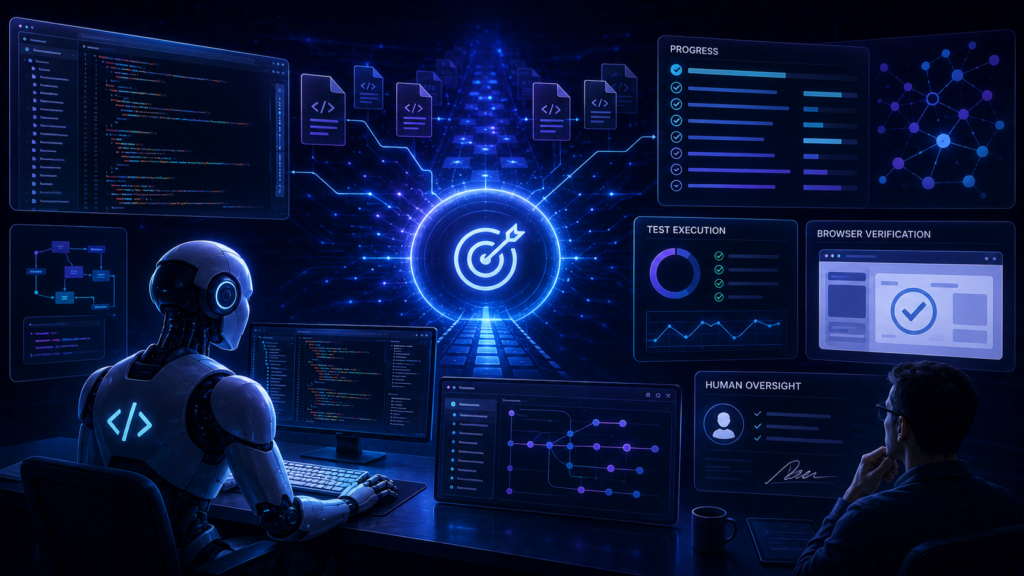
xAI introduced /goal for Grok Build on June 22, 2026, adding a mode designed to continue working on a software task until the requested outcome has been completed and verified.
The update matters because ordinary coding assistants often stop after generating a patch, answering a question, or encountering an obstacle. /goal gives Grok Build a persistent objective, a visible checklist, and controls for monitoring or interrupting a longer run.
Developers managing migrations, multi-file refactors, web builds, debugging sessions, or repetitive implementation work should care most. The significant verified result is functional rather than benchmark-based: xAI documents a workflow that plans, executes, reviews, and tracks a task until every checklist item is marked complete.
What Is xAI /goal in Grok Build?
The xAI goal Grok Build feature is a command inside xAI’s terminal-based coding agent.
A developer can enter an objective such as:
/goal Migrate the auth module to the new API
Grok Build then plans an approach, divides the work into a progress checklist, and begins executing the required steps. The user can continue supplying instructions while the task is running.
This is different from a normal prompt because the objective remains active across multiple actions. The agent is expected to keep referring back to the desired outcome rather than treating each command as an isolated request.
Grok Build itself can run through an interactive terminal interface, headlessly inside scripts and bots, or through the Agent Client Protocol in another application. It can also use skills, plugins, hooks, MCP servers, custom models, and specialized subagents.
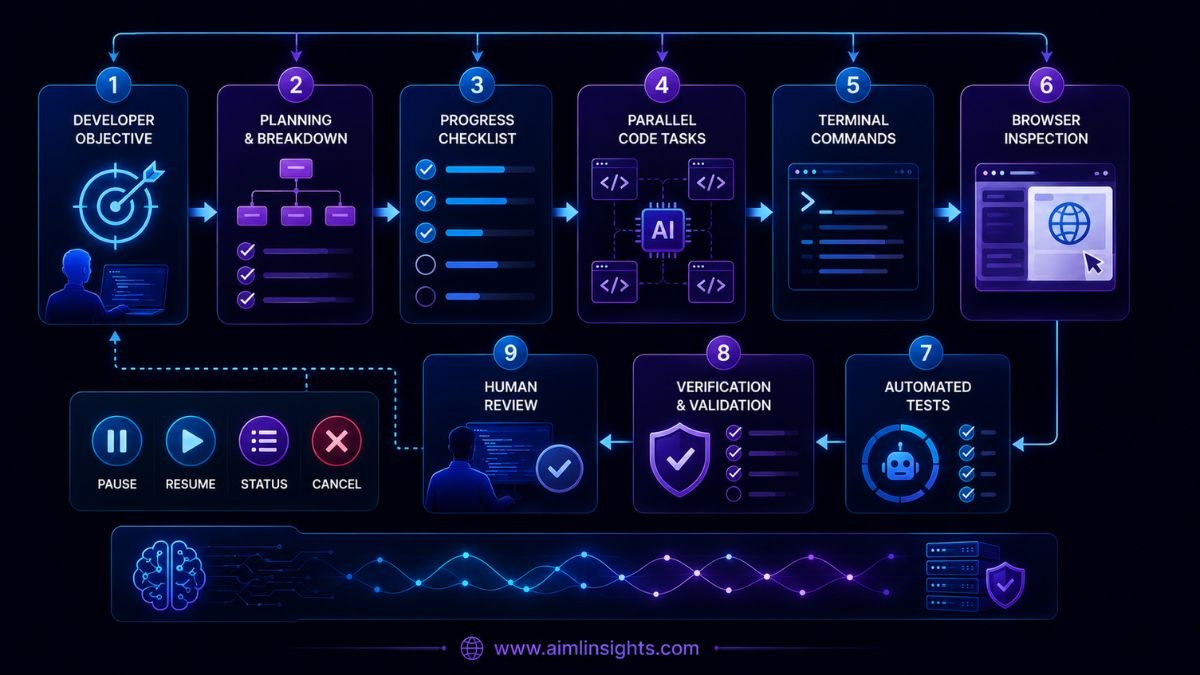
How the /goal Workflow Operates
The documented workflow has five main parts.
1. Persistent objective
The user defines the outcome in one line. Grok Build keeps that objective active until the run is completed, paused, or cleared.
2. Planning
The agent develops an implementation approach before or during execution. Grok Build already includes a plan viewer where users can approve, comment on, or rewrite proposed steps before edits begin.
3. Progress checklist
The task is divided into trackable items. A live panel shows what has been completed and what remains.
4. Continuous execution
The agent can review code, inspect webpages, execute scripts, modify files, and continue through successive steps without requiring a fresh prompt after every action.
5. Verification
xAI says /goal continues until the task is both completed and verified. Verification may involve reviewing the resulting code, checking a webpage, or running a script. When the run finishes, the interface marks the goal complete and checks every list item.
The overall architecture is therefore:
Objective → plan → checklist → tool execution → validation → completion
Monitoring, Pausing, and Resuming Work
Long-running autonomy is only useful when the developer can still intervene.
xAI provides four goal-management commands:
| Command | Function |
| /goal status | Opens the live progress panel |
| /goal pause | Stops execution without deleting the objective |
| /goal resume | Continues the paused objective |
| /goal clear | Removes the goal completely |
These controls are one of the most useful parts of the design. They allow a developer to inspect progress, stop an unsafe direction, provide more context, or resume work without creating a new task from the beginning.
What xAI has not yet explained in detail is how much internal state survives a pause, how the agent recovers from a crashed process, or whether a goal can resume reliably after authentication, network, or machine failures.
What Is Genuinely New?
Autonomous coding agents are not new. Codex, Claude Code, Gemini CLI, and GitHub Copilot can already inspect repositories, edit files, run commands, and complete multi-step work.
The notable part of /goal is the explicit persistent-goal interface.
Rather than relying only on the model to remember a broad instruction, Grok Build exposes the objective and progress state as a dedicated control layer. The checklist gives the user a visible representation of how the agent interprets “done.”
That creates a clearer contract:
- The user defines the outcome.
- The agent identifies the steps.
- Progress remains visible.
- The user can intervene.
- The agent must perform a verification step before declaring success.
This is a product-design improvement around autonomy, even though xAI has not yet demonstrated that it delivers better completion rates than rival agents.
Benchmark Audit: What Has xAI Actually Proved?
xAI has not published a dedicated benchmark for /goal.
| Evaluation area | Published result |
| Long-task completion rate | Not disclosed |
| Verification accuracy | Not disclosed |
| Failure-recovery rate | Not disclosed |
| Human intervention frequency | Not disclosed |
| Average runtime | Not disclosed |
| Cost per completed task | Not disclosed |
| Comparison with Codex or Claude Code | Not published |
| Independent verification | Not available |
xAI reports that the underlying grok-build-0.1 model runs at more than 100 tokens per second and costs $1 per million input tokens and $2 per million output tokens through the API. Those are speed and pricing claims, not measurements of whether /goal completes software tasks correctly.
The company has also not disclosed whether verification uses a fixed testing policy, project-provided test suites, browser inspection, model judgment, or a combination of these methods.
That missing information matters. An agent checking every item on its own checklist does not necessarily mean the software meets the developer’s unstated requirements.
Grok Build vs Other Autonomous Coding Agents
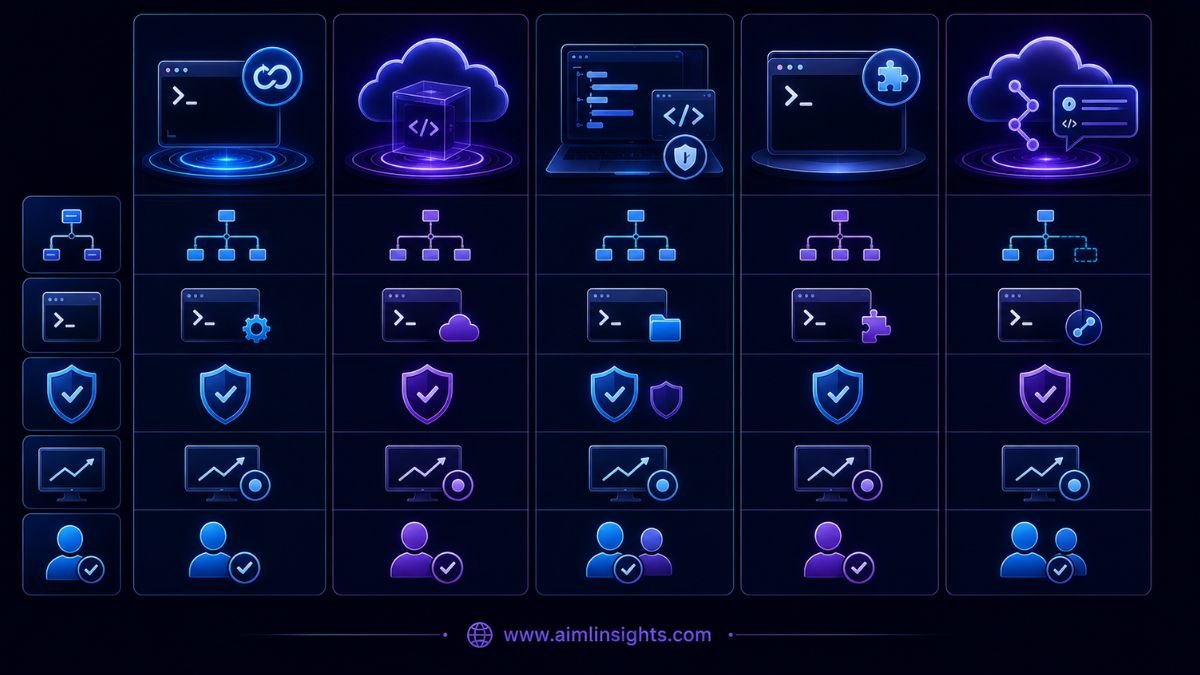
| Tool | Main autonomy model | Monitoring and review | Best fit |
| Grok Build /goal | Persistent local objective with checklist and verification | Status, pause, resume, clear; terminal workflow | Developers wanting an explicit long-running goal loop |
| OpenAI Codex | Long-horizon agent loop across local and cloud workflows | Diffs, task history, sandboxes, automations | Larger autonomous coding and parallel tasks |
| Claude Code | Repository-aware terminal and desktop agent with subagents | Permissions, background tasks, worktrees, hooks | Deep codebase work and interactive reasoning |
| Gemini CLI | Open terminal agent connected to Gemini and tools | Local command approval and extension workflows | Google-centric development and extensibility |
| GitHub Copilot cloud agent | Asynchronous GitHub-hosted implementation | Branches, diffs, comments, pull-request review | Issue-to-pull-request workflows |
Codex has documented long-horizon workflows and models capable of working for hours. OpenAI also provides a cloud-based environment where tasks can run in isolated sandboxes and propose pull requests.
Claude Code reads repositories, edits files, runs commands, supports background tasks, and can use separate worktrees to isolate concurrent changes.
GitHub Copilot’s cloud agent works asynchronously in a GitHub Actions-powered environment, researches the repository, creates a plan, modifies a branch, and lets the developer review the work before creating or merging a pull request.
Grok Build’s strongest differentiator is currently the simplicity of the /goal control surface. Its weakness is the lack of published reliability evidence.
Why This Matters for Developers
Persistent coding agents could change how developers delegate work.
A developer might use /goal for:
- Migrating an authentication system
- Refactoring a module across many files
- Building and validating a website
- Updating dependencies and resolving resulting errors
- Adding tests to an existing feature
- Investigating and fixing a reproducible bug
- Reviewing a browser-based application after code changes
Grok Build also supports parallel subagents, separate worktrees, skills, plugins, hooks, and MCP servers. That gives the agent access to project-specific workflows and external tools rather than limiting it to text generation.
The feature is less suitable for vague product requirements, highly regulated code, production incidents requiring rapid human judgment, or projects without meaningful tests.
Cost, Access, and Infrastructure
Grok Build is currently labeled beta and is available through SuperGrok and X Premium+ subscriptions. The CLI supports macOS, Linux, Windows Subsystem for Linux, and Windows PowerShell installation.
Developers can also use the Grok Build 0.1 model through the xAI API at the company’s published price of $1 per million input tokens and $2 per million output tokens. Long-running jobs may consume substantial context and output, so total cost depends on task length, retries, tool results, and the number of subagents.
Enterprise deployment requires outbound HTTPS connections for authentication and inference. xAI documents managed configuration, corporate authentication, network controls, and local-only session options when remote session synchronization is blocked.
Critical Analysis: Failure and Safety Questions
The central risk is false completion.
An autonomous agent may mark a task verified because tests passed while still missing security, accessibility, performance, or product requirements.
Other potential failure modes include:
- Repeatedly retrying an unproductive approach
- Changing too many files
- Introducing regressions outside the tested area
- Misinterpreting a vague objective
- Consuming excessive tokens during a stalled run
- Losing state after a process or network failure
- Executing unsafe project scripts
- Exposing repository content through external tools
Research on Claude Code, Codex, and Gemini CLI found that many reported failures in coding tools involve integrations, configuration, terminal behavior, and command execution. That suggests the reliability of the surrounding agent harness matters as much as model intelligence.
xAI has not yet published data on rollback behavior, maximum task duration, loop detection, recovery checkpoints, or how /goal distinguishes a temporary test pass from genuine completion.
Simple Explanation for Beginners
Think of ordinary AI coding as asking a developer for one change.
/goal is closer to assigning a project.
Grok Build writes down the steps, works through them, checks the result, and keeps going until it believes the project is finished. You can watch the checklist, pause the work, give new instructions, resume it, or cancel the objective.
The important phrase is “believes the project is finished.” A human developer still needs to inspect the code and confirm that the result is safe and correct.
What Comes Next
The xAI goal Grok Build feature gives developers a cleaner way to supervise long-running coding work, but the next stage must be measurable reliability.
Useful evidence would include completion rates on real repositories, human-intervention frequency, cost per accepted change, recovery after failures, security testing, and direct comparisons under equivalent settings.
Until that evidence arrives, /goal should be treated as a promising delegation interface—not proof that software development can run without human review.
Final Takeaways
- xAI launched /goal for Grok Build on June 22, 2026.
- The command maintains a persistent objective for long-running coding work.
- Grok Build creates a plan and live progress checklist.
- The agent can review code, inspect webpages, execute scripts, and verify output.
- Users can monitor, pause, resume, or clear a goal.
- xAI has not published a reliability benchmark for /goal.
- The underlying API model is priced at $1 per million input tokens and $2 per million output tokens.
- Human review remains necessary before accepting production changes.
Suggested Read:
- AI Agents Can Now Work for Hours
- OpenAI Codex Explained
- Claude Code Updates
- Best AI Coding Tools
- AI Agents Explained Simply
FAQ: xAI /goal in Grok Build
What is /goal in Grok Build?
/goal is a Grok Build mode for long-running autonomous task execution. It turns an objective into a plan and checklist, then continues working until the agent marks the task completed and verified.
How does xAI /goal work?
The developer enters an objective, Grok Build plans the work, creates checklist items, executes the steps, verifies the result, and displays progress in a live panel.
Does Grok Build continue until a task is finished?
That is the intended behavior. xAI says the agent continues until the task is completed and verified, but the company has not published completion-rate benchmarks.
Can users pause and resume Grok Build?
Yes. /goal pause stops execution while preserving the objective, and /goal resume continues it. /goal clear removes the goal.
How does Grok Build compare with Codex?
Both support long-running agentic coding. Grok Build exposes a persistent checklist through /goal, while Codex offers broader local and cloud agent workflows, isolated task environments, and parallel execution.
Is Grok Build safe for production code?
It should not be trusted without review. Developers should inspect diffs, run independent tests, restrict permissions, and require normal code-review and deployment controls.
References:
- xAI’s official /goal announcement.
- Official Grok Build documentation.
- Grok Build product page and feature overview.
- xAI’s Grok Build 0.1 API release and pricing.
- xAI enterprise deployment documentation.
- OpenAI’s long-horizon Codex documentation.
- Anthropic’s Claude Code documentation.
- GitHub Copilot cloud-agent documentation.