
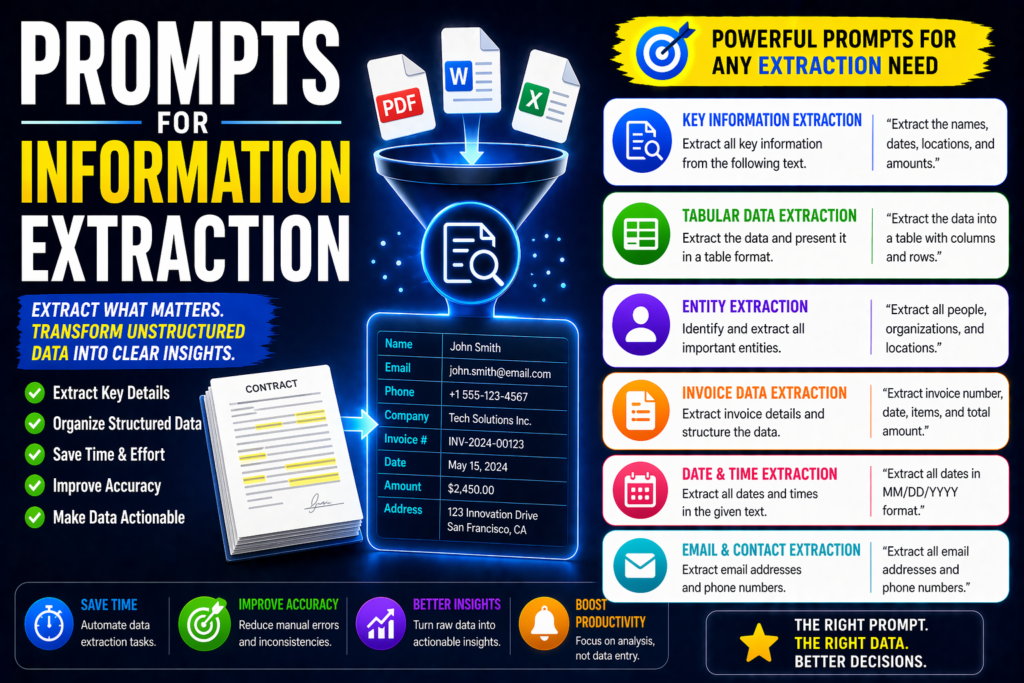
Prompts for Information Extraction: 25 Best AI Prompts
AI can read large amounts of text quickly, but weak prompts often return messy or incomplete outputs. Strong prompts help extract names, dates, key facts, tables, action items, and structured data faster.
This guide shares the best prompts for information extraction from documents, emails, PDFs, reports, resumes, and raw text.
In simple terms
A good extraction prompt is:
Clear + Structured + Output-focused
Instead of:
“Read this document.”
Use:
“Extract names, dates, deadlines, and action items from this meeting transcript.”
Why Information Extraction Prompts Matter
Many users waste time manually scanning text for details. Better prompts turn AI into a fast document assistant.
Strong prompts help you:
- save manual review time
- organize messy text
- capture important facts
- structure data quickly
- automate workflows
- reduce missed details
Best Prompts for Information Extraction
Document Extraction Prompts
1.Key Facts Extractor
“Extract the most important facts from this document: [text]”
2.Dates & Deadlines
“Extract all dates, deadlines, and timelines from this text.”
3.People & Roles
“Extract all people mentioned and their roles.”
4.Locations & Organizations
“List all locations, companies, and organizations mentioned.”
5.Summary Table
“Extract key information and present it in a table.”
PDF & Report Prompts
6.Report Metrics
“Extract all metrics, percentages, and numbers from this report.”
7.Executive Findings
“Extract top findings and recommendations from this PDF.”
8.Risk Detection
“Extract risks, warnings, and concerns from this report.”
9.Compliance Review
“Extract compliance obligations and deadlines.”
10.Policy Snapshot
“Extract policy rules, exceptions, and responsibilities.”
Email & Meeting Prompts
11.Action Items
“Extract action items, owners, and due dates from this email thread.”
12.Decision Summary
“Extract decisions made in this meeting transcript.”
13.Follow-Up Tasks
“Extract pending tasks and next steps.”
14.Contact Details
“Extract names, emails, phone numbers, and titles.”
15.Priority Issues
“Extract urgent issues mentioned in this conversation.”
Resume & Hiring Prompts
16.Skills Extractor
“Extract technical and soft skills from this resume.”
17.Experience Summary
“Extract job titles, companies, and years of experience.”
18.Candidate Fit
“Extract evidence of fit for a [role] from this resume.”
19.Education Data
“Extract education, certifications, and training details.”
20.Achievement Metrics
“Extract measurable achievements and results.”
Structured Data Prompts
21.JSON Output
“Extract product names, prices, and categories into JSON.”
22.CSV Output
“Extract customer data into CSV columns: name, email, company.”
23.Entity Extraction
“Extract entities from this text: people, companies, products, dates.”
24.Sentiment + Facts
“Extract key facts and classify sentiment.”
25.Comparison Fields
“Extract features, pricing, and pros/cons for each product mentioned.”
How to Write Best Prompts for Information Extraction
1.Specify exactly what to extract
Examples:
- names
- dates
- prices
- deadlines
- risks
2.Choose output format
Examples:
- bullets
- table
- JSON
- CSV
3.Define source type
Examples:
- contract
- resume
- transcript
- report
4.Ask for completeness
Prompt:
“Do not miss repeated or hidden mentions.”
5.Validate outputs
Check critical fields manually.
Common mistakes
- asking vague extraction requests
- no output format defined
- too much text without sections
- trusting extracted data blindly
- not specifying required fields
Copy-paste Universal Template
“Extract the following from this [document type]: [fields].
Format: [table/JSON/bullets]
Priority: [accuracy/completeness/speed]
Content: [text]”
Suggested Read:
- What Is Prompt Engineering? Complete Beginner Guide
- Best Prompts for ChatGPT
- Prompts for Summarization
- Prompts for Question Answering
- Prompt Engineering Best Practices
- Step by Step Prompting Guide
FAQ: Best Prompts for Information Extraction
What are the best prompts for information extraction?
Prompts that clearly define fields to extract and output format.
Can I use these with ChatGPT, Claude, or Gemini?
Yes. They work across major AI tools.
Is AI good for document extraction?
Yes, especially for semi-structured text, emails, and reports.
Should I verify outputs?
Always verify legal, financial, and sensitive data.
Final takeaway
The best information extraction prompts help AI turn messy text into usable structured data quickly. That means less manual work and faster decisions.
Use these prompts for PDFs, emails, reports, resumes, and workflows to save time immediately.