

How agentic AI works comes down to a loop: an AI system receives a goal, plans steps, remembers relevant context, uses tools, takes action, checks results, and adjusts. Unlike a normal chatbot, agentic AI is designed to complete workflows, not only generate answers.
In Simple Terms
Agentic AI works like a goal-driven digital assistant.
You give it an objective, such as “prepare a follow-up email after this sales call” or “investigate this customer issue.” The system breaks that objective into steps, finds the right information, uses tools, and checks whether the task is complete.
The important point is that agentic AI does not only respond. It acts within boundaries.
What Makes Agentic AI Different?
A standard generative AI system usually follows a prompt-response pattern. You ask a question, and it generates an answer.
Agentic AI adds a workflow layer. It can decide what needs to happen next, call tools, retrieve data, remember context, and repeat steps until the goal is completed or escalated. IBM describes AI agents as systems that can autonomously perform tasks by designing workflows with available tools.
That does not mean every agentic AI system should be fully autonomous. In practical systems, humans still set the goal, define permissions, review sensitive actions, and monitor results.
The Core Agentic AI Workflow
Most agentic AI systems follow a structure like this:
| Step | What Happens | Simple Example |
| Goal | User defines the desired outcome | “Summarize this customer case” |
| Planning | Agent breaks the goal into steps | Read ticket, check order, retrieve policy |
| Memory | Agent uses relevant context | Past customer history |
| Tools | Agent calls software or APIs | CRM, email, database, search |
| Action | Agent performs or drafts work | Create summary or update ticket |
| Feedback | Agent checks results | Is the answer complete? |
| Handoff | Human reviews risky actions | Approve refund or send email |
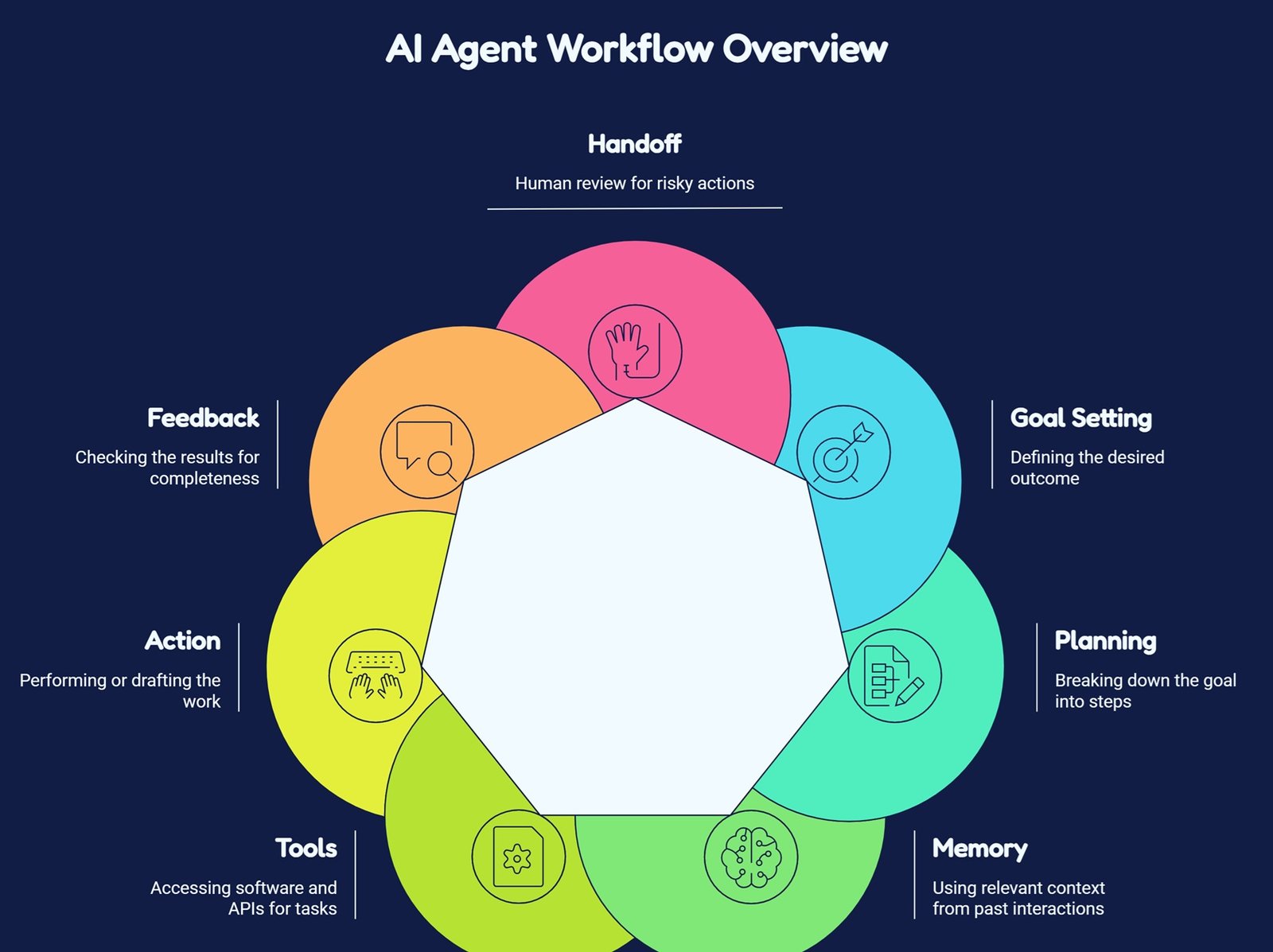
This loop is the basic reason agentic AI can support more complex workflows than a simple chatbot.
1) Planning: Breaking Goals Into Steps
Planning is the part of agentic AI that decides what actions are needed to reach a goal. IBM defines AI agent planning as the process where an agent determines a sequence of actions to achieve a specific goal.
For example, if the goal is “resolve this support ticket,” the agent may plan to:
Read the customer message.
Check account details.
Look up the product policy.
Draft a response.
Ask for human approval if money or account access is involved.
A good plan is not always fixed. If the first search fails, the agent may try another data source. If the issue looks risky, it may stop and escalate.
Planning is useful, but it is also a failure point. Poor planning can cause unnecessary tool calls, wrong task order, loops, or actions that do not match the user’s intent.
2) Memory: Keeping Useful Context
Memory helps agentic AI remember information that matters for the current task or future tasks. IBM describes AI agent memory as the ability to store and recall past experiences to improve decision-making, perception, and performance.
There are usually two types of memory.
Short-term memory keeps track of the current task: the user request, recent tool results, and current progress.
Long-term memory stores reusable context: user preferences, past decisions, previous task outcomes, or workflow patterns.
For example, a sales agent may remember that a customer prefers short emails and already rejected one pricing plan. A coding agent may remember prior debugging attempts. A support agent may remember earlier cases from the same account.
Memory should be useful, not unlimited. Systems need rules for what to store, what to forget, and what should never be saved for privacy reasons.
3) Tools: Connecting AI to Real Work
Tool use is what lets agentic AI move from “thinking” to “doing.”
A tool can be a search engine, database, CRM, calendar, code runner, spreadsheet, browser, email system, ticketing platform, vector database, or internal API. Google Cloud says AI agents can use reasoning, planning, and memory to pursue goals and complete tasks on behalf of users. Tools are usually how those tasks become real actions.
For example:
A research agent may use web search and a document store.
A sales agent may use CRM and calendar tools.
A coding agent may use a code editor, terminal, and test runner.
A customer support agent may use ticketing, order history, and policy retrieval.
Tool access must be controlled. An agent that can read documents is lower risk than an agent that can send emails, issue refunds, delete files, or change database records.
4) Action: Executing the Next Step
Action is where the agent performs a task or prepares one for review. The action might be small, such as retrieving a document. It might also be more consequential, such as updating a CRM record or drafting a customer response.
AWS describes AI agents as software programs that can interact with their environment, collect data, and use that data to perform self-directed tasks that meet predetermined goals.
In safe systems, action is bounded. The agent may be allowed to draft an email, but not send it without approval. It may recommend a refund, but not process it automatically. It may write code, but tests and human review should happen before merge.
The more impact an action has, the more oversight it needs.
5) Feedback: Checking and Adjusting
Agentic AI works best when it checks its own progress. After each action, the agent should ask: did this step help complete the goal?
If the retrieved data is irrelevant, it should search again. If a tool fails, it should retry or choose another path. If the answer is uncertain, it should ask a human.
Research on LLM-agent planning commonly describes planning through task decomposition, plan selection, external modules, reflection, and memory, which shows why feedback loops are central to agent behavior.
Feedback is also important for monitoring. Production teams should track tool calls, errors, latency, cost, task completion rate, and human override frequency.
Agentic AI Example: Customer Support Workflow
Imagine a user says, “I was charged twice. Please fix this.”
An agentic AI system might:
- Classify the request as billing-related.
- Retrieve the customer account and transaction history.
- Check refund and duplicate-charge policies.
- Compare the two charges.
- Draft a support response. Create an internal ticket.
- Ask a human to approve any refund.
- This is agentic because the system is not just writing an answer.
It is following a workflow with planning, memory, tools, action, and review.
Common Mistakes in Agentic AI Systems
The first mistake is giving agents too much autonomy too early. Start with low-risk actions such as reading, summarizing, and drafting before allowing updates or transactions.
The second mistake is weak tool design. If tools are poorly named, loosely permissioned, or missing validation, the agent may call the wrong function or produce unsafe results.
The third mistake is ignoring evaluation. Agentic AI should be tested for planning quality, tool-use accuracy, memory behavior, hallucinations, task completion, latency, and escalation quality. A 2026 survey on LLM-agent evaluation highlights planning, tool use, self-reflection, and other capabilities as key evaluation areas.
Risks and Limits
Agentic AI can fail in ways that are more serious than ordinary chatbot errors. A wrong answer is bad, but a wrong action can be worse.
Risks include incorrect tool calls, stale memory, privacy leakage, prompt injection, infinite loops, poor escalation, and overconfident automation. Memory also creates governance challenges because stored user or business context may become sensitive over time.
The safest agentic AI systems use narrow scopes, permission controls, audit logs, human approval, fallback paths, and continuous monitoring.
Suggested Read:
- What Is Agentic AI? A Practical Guide for Beginners
- Agentic AI vs Generative AI: What’s the Difference?
- What Is an AI Agent? A Simple Explanation With Examples
- MCP Explained: Why It Matters for AI Agents
- How to Evaluate an AI Agent Before Production
- What Is RAG in AI? A Beginner-Friendly Guide
FAQ: How Agentic AI Works
How does agentic AI work?
Agentic AI works by receiving a goal, planning steps, using memory, calling tools, taking action, checking results, and escalating when needed.
What are the main components of agentic AI?
The main components are goal definition, planning, memory, tool use, action, feedback, evaluation, and human oversight.
How do AI agents use planning?
AI agents use planning to break a goal into smaller steps and decide the best sequence of actions to complete the task.
How do AI agents use memory?
AI agents use memory to keep task context, recall past interactions, store preferences, and improve future decisions.
How do AI agents use tools?
They use tools such as search, databases, APIs, calendars, CRMs, ticketing systems, code runners, and document stores to complete real tasks.
What are the risks of agentic AI workflows?
Risks include wrong actions, unsafe tool use, privacy exposure, stale memory, prompt injection, loops, hallucinations, and weak human oversight.
Final Takeaway
How agentic AI works is best understood as a controlled action loop. The system receives a goal, plans, remembers context, uses tools, acts, checks results, and asks for human review when risk is high.
To continue learning, read What Is Agentic AI?, Agentic AI vs Generative AI, and AI Agent Architecture Explained next.