

Multimodal embeddings are vector representations that let AI compare different data types, such as text, images, audio, video, PDFs, and documents, inside a shared semantic space. They help power multimodal search, visual search, recommendation systems, document retrieval, and multimodal RAG applications.
In Simple Terms
Multimodal embeddings turn different kinds of information into numbers that AI can compare. A text sentence, product image, audio clip, video frame, or document page may look completely different to humans, but an embedding model can represent each one as a vector.
The key idea is similarity. If a text query says “red running shoes” and an image shows red running shoes, their embeddings should land close together in the same vector space. This lets an AI system search across formats. A user can search images with text, retrieve videos with an image, or find documents based on semantic meaning rather than exact keywords.
What Are Multimodal Embeddings?
Multimodal embeddings are embeddings designed for more than one modality. A modality is a type of data, such as text, image, audio, video, chart, or document. Traditional text embeddings represent only language. Image embeddings represent visual information. Multimodal embeddings try to map multiple data types into a shared representation.
This shared space is what makes cross-modal retrieval possible. Google Cloud’s multimodal embedding documentation explains that image and text embedding vectors can live in the same semantic space with the same dimensionality, which allows use cases such as searching for images by text or searching for video by image.
How Multimodal Embeddings Work
A multimodal embedding system usually starts with modality-specific processing. Text may go through a language encoder. Images may go through a vision encoder. Audio may go through an audio encoder. Video may be represented through frames, audio, and temporal features.
The model then learns to align related items across modalities. For example, a caption and matching image should be close together. A video clip and its transcript should be close. A chart and its written explanation should be nearby. Models such as CLIP helped popularize image-text alignment by learning visual concepts from natural language supervision. OpenAI introduced CLIP as a neural network that learns visual concepts from natural-language supervision.
What Is a Shared Vector Space?
A shared vector space is a mathematical map where different types of content can be compared. Instead of storing text and images in completely separate systems, the AI maps them into compatible vectors. Related items appear closer together, even if they come from different formats.
For example, a phrase like “gold wristwatch” should be near product images of gold wristwatches. A video about mountain biking should be near a text query about mountain biking. This is useful because users do not always search in the same format as the content. A person may describe an image in words or use a screenshot to find related documents.
Multimodal Embeddings vs Text Embeddings
Text embeddings represent the meaning of words, sentences, or documents. They are powerful for semantic search, clustering, recommendations, and RAG over text. Multimodal embeddings extend this idea to more content types.
| Feature | Text Embeddings | Multimodal Embeddings |
| Main input | Text | Text, images, audio, video, documents |
| Best for | Semantic text search | Cross-format search |
| Example query | Find similar articles | Find images using text |
| Search space | Language only | Shared semantic space |
| Common use | RAG, search, clustering | Visual search, multimodal RAG, media retrieval |
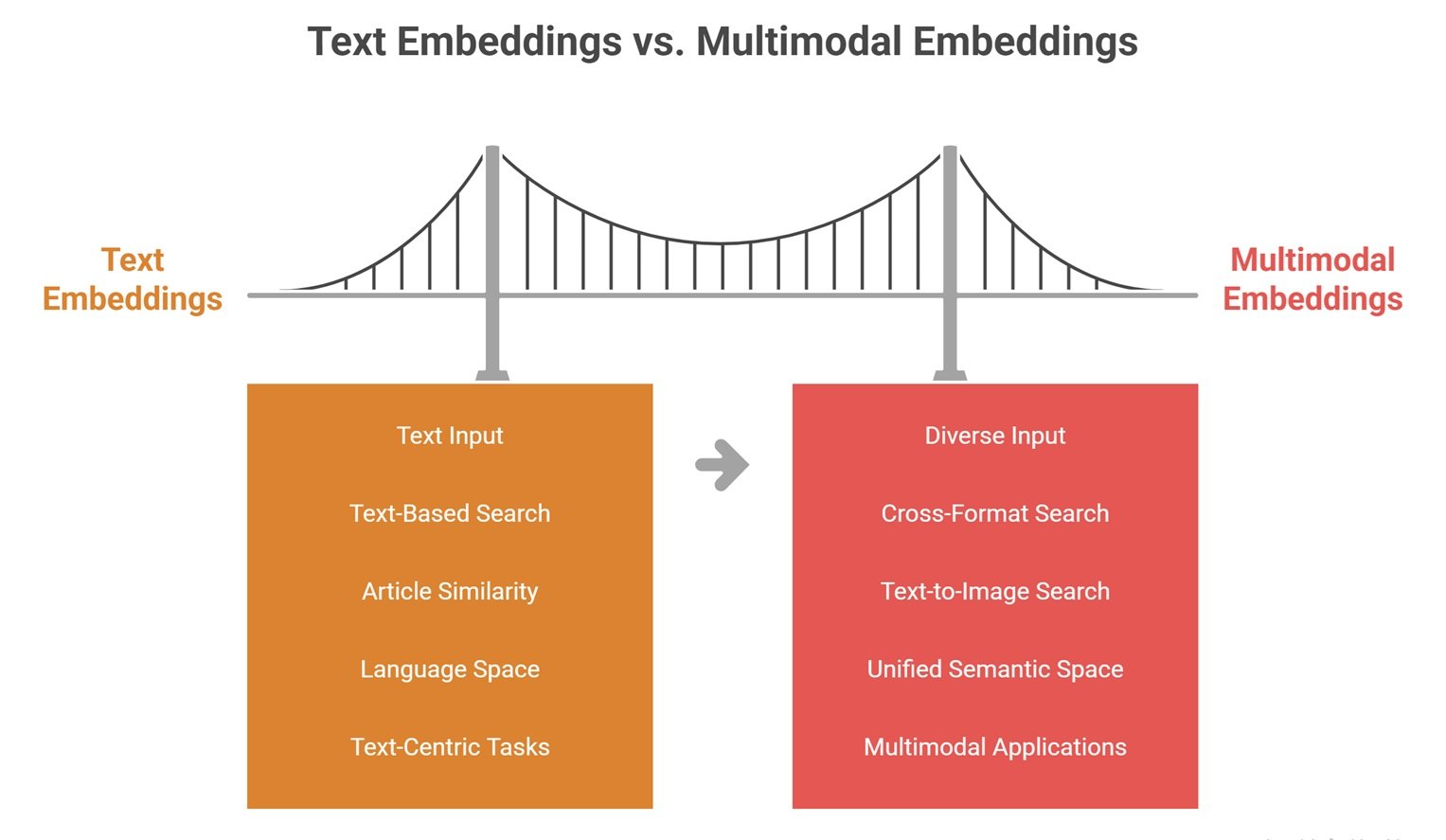
Text embeddings are still useful when the content is mostly written language. Multimodal embeddings become more valuable when the workflow includes screenshots, diagrams, videos, audio, PDFs, charts, or product images.
Real-World Use Cases
Multimodal embeddings are useful in visual search. A shopper can type “minimal white desk lamp” and retrieve matching product images. In media search, a user can search video libraries using text descriptions. In document workflows, teams can retrieve slide decks, charts, or screenshots without relying only on OCR.
They are also useful in multimodal RAG. Instead of converting every image or chart into plain text first, a system can embed visual and textual content into the same retrieval space. Weaviate describes multimodal embeddings as mapping text, images, audio, and video into the same embedding space so a query in one modality can retrieve results from others.
Why Multimodal Embeddings Matter for Business
Businesses store useful knowledge in many formats: PDFs, reports, product images, call recordings, training videos, dashboards, screenshots, slide decks, and scanned documents. Text-only search often misses visual or audio meaning. Multimodal embeddings help connect these assets.
For example, a support team can find screenshots similar to a current user issue. A retail team can match product images with natural-language queries. A training team can search video content by topic. A compliance team can retrieve document pages that combine layout, charts, and text. This makes multimodal embeddings important for enterprise search, document intelligence, ecommerce, media archives, and AI assistants.
Limitations and Risks
Multimodal embeddings are powerful, but they are not magic. They may fail when the model has weak alignment between modalities, poor domain coverage, or limited understanding of small visual details. A model may match general concepts well but miss exact numbers, fine-grained labels, or subtle differences in charts.
Another limitation is evaluation. It is harder to measure whether an image, audio clip, or video segment is the “right” match compared with text-only search. Privacy also matters because embeddings may represent sensitive documents, images, voices, or internal media. Teams should secure embedding stores, control access, and test retrieval quality before using them in production workflows.
Common Mistakes to Avoid
One common mistake is using multimodal embeddings when text embeddings are enough. If the content is almost entirely text, a strong text embedding model may be simpler and cheaper.
Another mistake is assuming one embedding model works equally well for every modality and domain. Product images, medical scans, legal PDFs, call recordings, and training videos may require different evaluation methods. Teams should test with real queries, not only demo examples. They should also combine embeddings with metadata filters, reranking, or domain-specific validation when accuracy matters.
Suggested Read:
- What Is Multimodal AI? Complete Beginner’s Guide to AI Beyond Text
- Vision-Language Models Explained
- Text and Image Models
- Image Grounding in AI
- Document Understanding AI
- Multimodal RAG Explained
- Multimodal Inference
- Best Multimodal AI Tools in 2026
FAQ: Multimodal Embeddings Explained Simply
What are multimodal embeddings?
Multimodal embeddings are vector representations that let AI compare different data types, such as text, images, audio, video, and documents, in a shared semantic space.
How do multimodal embeddings work?
They encode different modalities into vectors and align related content so semantically similar items land close together, even if they come from different formats.
What is a shared vector space?
A shared vector space is a mathematical representation where different data types can be compared using similarity.
How are multimodal embeddings used in AI search?
They allow users to search across formats, such as finding images with text, retrieving videos using a screenshot, or searching documents with visual and textual context.
What is the difference between text embeddings and multimodal embeddings?
Text embeddings work mainly with language. Multimodal embeddings work across multiple data types such as text, images, audio, video, and documents.
What are the limitations of multimodal embeddings?
Limitations include weak modality alignment, retrieval errors, domain mismatch, difficulty with fine details, evaluation challenges, and privacy concerns.
Final Takeaway
Multimodal embeddings help AI connect different formats inside one semantic space. They make it possible to search, compare, and retrieve across text, images, audio, video, PDFs, charts, and documents.
To continue learning, read Vision-Language Models Explained, Text and Image Models, and Multimodal RAG Explained next.