

LLM for Document Search: How AI Finds Answers Faster in 2026
Most organizations store critical information inside PDFs, contracts, spreadsheets, manuals, reports, emails, and shared folders. The challenge is rarely missing data—it is finding the right answer quickly.
Traditional search often fails when users do not know the exact file name or keyword.
That is why many teams are adopting LLMs for document search.
Large Language Models can transform static files into conversational, intelligent search systems that understand intent and summarize results.
This guide explains how LLM for document search works, major use cases, benefits, risks, and best practices.
In simple terms
An LLM for document search is:
An AI system that helps users ask natural language questions and retrieve answers from documents.
Instead of searching with keywords like:
- refund policy PDF
- pricing sheet final v3
- contract clause 7.2
Users can ask:
- What is our refund timeline?
- Summarize pricing changes this quarter.
- Does this contract include termination penalties?
Think of it as a smart assistant for your files.
Why Traditional Document Search Struggles
Many file systems are hard to use because they depend on:
- exact keywords
- file names
- folder memory
- manual browsing
- outdated indexes
- poor summaries
LLMs improve search by understanding meaning and context.
Easy analogy
Imagine a warehouse full of documents with no guide.
Traditional search gives you a flashlight.
An LLM gives you an expert librarian who reads every shelf and returns the right answer quickly.
Popular ecosystems organizations explore
Many companies build document search solutions using platforms from:
The best choice depends on privacy, cost, speed, and deployment needs.
Top use cases of LLM for Document Search
1. Internal Company Search
Employees search policies, SOPs, and reports.
2. Contract Review
Locate clauses, obligations, dates, or penalties quickly.
3. Research Repositories
Summarize papers and compare findings.
4. Customer Support Knowledge Search
Agents retrieve help docs instantly.
5. Product Documentation Search
Find setup steps, API references, or troubleshooting answers.
6. HR & Compliance Search
Access leave policies, onboarding guides, regulations.
7. Financial Document Analysis
Search invoices, statements, budgets, and reports.
LLM for Document Search: Major Benefits
Faster Answers
Minutes of searching become seconds.
Better Productivity
Teams spend less time hunting for files.
Natural Language Search
No need for exact keywords.
Better Summaries
Get concise answers from long documents.
Multi-Document Insights
Compare information across sources.
Easier Onboarding
New hires find knowledge faster.
LLM Search vs Traditional Search
| Feature | Traditional Search | LLM Document Search |
| Keyword Matching | Yes | Yes |
| Natural Questions | Limited | Strong |
| Summaries | Weak | Strong |
| Context Understanding | Low | Higher |
| Multi-Doc Comparison | Weak | Better |
| Conversational Use | No | Yes |
LLM for Document Search: How it usually works
Many systems use Retrieval-Augmented Generation (RAG).
Step 1: Index Documents
Files are processed and searchable.
Step 2: Retrieve Relevant Chunks
The best sections are selected.
Step 3: Generate Answer
The LLM creates a grounded response.
Step 4: Show Sources
Users can verify answers.
This helps reduce hallucinations.
Real business examples
Law Firm
Search thousands of contracts quickly.
SaaS Company
Employees ask product and policy questions.
Ecommerce Brand
Support teams search return and shipping docs.
Consulting Firm
Find old proposals and frameworks.
Risks and limitations
Hallucinations
AI may answer beyond source content.
Permission Problems
Users should only access authorized files.
Poor Source Quality
Messy documents reduce answer quality.
Outdated Information
Old docs create wrong answers.
Sensitive Data Exposure
Security controls are critical.
Best practices for success
1. Clean Your Documents
Remove duplicates and outdated files.
2. Use Role-Based Access
Respect permissions.
3. Show Citations
Let users verify responses.
4. Refresh Data Regularly
Keep indexes current.
5. Monitor Queries
Learn what users need most.
6. Keep Human Review for Critical Tasks
Especially legal or finance workflows.
Metrics to track
| Metric | Why It Matters |
| Search Success Rate | Users found answers |
| Time Saved | Productivity gain |
| User Satisfaction | Quality signal |
| Hallucination Incidents | Trust risk |
| Adoption Rate | Real usage |
| Repeat Searches | Missing content clues |
Best Industries for Document Search AI
- Legal
- Healthcare admin
- Finance
- SaaS
- Ecommerce
- Education
- Manufacturing
- Consulting
Any document-heavy industry can benefit.
Future of document search
Expect rapid growth in:
- voice document assistants
- multimodal search across images + text
- auto-generated document summaries
- workflow agents using company files
- personalized enterprise search
- cross-language document retrieval
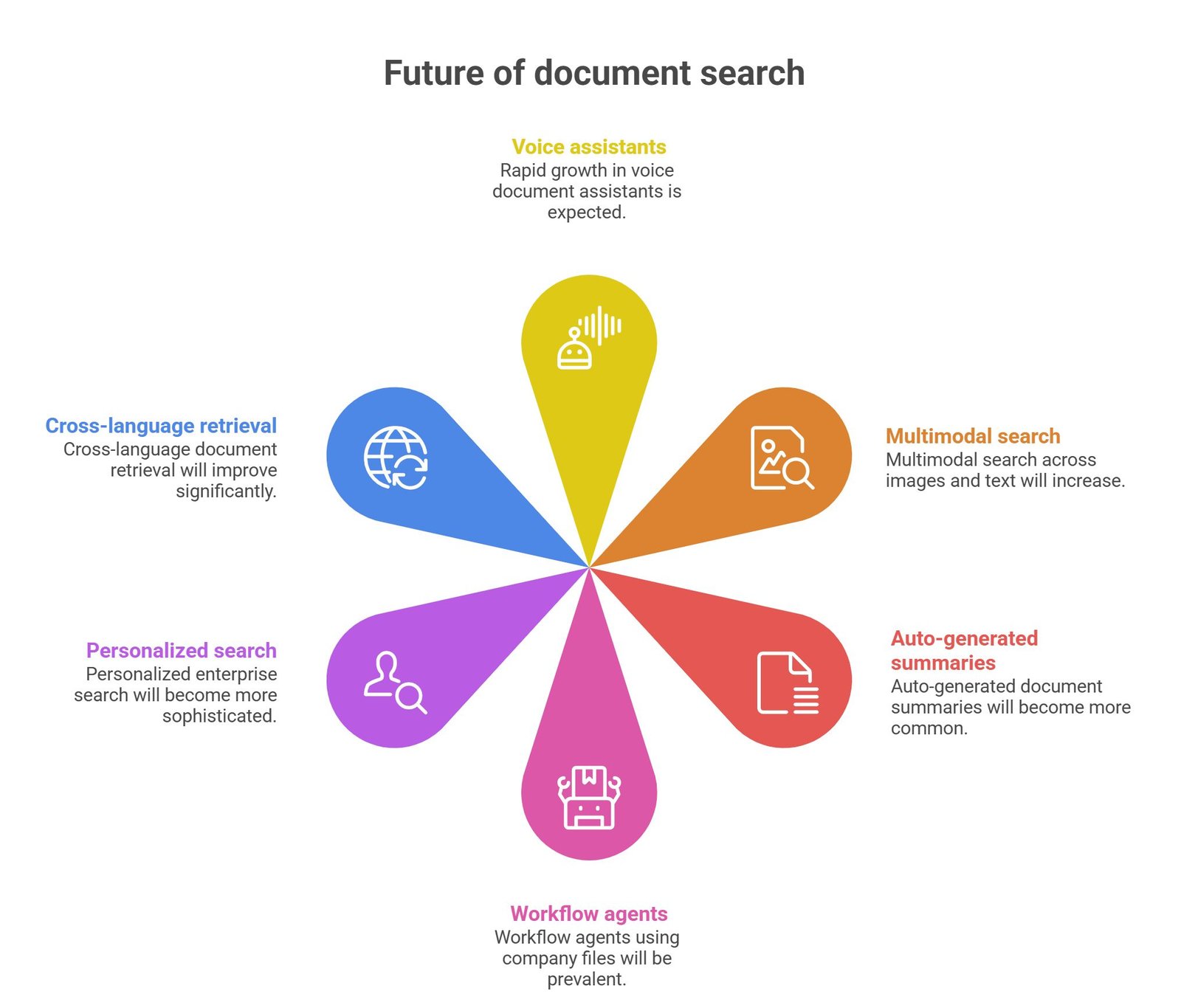
Document search is evolving into intelligent knowledge access.
Suggested Read:
- LLM for Knowledge Bases
- LLM for Customer Support
- LLM Use Cases for Startups
- How to Reduce LLM Hallucinations
- LLM Monitoring
- LLM for Beginners
FAQ: LLM for Document Search
Are LLMs good for document search?
Yes, especially for large document collections.
What is the biggest benefit?
Faster and more useful answers.
Do they replace file storage systems?
No, they improve access to stored information.
Is RAG important?
Yes, it grounds answers in source content.
What matters most?
Good documents, permissions, and accuracy.
Final takeaway
LLMs for document search turn scattered files into usable business intelligence. Instead of digging through folders, users can ask questions naturally and get faster answers.
The future of search is not just finding files—it is understanding them.