

Best Open Source LLMs for Local Use in 2026: Top Models Compared
Running your own artificial intelligence infrastructure offline guarantees complete data privacy, eliminates API subscription overhead, and allows for deep workflow customization. However, keeping up with local llms updates may 2026 benchmarks requires tracking how frontier open-weights architectures perform on consumer-grade chips.
In this guide, we break down the best open source llm for local use across diverse hardware environments. Whether you are searching for the absolute best local llm for coding 2026 edition to anchor your offline IDE or evaluating the best open source llm for local offline use 2025 or 2026 compliance standards, mapping the current open-weights landscape ensures you extract maximum performance out of your local silicon.
This guide compares the best open source LLMs for local use in 2026 so you can choose the right model for your device and needs.
In simple terms
A local LLM is:
A language model you run on your own device instead of relying on an external hosted API.
Popular uses include:
- private chat assistants
- coding help
- writing drafts
- research notes
- offline AI tools
- internal business assistants
Local LLM Ecosystem Updates: May 2026 News
The pace of open-source development continues to accelerate, with several critical model architectures dropping into the ecosystem recently. Tracking local llms 2026 open source news highlights a major shift toward high intelligence density, allowing small models to compete directly with frontier commercial APIs.
-
Zyphra ZAYA1-8B: A highly anticipated Apache 2.0 open-weight Mixture-of-Experts (MoE) model that activates a mere 760M parameters per token. Trained natively on AMD hardware, it delivers elite logic and math processing for local environments.
-
Microsoft Phi Model Family: Microsoft’s active rollout of local-first weights, including specialized visual reasoning editions like the Phi-4-Reasoning-Vision architecture, allows developers to execute multi-step GUI interpretations natively on a standard PC.
These high-efficiency models prove that the best open source model right now for localized tasks doesn’t require a multi-GPU server cluster; instead, hyper-optimized weights are making complex offline processing accessible on consumer laptops.
Why people want local AI models
Privacy
Your prompts stay on your machine.
No Subscription Dependence
Avoid monthly API bills for daily use.
Offline Access
Useful during travel or poor internet.
Faster Repeated Workflows
No network delays in some setups.
Customization
Use your own tools, prompts, or workflows.
How we evaluated local LLMs
We compared models using practical local-use factors:
- hardware friendliness
- RAM / VRAM needs
- speed
- quality
- coding ability
- writing ability
- quantization support
- community tools
Best Open Source LLMs for Local Use
- Meta Llama ecosystem – Best overall local ecosystem
- Mistral AI models – Strong performance with efficient sizes
- Microsoft Phi family – Excellent for smaller devices
- Google Gemma models – Good lightweight local testing
- Alibaba Group Qwen models – Strong multilingual options
- Community fine-tunes – Great niche task performance
- Quantized variants – Best for low-resource machines
Best Open Source LLMs for Local Use :Detailed Comparison
| Model Ecosystem | Best For | Strengths | Considerations |
| Llama | Best overall | Huge community, many variants | Larger versions need stronger hardware |
| Mistral | Balanced local use | Great quality-to-size ratio | Fewer variants than Llama |
| Phi | Low-spec systems | Compact and fast | Less capable than larger models |
| Gemma | Experiments | Lightweight, accessible | Ecosystem still growing |
| Qwen | Multilingual users | Strong language range | Hardware needs vary |
| Quantized builds | Consumer laptops | Lower memory use | Some quality tradeoffs |
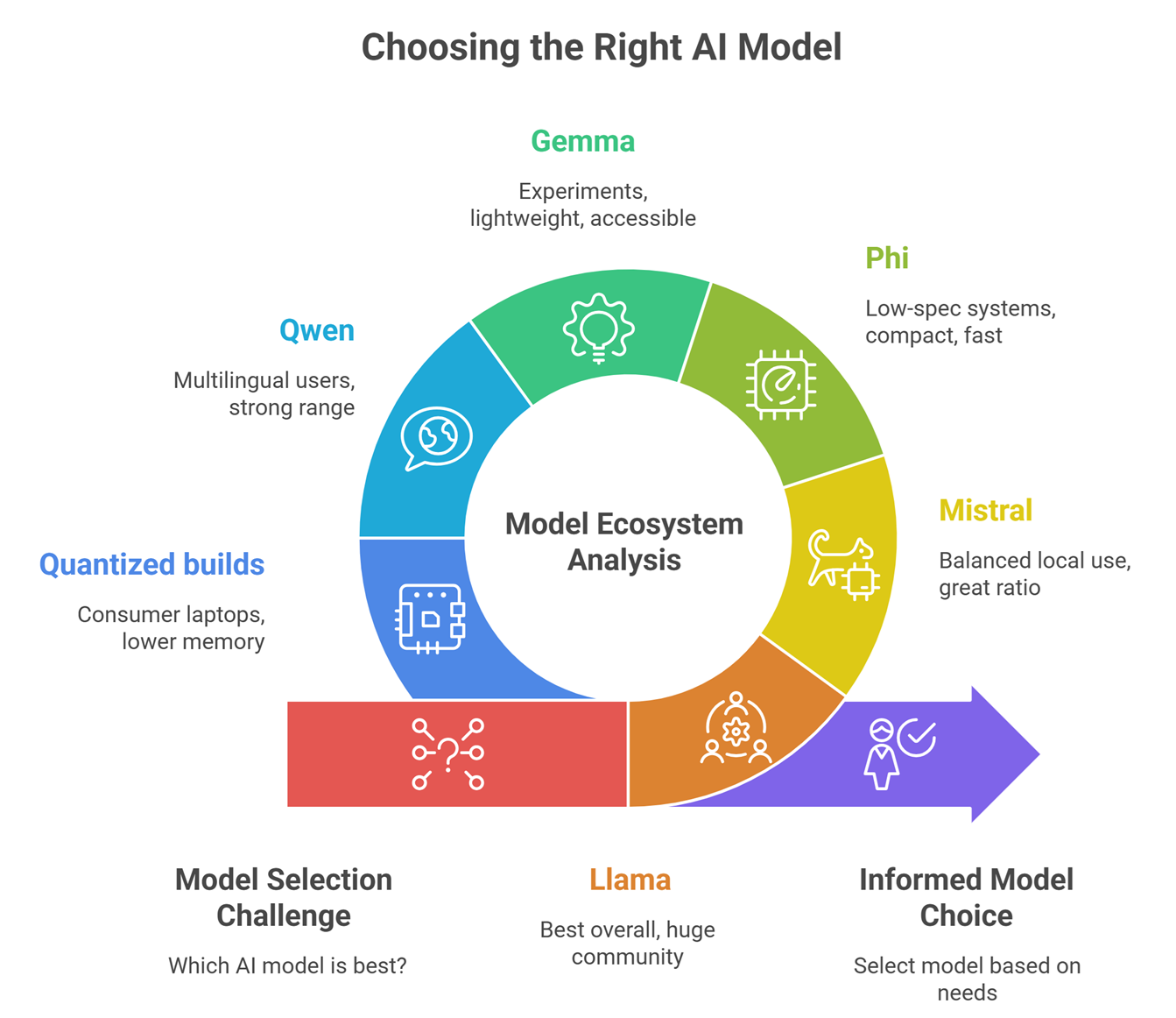
Best Local LLM by Use Case
Best Overall
Meta Llama-family ecosystems remain widely used due to tools, variants, and flexibility.
Best for Low RAM Devices
Microsoft Phi models are often attractive for lighter systems.
Best for Performance per Size
Mistral AI models are frequently praised for efficiency.
Best for Multilingual Work
Alibaba Group Qwen ecosystems are strong candidates.
Best for Testing Google Ecosystem Models
Google Gemma models are commonly explored.
What hardware do you need?
Basic Laptop
Smaller or quantized models.
Gaming PC
Mid-sized models run better.
Workstation GPU
Larger models with faster speeds.
Mac Devices
Some local AI tools support optimized Apple hardware.
The right model depends more on hardware than hype.
Why quantized models matter
Quantization reduces memory needs.
Benefits:
- run larger models locally
- faster loading
- lower VRAM use
- better consumer hardware support
This is why many local users choose 4-bit or 8-bit versions.
Best local use cases
Coding Assistant
Offline code help and debugging.
Writing Assistant
Draft blogs, notes, emails privately.
Research Notes
Summarize local documents.
Personal Knowledge Base
Search your files privately.
Business Internal Tools
Keep sensitive data on-premise.
Local LLMs vs Cloud AI Tools
| Feature | Local LLMs | Cloud AI |
| Privacy | High | Depends on provider |
| Setup Ease | Lower | High |
| Ongoing Cost | Lower after setup | Usage based |
| Raw Power | Depends on hardware | Often very high |
| Offline Use | Yes | Usually no |
| Maintenance | Your responsibility | Provider managed |
Common mistakes when choosing local models
Choosing too large a model
May run slowly or fail.
Ignoring RAM / VRAM
Hardware limits matter.
Expecting cloud-level speed on old laptops
Unrealistic sometimes.
No quantization testing
Can miss easy gains.
Following hype only
Use-case fit matters more.
How to choose the right local LLM
Student / Beginner
Use small lightweight models.
Developer
Choose coding-friendly mid-size models.
Privacy-Focused User
Use fully offline setups.
Startup Builder
Use efficient models with internal tools.
Researcher
Use larger models on stronger hardware.
Future of local AI
Expect rapid progress in:
- faster laptop inference
- stronger small models
- mobile AI assistants
- private enterprise AI devices
- better local tool interfaces
- multimodal offline models
Local AI is moving mainstream.
Suggested Read:
- Open Source LLMs
- LLM Memory Usage
- LLM Quantization Explained
- Best LLMs for Coding
- LLM Deployment Basics
- SLM vs LLM
FAQ: Best Open Source LLMs for Local Use
What is the best open source LLM for local use?
Many users choose Llama, Mistral, Phi, Gemma, or Qwen depending on hardware.
Can I run an LLM on a laptop?
Yes, especially smaller or quantized models.
Are local LLMs private?
Generally yes, if fully offline.
Do local models need internet?
Usually only for downloading initially.
Are local LLMs free?
Many models are free, but hardware has cost.
Final takeaway
Open source LLMs for local use are now practical for many people. You no longer need massive cloud budgets to use AI privately.
Choose based on your hardware, workload, and privacy needs—not just model popularity.