

Google Gemini AI Updates: New Features and User Impact
Google Gemini is getting smarter, and the latest updates show that Google wants Gemini to become more than a chatbot.
Instead of only answering questions, Gemini is now moving deeper into files, workplace apps, personal projects, research, image generation, and developer tools. For users, this means AI may become more useful in everyday tasks such as writing, planning, studying, organizing documents, and working across Google apps.
The bigger story is simple: Google is turning Gemini into a more practical AI assistant for regular users, professionals, students, creators, and businesses.
Google Gemini Is Getting Smarter Across Everyday Tools
The most important part of the latest Google Gemini AI updates is not one single feature. It is the direction.
Gemini is becoming more connected to the tools people already use. Google has been adding Gemini features across the Gemini app, Google Workspace, developer tools, Chrome, and AI-powered research systems. Google’s official Gemini page describes Gemini as an everyday AI assistant with features such as image generation, Deep Research, Personalization, NotebookLM, Gemini Code Assist, Gemini CLI, and video creation access through Veo-related tools.
This matters because many users do not want another complicated AI app. They want help inside the tools they already use.
For example, a student may want Gemini to help organize research notes. A business user may want Gemini to prepare documents from existing files. A creator may want Gemini to generate images that match a personal style. A developer may want Gemini to help with coding workflows.
That is why these Gemini new features matter. They show Google is building an AI assistant that is more connected, more useful, and more personal.
Gemini Can Now Create Downloadable Files
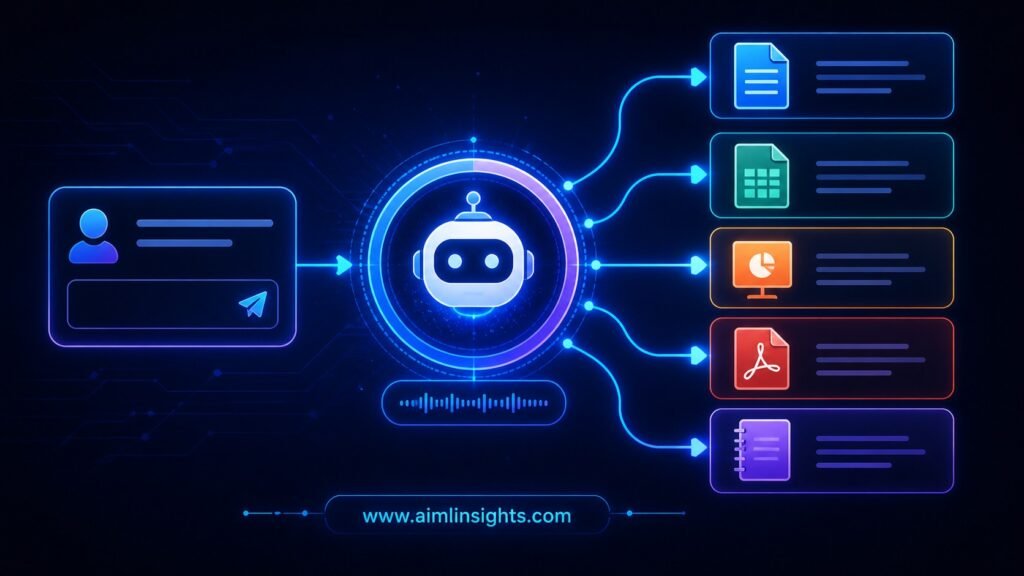
One of the biggest recent Google Gemini tools is file generation.
Google says Gemini can now create PDFs, Microsoft Word files, Excel files, Google Docs, Sheets, Slides, CSV files, LaTeX, TXT, RTF, and Markdown directly from a prompt. This means users can move from an idea to a downloadable file without copying content into another app.
This is a practical update for users.
A student can ask Gemini to create a study plan as a document. A freelancer can generate a client proposal as a PDF. A business owner can create a simple spreadsheet for tracking expenses. A content creator can prepare a script outline in a formatted document.
This does not mean users should blindly publish everything Gemini creates. AI-generated files still need human review. But Gemini file generation can reduce the boring formatting work that often slows people down.
For many users, this may be one of the most useful Gemini AI updates because it turns the assistant from a text box into a file-making tool.
Workspace Intelligence Makes Gemini More Context-Aware
Another major update is Gemini Workspace Intelligence.
Google says Workspace Intelligence gives Gemini a real-time understanding of work across Gmail, Chat, Calendar, Drive, Docs, Sheets, and Slides. The goal is to ground generative AI tasks in Workspace data so users do not need to manually provide context every time they ask Gemini for help.
In simple language, this means Gemini may better understand your work environment.
For example, instead of asking Gemini to write an email and then explaining the full background, Gemini could use relevant context from your calendar, files, and previous communications, depending on settings and permissions.
This could be powerful for businesses. It may help teams write faster, summarize projects, prepare reports, and find information across company files.
But it also brings an important privacy question. If AI can understand more workplace context, users and administrators need strong controls. Google says Workspace Intelligence includes admin controls, which matters for companies managing sensitive data.
The benefit is productivity. The risk is overexposure of data if organizations do not manage permissions carefully.
Personal Intelligence Makes Gemini More Personal
Gemini Personal Intelligence is another important part of Google’s AI direction.
Google’s April 2026 Gemini update says Personal Intelligence is going global and lets users connect favorite Google apps so Gemini can offer help that is more tailored to them. The same update also mentions personalized image generation using Personal Intelligence and Nano Banana.
This is where Gemini starts becoming less generic.
A normal AI chatbot gives similar answers to many users. A personalized AI assistant can respond based on your preferences, your projects, and your connected apps.
For users, this could make Gemini more helpful when planning trips, organizing personal tasks, creating images, managing reminders, or preparing content.
But personalization must be handled carefully. Users should understand what apps are connected, what data is being used, and how to turn access off. A smarter AI assistant is useful only when users feel in control.
Gemini Notebooks Help Users Organize Research
Google has also brought Notebooks into Gemini.
According to Google, Notebooks in Gemini help users organize chats and files for complex projects. These notebooks sync across the Gemini app and NotebookLM, allowing users to continue research and project work across both tools.
This is useful because many AI conversations become messy.
Users often ask questions, upload files, collect notes, and then lose track of useful information. Gemini Notebooks can help organize this work into project spaces.
For students, Gemini Notebooks can support research papers, exam preparation, and study plans. For professionals, they can help manage client research, meeting notes, reports, or product planning. For creators, they can organize video ideas, blog outlines, scripts, and reference material.
The main advantage is continuity. Instead of starting from zero every time, users can keep related AI work in one place.
Gemini Tools Are Becoming More Useful for Developers
Google Gemini AI updates are not only for regular users. Developers are also getting more tools.
Google’s Gemini API documentation says the Gemini API includes built-in tools such as Google Search and Code Execution, and developers can also define custom tools using function calling. The documentation also points developers toward building multi-step, goal-oriented systems through agents.
This matters because Gemini is not just an app. It is also a platform.
Developers can use Gemini models to build apps that search, reason, process data, write code, and call external tools. Google’s Gemini API changelog also notes updates such as combining built-in tools with custom function calling and support for grounding with Google Maps for Gemini 3 models.
For businesses, this opens the door to more custom AI workflows. A company could build a support assistant, a research tool, a location-aware app, or a workflow automation system using Gemini.
The challenge is reliability. Developers still need testing, security reviews, and clear limits before putting AI into production systems.
Gemini in Chrome and Apps Shows AI Is Becoming More Ambient
Google is also placing Gemini closer to daily browsing and app experiences.
Google’s Chrome AI page describes Gemini in Chrome as a way to help users summarize information, plan activities, create study aids, customize home projects, and make faster decisions.
This is part of a larger trend: AI is becoming more ambient.
Ambient AI means AI is not limited to one chatbot window. It appears inside browsers, phones, documents, cars, calendars, and apps.
This can make AI more convenient. But it also means users need to become more thoughtful about when they rely on AI and when they should verify information themselves.
For search, news, health, finance, legal, and business decisions, human judgment still matters.
What These Gemini AI Updates Mean for Users
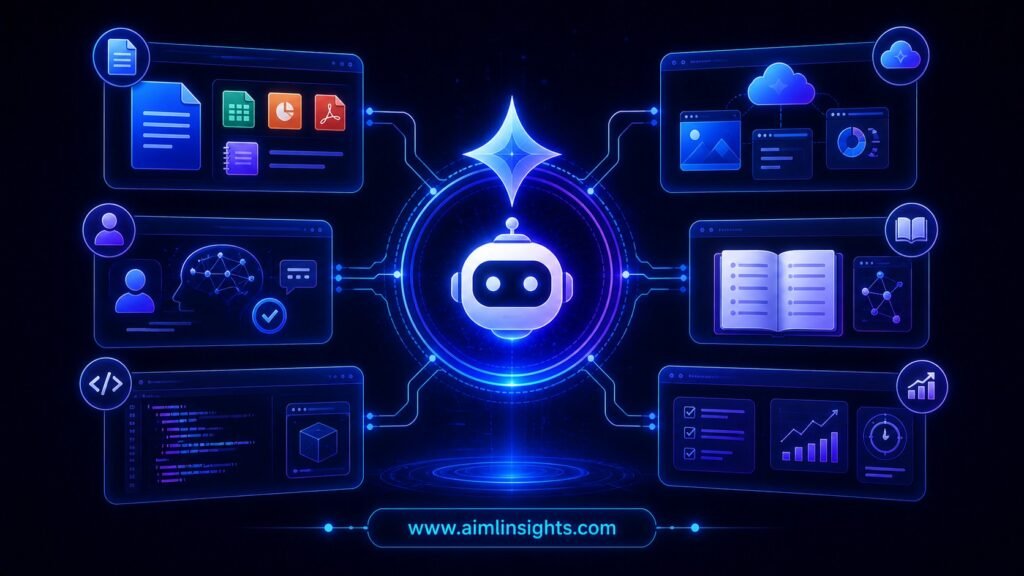
For everyday users, Google Gemini is getting smarter in three major ways.
First, Gemini is becoming more productive. File generation, Workspace Intelligence, and Notebooks can help users move from ideas to usable outputs faster.
Second, Gemini is becoming more personal. Personal Intelligence and connected app features may help Gemini understand user context better.
Third, Gemini is becoming more integrated. Google is putting Gemini into apps, browser experiences, developer tools, and business workflows.
This makes Gemini more useful, but it also increases responsibility.
Users should learn how to review AI outputs, check facts, protect private information, and manage connected app permissions. The smarter the assistant becomes, the more important user control becomes.
Benefits, Risks, and Limitations
The benefits of these Google Gemini AI updates are clear. Gemini can help people write faster, organize projects, create files, summarize information, support research, generate images, and build AI-powered workflows.
For students, it can reduce study friction. For professionals, it can speed up reports and communication. For businesses, it can improve productivity across teams. For developers, it can support coding and app-building.
But the risks are also real.
AI can produce incorrect information. Personalized AI may use sensitive context. Workspace-connected AI may raise data governance questions. File generation can create polished documents that still contain weak reasoning or factual mistakes.
The limitation is simple: Gemini can help create, organize, and accelerate work, but users still need to review important outputs.
AI should be treated as an assistant, not a final authority.
Simple Explanation for Beginners
Think of Gemini like Google’s AI helper.
At first, AI helpers mostly answered questions. Now Gemini can do more. It can help make documents, organize research, generate images, work with Google apps, support coding, and provide more personalized help.
The latest Gemini new features are important because they make AI easier to use in real life.
Instead of asking AI for a paragraph and then doing the rest yourself, you may be able to ask Gemini to create a full document, organize a project notebook, or help with a task using information from your apps.
That is why Google Gemini is getting smarter.
What Comes Next for Gemini
The next step for Gemini will likely be deeper integration across Google products.
Google has already shown interest in Workspace Intelligence, Personal Intelligence, Notebooks, Chrome AI, developer tools, and Gemini-powered productivity features. These updates suggest Gemini may become a central layer across Google’s ecosystem rather than a separate AI tool.
For users, the best approach is to learn Gemini gradually.
Start with simple tasks: summarizing notes, creating outlines, making files, organizing research, or drafting emails.
Then move to more advanced tasks only after you understand privacy settings, accuracy limits, and review steps.
Conclusion
Google Gemini is getting smarter, and the latest AI updates show a clear shift toward a more useful, personal, and connected assistant.
Gemini can now create files, organize research through Notebooks, use Personal Intelligence, support Workspace workflows, help developers through the Gemini API, and appear across more Google experiences.
For users, this means AI is becoming easier to use in daily work and study. For businesses, it means Gemini may become a serious productivity layer. For developers, it means more tools for building AI-powered apps.
The key is to use Gemini wisely. Let it save time, organize work, and speed up routine tasks, but keep human review in place for anything important.
Key Takeaways
- Google Gemini is getting smarter with new features across apps, files, research, and Workspace.
- Gemini can now generate downloadable files such as PDFs, Word documents, Excel files, Docs, Sheets, Slides, and more.
- Workspace Intelligence helps Gemini understand work context across Google Workspace apps.
- Personal Intelligence makes Gemini more personalized by connecting selected Google apps.
- Gemini Notebooks help users organize research, chats, and files for complex projects.
- Developers can use Gemini API tools for search, code execution, function calling, and agent-style workflows.
- Users should review AI outputs carefully and manage privacy settings.
Suggested Read:
- 50 Best Prompts for Gemini to Get Better Results Fast
- 50 Best Prompts for Claude to Get Better Results Fast
- What Is Multimodal AI? Examples, Use Cases, and How It Works in 2026
- 25 Prompt Engineering Techniques With Real Examples (Beginner to Advanced)
FAQ Section
What are the latest Google Gemini AI updates?
The latest Google Gemini AI updates include file generation, Personal Intelligence, Gemini Notebooks, Workspace Intelligence, developer tools, and deeper Gemini integration across Google products.
What new features does Gemini have?
Gemini new features include downloadable file creation, personalized image generation, Notebooks, connected app assistance, Workspace-aware responses, and improved developer tools.
Can Gemini create files?
Yes. Gemini can create downloadable files such as PDFs, Word documents, Excel files, Google Docs, Sheets, Slides, CSV, LaTeX, TXT, RTF, and Markdown files from a prompt.
What is Gemini Workspace Intelligence?
Gemini Workspace Intelligence is Google’s system that gives Gemini real-time work context across Gmail, Chat, Calendar, Drive, Docs, Sheets, and Slides, with admin controls for organizations.
What is Gemini Personal Intelligence?
Gemini Personal Intelligence helps Gemini provide more tailored responses by connecting selected Google apps and using user context under available controls.
Is Google Gemini useful for students and businesses?
Yes. Google Gemini can help students organize research and study material, while businesses can use Gemini tools for document creation, project summaries, internal search, reporting, and workflow support.
References:
- Google Gemini April 2026 update. (blog.google)
- Google Gemini file generation announcement. (blog.google)
- Google Workspace Intelligence announcement. (Workspace Updates Blog)
- Google Notebooks in Gemini announcement. (blog.google)
- Gemini API tools documentation. (Google AI for Developers)
- Gemini API changelog. (Google AI for Developers)
- Gemini in Chrome AI innovations page. (Google)