

LLM Memory Usage Explained: How Much RAM and VRAM Do You Need?
Large Language Models (LLMs) are powerful, but they can also be memory-hungry. Whether you run AI locally, deploy models in the cloud, or build AI products, understanding memory usage is essential.
Many beginners focus only on model quality, but memory often determines whether a model can run efficiently at all.
This guide explains LLM memory usage in simple language, including RAM, VRAM, tokens, and optimization strategies.
In simple terms
LLM memory usage is:
The amount of system memory needed to load, run, and generate outputs from a language model.
This can include:
- model weights
- GPU VRAM
- CPU RAM
- context window data
- runtime cache
- batch processing memory
Think of memory as the workspace an AI model needs to function.
Why Memory Usage Matters
Memory affects:
- whether a model can run on your device
- inference speed
- cloud costs
- scalability
- latency
- user experience
A strong model that does not fit memory limits cannot run efficiently.
RAM vs VRAM explained
RAM
Standard system memory used by the CPU.
Useful for:
- loading files
- preprocessing data
- partial inference workflows
- local runtime support
VRAM
Graphics memory on GPUs.
Critical for:
- fast inference
- serving large models
- parallel token generation
- high throughput workloads
For many LLM workloads, VRAM is the bottleneck.
What Consumes Memory in an LLM?
1. Model Weights
The learned parameters of the model.
Usually the biggest memory component.
2. Context Window
Long prompts and chat history need memory.
3. KV Cache
Stores prior attention states during generation.
Important for long responses.
4. Batch Size
More simultaneous users = more memory.
5. Runtime Overhead
Frameworks and serving systems also consume resources.
Easy analogy
Imagine opening a large design project on a laptop.
- File size = model weights
- Tabs open = context window
- Background apps = runtime overhead
- Multiple users = batch load
More load requires more memory.
Why larger models need more memory
Bigger models usually contain more parameters.
That often means:
- more VRAM needed
- slower loading times
- higher infrastructure costs
- stronger hardware requirements
This is why not every company uses the largest model for every task.
Why context length increases memory use
Longer prompts and longer chats require more active memory.
Examples:
- summarizing a short email = low memory need
- analyzing a 200-page report = much higher need
- long coding sessions = growing memory usage
Context size matters as much as model size in some workflows.
Real-world use cases
Local AI on Laptop
Memory limits determine which models can run smoothly.
Startup SaaS Products
Serving costs depend heavily on memory efficiency.
Enterprise Chatbots
Many users simultaneously increase memory demand.
Coding Assistants
Large contexts can raise runtime usage.
AI Research Teams
Need strong GPU memory for experiments.
Popular ecosystems and deployment choices
Teams may use hosted or self-managed systems built around providers such as:
Hosted APIs hide memory complexity, while self-hosting requires planning.
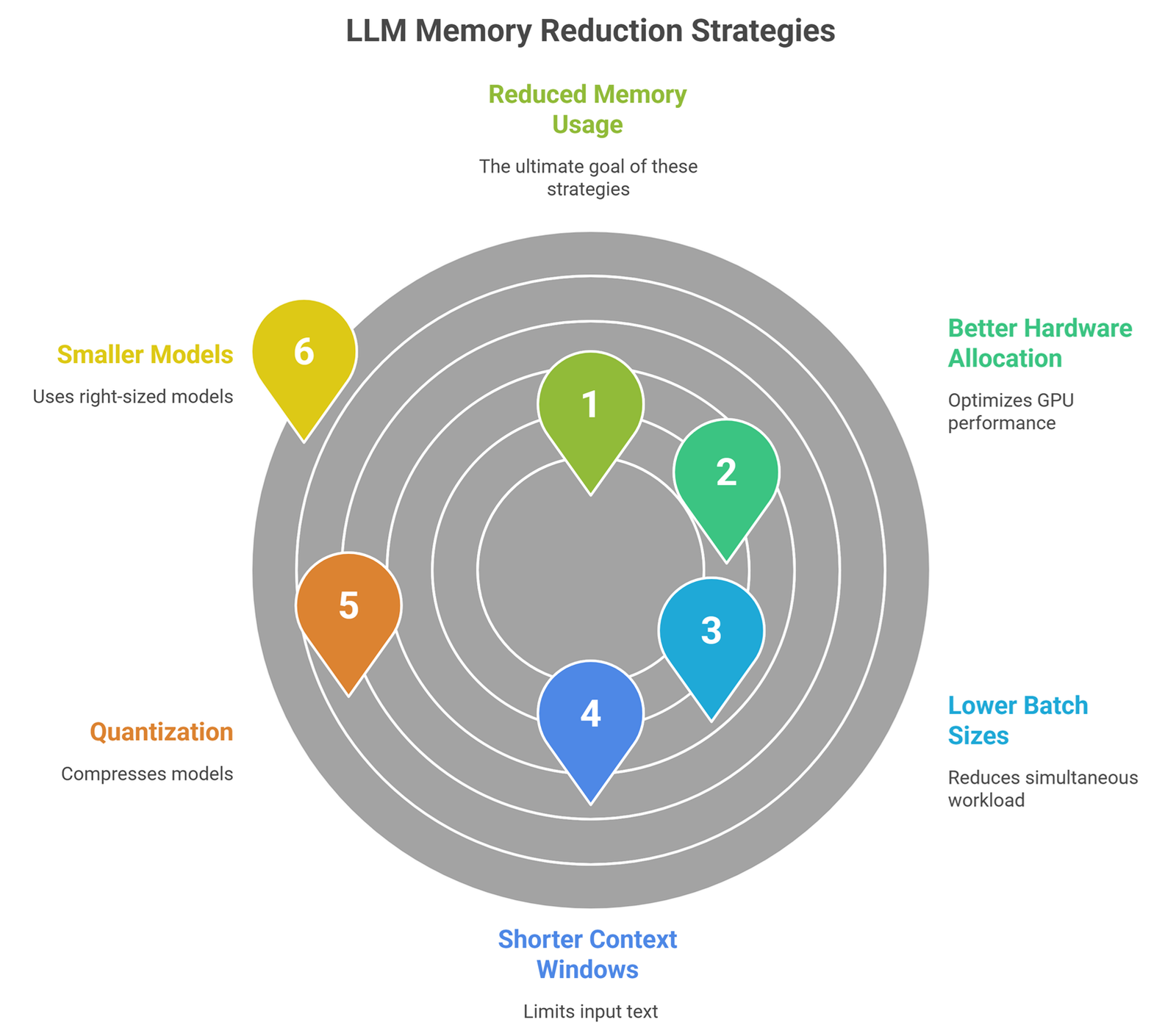
How to Reduce LLM Memory Usage?
1. Use Smaller Models
Choose right-sized models for the task.
2. Quantization
Use 8-bit or 4-bit compressed models.
3. Shorter Context Windows
Send only relevant text.
4. Lower Batch Sizes
Reduce simultaneous workload.
5. Better Hardware Allocation
Use optimized GPUs.
6. Prompt Cleanup
Short prompts reduce active memory pressure.
Memory usage vs speed
| Strategy | Memory Impact | Speed Impact |
| Smaller model | Lower | Often faster |
| Quantization | Lower | Often faster |
| Long context | Higher | Often slower |
| Large batching | Higher | Better throughput |
Best setup depends on workload.
Common beginner mistakes
Bigger model always better
Often unnecessary and costly.
Only model size matters
Context and batching matter too.
RAM equals VRAM
They are different resources.
APIs have no memory cost
The provider still manages memory behind the scenes.
Should startups care?
Yes. Memory efficiency can improve:
- profit margins
- latency
- scaling ability
- lower cloud bills
- smoother user experience
For many AI products, memory planning is a business advantage.
Future trends
Expect progress in:
- smaller powerful models
- smarter KV cache management
- better quantization
- memory-efficient serving stacks
- consumer devices running stronger AI
- cheaper inference infrastructure
Suggested Read:
- LLM Quantization Explained
- LLM Serving Explained
- LLM Inference Explained
- SLM vs LLM
- LLM Latency Optimization
- What Is Edge AI? Beginner Guide
FAQ:LLM Memory Usage Explained
What is LLM memory usage?
The memory required to run an AI model and generate outputs.
Is VRAM more important than RAM?
For GPU inference, VRAM is often critical.
Do longer prompts use more memory?
Yes, larger context usually increases usage.
How can I lower memory usage?
Use smaller models, quantization, and shorter prompts.
Do APIs remove memory concerns?
They hide them operationally, but cost still reflects resource use.
Final takeaway
LLM memory usage determines whether AI systems are practical, fast, and affordable. It is not just a technical detail—it directly affects cost and user experience.
If model intelligence is the engine, memory is the workspace that keeps it running.