
Zero-Shot vs Few-Shot Prompting Explained
If you are new to AI, you might be wondering, what is zero-shot prompting? Simply put, the zero-shot prompting meaning refers to giving an AI model a task without providing any previous examples. In the debate of zero shot vs few shot prompting, the choice depends on how much “guidance” the model needs to produce a high-quality result.
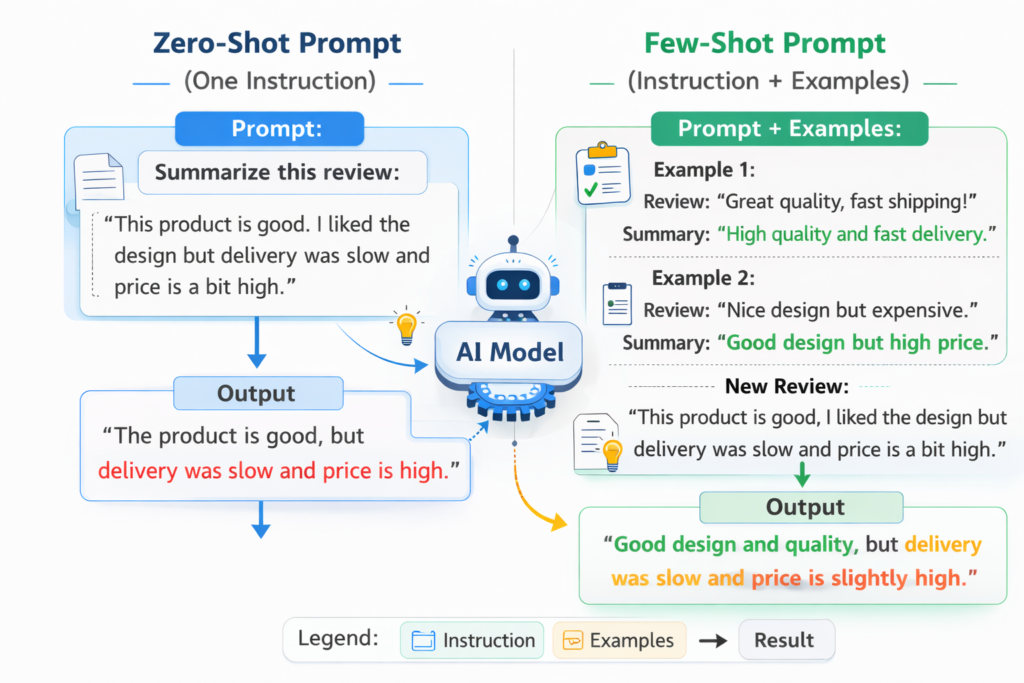
Zero-shot and few-shot prompting are two fundamental techniques in prompt engineering that determine how much guidance you give an AI model. The key difference is simple: zero-shot prompting gives only the task, while few-shot prompting includes examples to guide the output. Choosing the right approach can significantly improve the quality and consistency of AI responses.
In simple terms
Zero-shot prompting is like asking a question directly.
Few-shot prompting is like showing examples before asking the question.
If the task is simple, zero-shot often works well. If the task needs structure or consistency, few-shot usually performs better.
What is Zero-Shot Prompting? Definition and Meaning
Zero-shot prompting means asking the model to perform a task without giving any examples.
You rely entirely on the model’s existing knowledge and pattern recognition.
Example
Prompt:
“Classify this review as positive or negative:
‘The product works great and arrived on time.’”
The model can handle this because the task is simple and well understood.
What is Few-Shot Prompting? Providing Examples for Better Results
Few-shot prompting means providing a few examples before asking the model to complete the task.
To see a few-shot learning example in action within a prompt, consider a sentiment analysis task where the labels must be in a very specific format (e.g., [[POSITIVE]] or [[NEGATIVE]]). By providing 3 examples, the AI “learns” the pattern instantly without needing fine-tuning.
These examples act as a pattern that the model can follow.
Example
Prompt:
“Classify reviews as positive or negative.
Review: ‘Amazing quality and fast delivery.’ → Positive
Review: ‘Very disappointing experience.’ → Negative
Now classify:
‘The product works great and arrived on time.’”
The examples guide the model toward a more consistent output.
Zero Shot vs One Shot vs Few Shot Prompting
While many discussions focus on zero shot vs few shot, there is a middle ground called one-shot prompting.
-
Zero-Shot: No examples provided.
-
One-Shot: Exactly one example is provided to show the desired pattern.
-
Few-Shot: Two or more examples (usually 3–5) are provided.
Choosing between one shot vs few shot prompting usually depends on the complexity of the format. If a single example is enough for the AI to “get it,” one-shot saves space in your prompt. If the task is nuanced, few-shot is safer.
Key differences between zero-shot and few-shot prompting
| Feature | Zero-shot prompting | Few-shot prompting |
| Examples provided | No | Yes |
| Setup complexity | Simple | Moderate |
| Output consistency | Lower | Higher |
| Best for | Simple tasks | Structured or repeated tasks |
| Control over output | Limited | Stronger |
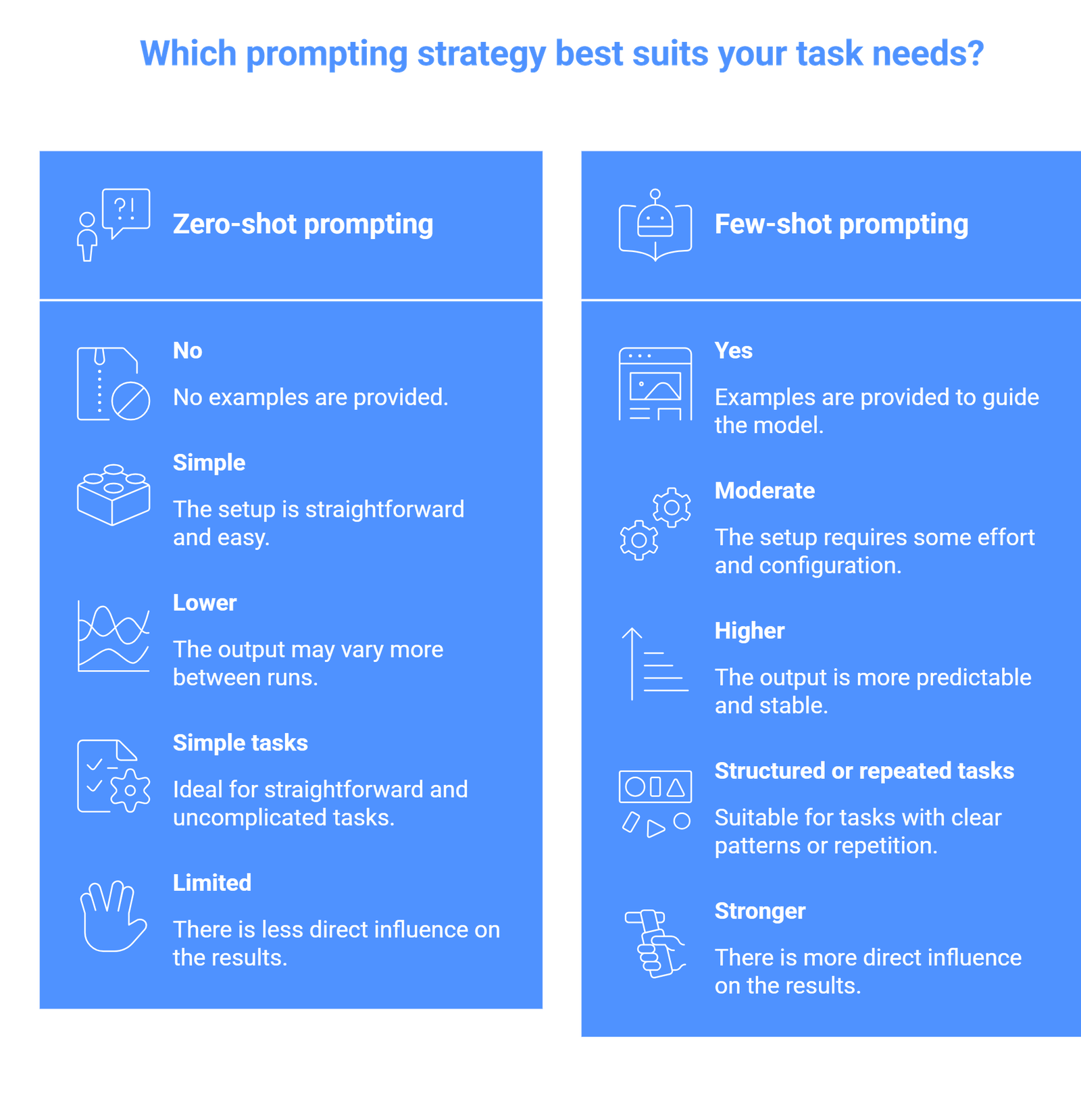
The main difference is control. Few-shot prompting gives you more control over how the output looks and behaves.
When to use zero-shot prompting
Zero-shot prompting works best when:
- the task is simple and widely understood
- the output format is flexible
- speed and simplicity matter
- you do not need strict consistency
Common use cases
- summarizing text
- explaining concepts
- answering general questions
- brainstorming ideas
For example, asking “Explain RAG in simple terms” works well without examples.
When to use few-shot prompting
Few-shot prompting is better when:
- the task requires a specific format
- consistency matters across outputs
- the task is ambiguous
- you want to reduce variability
Common use cases
- classification tasks
- data extraction
- structured outputs (tables, JSON)
- content formatting
For example, extracting structured data from messy text works much better with examples.
Practical example: why few-shot often works better
Let’s compare a real scenario.
Zero-shot
“Extract name and company from this text:
‘John Smith works at OpenAI.’”
The model may return:
- Name: John Smith
- Company: OpenAI
But formatting may vary.
Few-shot
“Extract name and company.
Example:
‘Alice works at Google.’ → Name: Alice, Company: Google
Now extract:
‘John Smith works at OpenAI.’”
Now the output is more consistent and predictable.
This consistency is critical in real workflows.
Advantages and limitations
Zero-shot advantages
- fast and simple
- minimal setup
- works well for general tasks
Zero-shot limitations
- less control
- inconsistent formatting
- weaker for complex tasks
Few-shot advantages
- better accuracy for structured tasks
- consistent output
- easier to control format
Few-shot limitations
- longer prompts
- requires good examples
- may increase cost or latency
How to choose between zero-shot and few-shot
A practical way to decide:
- Start with zero-shot
- If output is inconsistent → switch to few-shot
- If format matters → use few-shot immediately
- If task is creative → zero-shot is often enough
This approach avoids overcomplicating prompts too early.
Common mistakes to avoid
- One mistake is using few-shot prompting when it is not needed. Adding examples for simple tasks can make prompts longer without improving results.
- Another mistake is giving poor examples. If your examples are unclear or inconsistent, the model will follow those patterns and produce weak output.
- A third mistake is expecting few-shot prompting to fix everything. It improves structure and consistency, but it does not guarantee correctness.
Suggested Read:
- Prompt Engineering for Beginners: A Practical Guide
- 25 Prompt Engineering Techniques With Examples
- How to Write Better System Prompts
- Prompt Engineering Interview Questions and Answers
FAQ: Zero-Shot vs Few-Shot Prompting
What is the main difference between zero-shot and few-shot prompting?
Zero-shot uses no examples, while few-shot includes examples to guide the model.
What is the literal zero-shot prompting meaning?
It means the model is performing a task with “zero” prior examples of that specific task in the current conversation. It relies on its pre-trained knowledge to understand the instruction.
Is few shot vs zero shot learning the same as prompting?
In the context of Large Language Models, they are often used interchangeably. However, “learning” usually refers to the model’s ability to adapt to a pattern within a single session (in-context learning).
Which is better: zero-shot or few-shot?
Neither is always better. Zero-shot is simpler, while few-shot is more reliable for structured tasks.
Do I always need few-shot prompting?
No. Many simple tasks work well with zero-shot prompting.
Why does few-shot prompting improve results?
Because examples help the model understand the expected pattern and format.
Can few-shot prompting reduce errors?
It can reduce formatting and consistency errors, but it does not eliminate factual mistakes.
Final takeaway
Zero-shot and few-shot prompting are two of the most important techniques in prompt engineering. The difference is simple, but the impact is significant. Zero-shot works well for simple, open-ended tasks, while few-shot is better when you need structure, consistency, and control.
The best approach is not to choose one permanently, but to use both depending on the task. Start simple, then add examples when needed.