
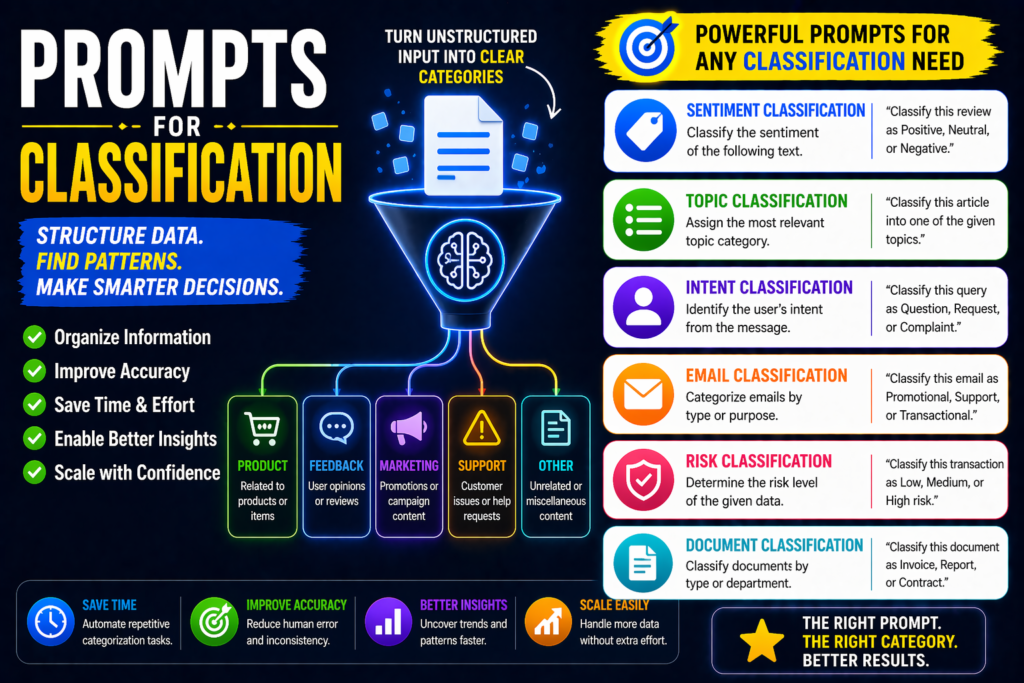
Prompts for Classification: 25 Best AI Prompts
AI can sort text, detect intent, tag documents, and categorize data quickly. But weak prompts often create inconsistent labels or vague results. Strong prompts improve accuracy, consistency, and automation.
This guide shares the best prompts for classification for support tickets, sentiment analysis, lead scoring, document sorting, and business workflows.
In simple terms
A good classification prompt is:
Clear + Label-based + Rule-focused
Instead of:
“Read this email.”
Use:
“Classify this email as Sales, Support, Billing, or Spam and explain briefly.”
Why Classification Prompts Matter
Many teams manually sort incoming text and requests. Better prompts turn AI into a fast triage assistant.
Strong prompts help you:
- automate repetitive sorting
- improve response routing
- organize messy data
- detect sentiment quickly
- qualify leads faster
- reduce manual workload
Best Prompts for Classification
Text Classification Prompts
1.Topic Classifier
“Classify this text into Marketing, Finance, HR, Tech, or Legal: [text]”
2.Intent Detection
“Classify user intent as Buy, Learn, Compare, or Support.”
3.Language Category
“Classify whether this text is formal, casual, or promotional.”
4.Urgency Level
“Classify this message as Low, Medium, or High urgency.”
5.Spam Filter
“Classify this email as Legitimate, Promotion, or Spam.”
Sentiment Analysis Prompts
6.Review Sentiment
“Classify this review as Positive, Neutral, or Negative.”
7.Emotion Detection
“Classify the emotion as Happy, Frustrated, Angry, or Confused.”
8.Brand Feedback
“Classify this feedback as Product, Pricing, Support, or UX complaint.”
9.Social Mention Tone
“Classify this social post sentiment and explain briefly.”
10.Risk Sentiment
“Classify customer churn risk as Low, Medium, or High.”
Customer Support Prompts
11.Ticket Routing
“Classify this ticket as Billing, Technical, Account, or Refund.”
12.Priority Queue
“Classify this support issue by priority level.”
13.Resolution Type
“Classify whether this request needs Self-Service, Agent, or Escalation.”
14.Repeat Issue Check
“Classify if this is a recurring issue category.”
15.Complaint Severity
“Classify complaint severity from 1 to 5.”
Sales & Lead Prompts
16.Lead Quality
“Classify this lead as Cold, Warm, or Hot based on details.”
17.Buyer Stage
“Classify this prospect as Awareness, Consideration, or Decision stage.”
18.Deal Probability
“Classify close probability as Low, Medium, or High.”
19.ICP Fit
“Classify whether this company fits our ICP: Yes, Maybe, No.”
20.Upsell Opportunity
“Classify customer upsell likelihood.”
Document & Data Prompts
21.Resume Screening
“Classify this resume as Strong Fit, Moderate Fit, or Weak Fit.”
22.Contract Type
“Classify this contract as Vendor, Employment, NDA, or Client.”
23.Invoice Status
“Classify invoice as Paid, Pending, Overdue.”
24.Content Moderation
“Classify text as Safe, Sensitive, or Restricted.”
25.Custom Labels
“Classify this data using these labels: [labels].”
How to write Best Prompts for Classification
1.Define labels clearly
Use fixed categories.
2.Limit category overlap
Avoid confusing labels.
3.Add rules
Example:
“If refund is mentioned, prioritize Billing.”
4.Ask for confidence score
Useful for review queues.
5.Use structured output
Examples:
- label
- confidence
- reason
Common mistakes
- vague categories
- too many overlapping labels
- no examples or rules
- inconsistent wording
- trusting outputs without audits
Copy-paste universal template
“Classify this [text/document] into one of these labels: [labels].
Return:
Label:
Confidence:
Reason:
Text: [content]”
Suggested Read:
- What Is Prompt Engineering? Complete Beginner Guide
- Best Prompts for ChatGPT
- Prompts for Information Extraction
- Prompts for Question Answering
- Prompt Engineering Best Practices
- Step by Step Prompting Guide
FAQ: Best Prompts for Classification
What are the best prompts for classification?
Prompts that define fixed labels, rules, and output format.
Can I use these with ChatGPT, Claude, or Gemini?
Yes. They work across major AI tools.
Is AI useful for text classification?
Yes, especially for routing, tagging, and triage tasks.
Should I review outputs?
Yes, especially for sensitive or high-volume workflows.
Final takeaway
The best classification prompts help AI turn unstructured text into organized decisions quickly. That means faster operations, better routing, and less manual effort.
Use these prompts for support, sales, sentiment, and document workflows to automate smarter.